PS6010 Hardware Maintenance Maintaining Disks
2–7
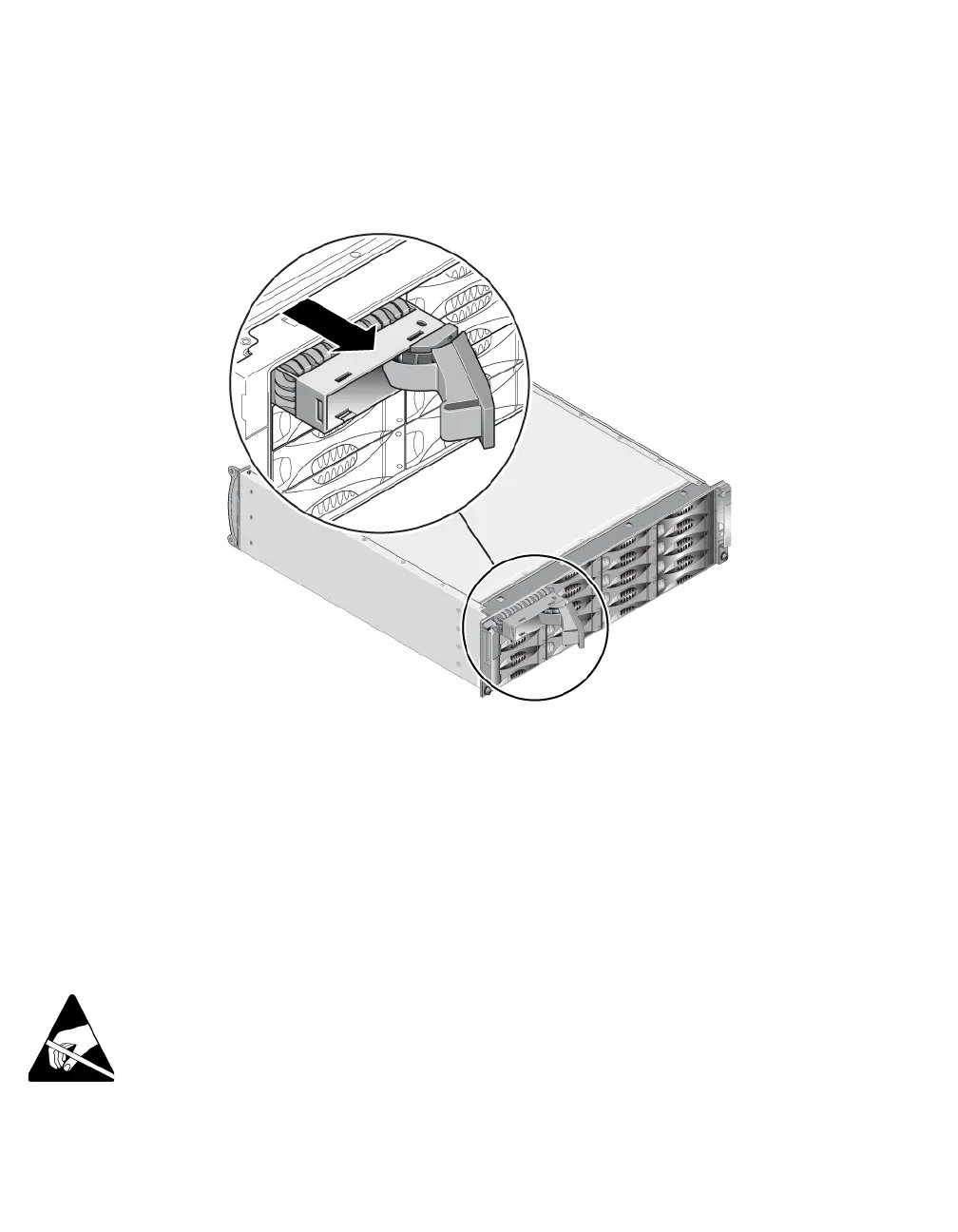
3. Grasp the handle and pull the disk drive 2.5 cm (1 inch) from the slot.
See Figure 2-6.
Figure 2-6: Removing a Disk Drive
4. Wait 30 seconds to allow the heads to land. (Does not apply when removing a
blank carrier.)
5. Pull the disk drive further from the slot and re-engage the handle. You will
hear a click. Then, pull the disk drive completely out of the array.
6. Place the drive on a flat surface where it will be protected from electrostatic
discharge.
Installing Disk Drives
1. Wear electrostatic protection when handling a disk drive. See Using an
Electrostatic Wrist Strap on page 1-5.
To install a disk drive or a blank carrier:


 To Next Page