PS6010 Hardware Maintenance Maintaining Control Modules
3–12
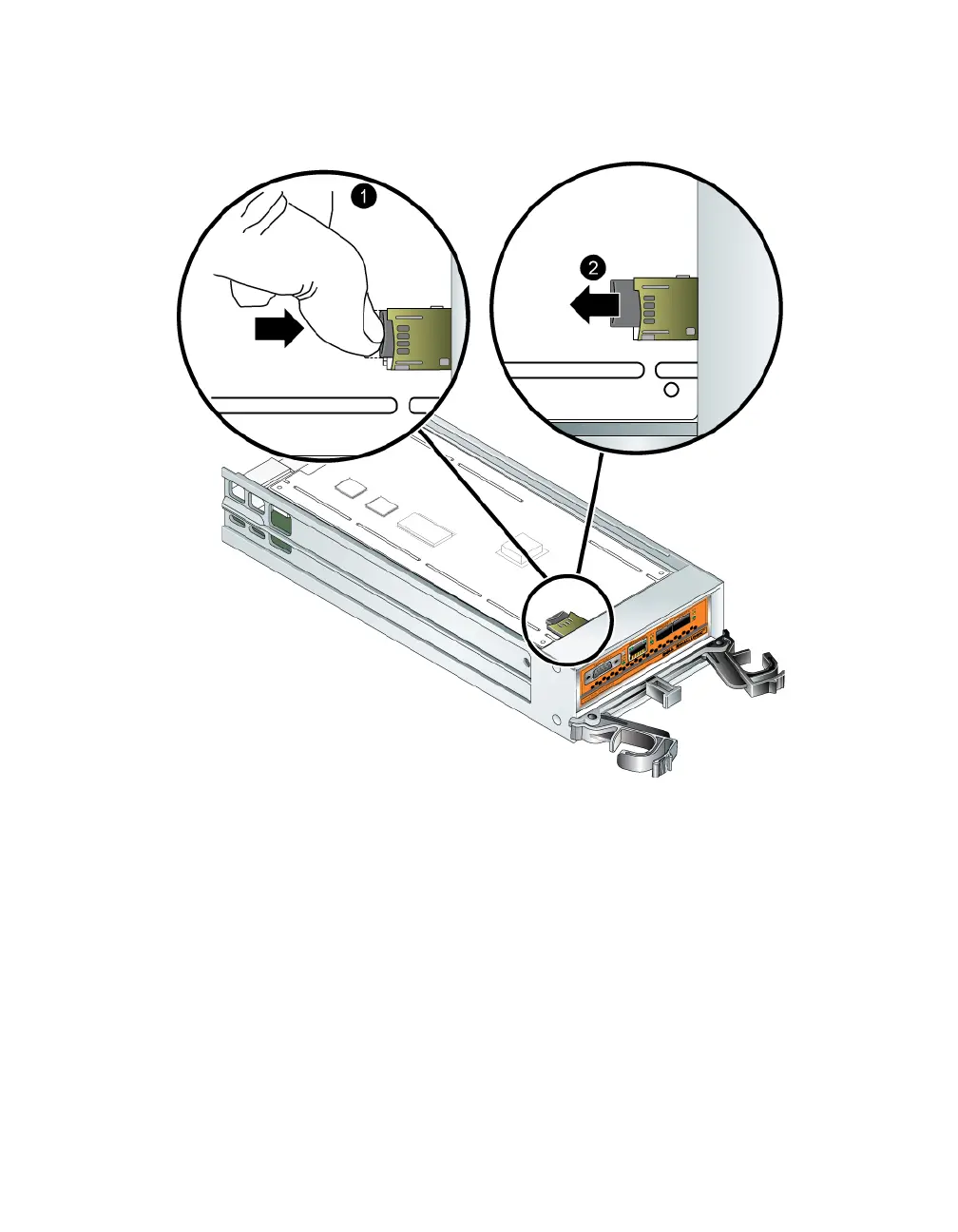
Figure 3-6: Ejecting the MicroSD Card
2. Gently pull the card straight out of the housing.
3. Place the microSD card on a flat surface where it will be protected from
electrostatic charge.
Inserting the MicroSD Card
1. Align the replacement microSD card so the arrow on the card points towards
the housing (Figure 3-7).
2. Firmly press the card into the housing until it clicks into place. Make sure you
cannot pull it out.


 To Next Page