PS6010 Hardware Maintenance Maintaining Control Modules
3–17
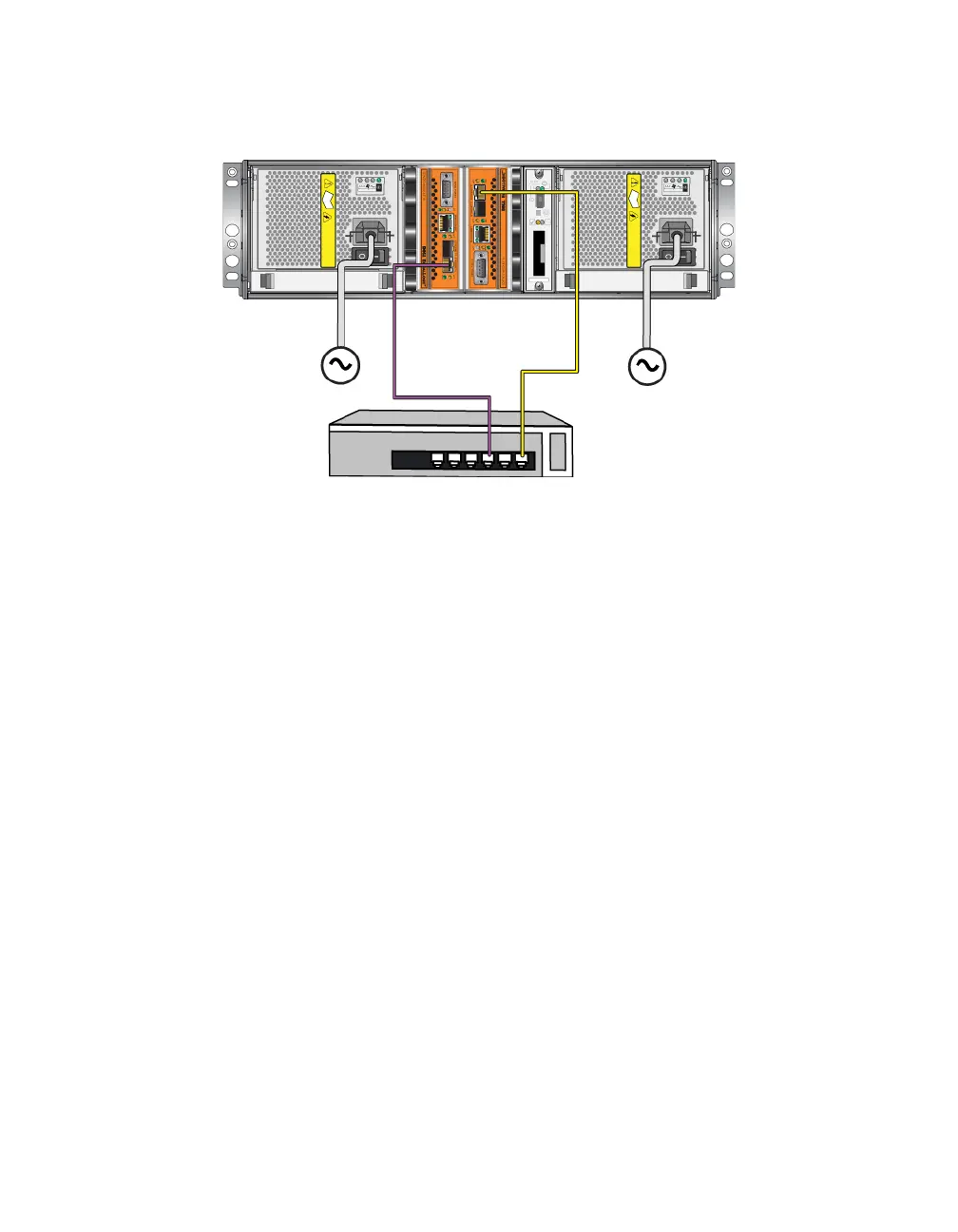
Figure 3-9: Minimum Network Configuration
Recommended Network Configuration
For maximum network bandwidth and availability, Dell recommends that you use
four network cables to connect Ethernet 0 and Ethernet 1 on each control module
to a different network switch. The switches must be connected with interswitch
links that have sufficient bandwidth.
In addition, you can optionally configure a dedicated management network. See
the Group Administration manual for detailed information.
Figure 3-10 shows the recommended network configuration, without a
management network.


 To Next Page