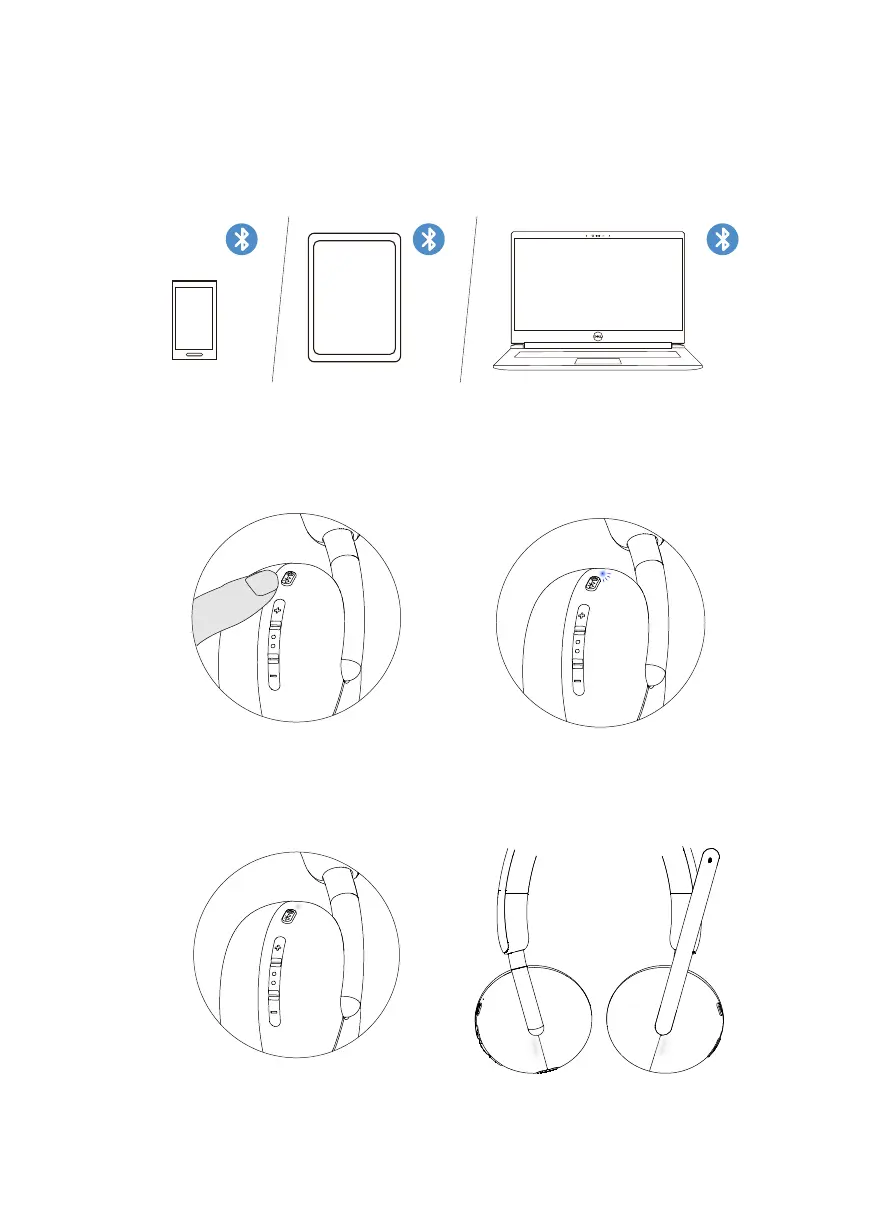
Connecting the headset to your device using Bluetooth
12
1. Turn on the Bluetooth in your smartphone, tablet, or laptop before connecting the
headset through a Bluetooth.
2. Press and hold the power button for 3 seconds to start pairing. The Blue LED
light flashes
to indicate pairing mode in on.
3. Connect the headset to smartphone, tablet, or laptop. The LED static blue
turns on for 3 seconds before slowly changing to blue blinking.



 To Next Page