11
Connecting the headset to your device
using the USB wireless audio receiver
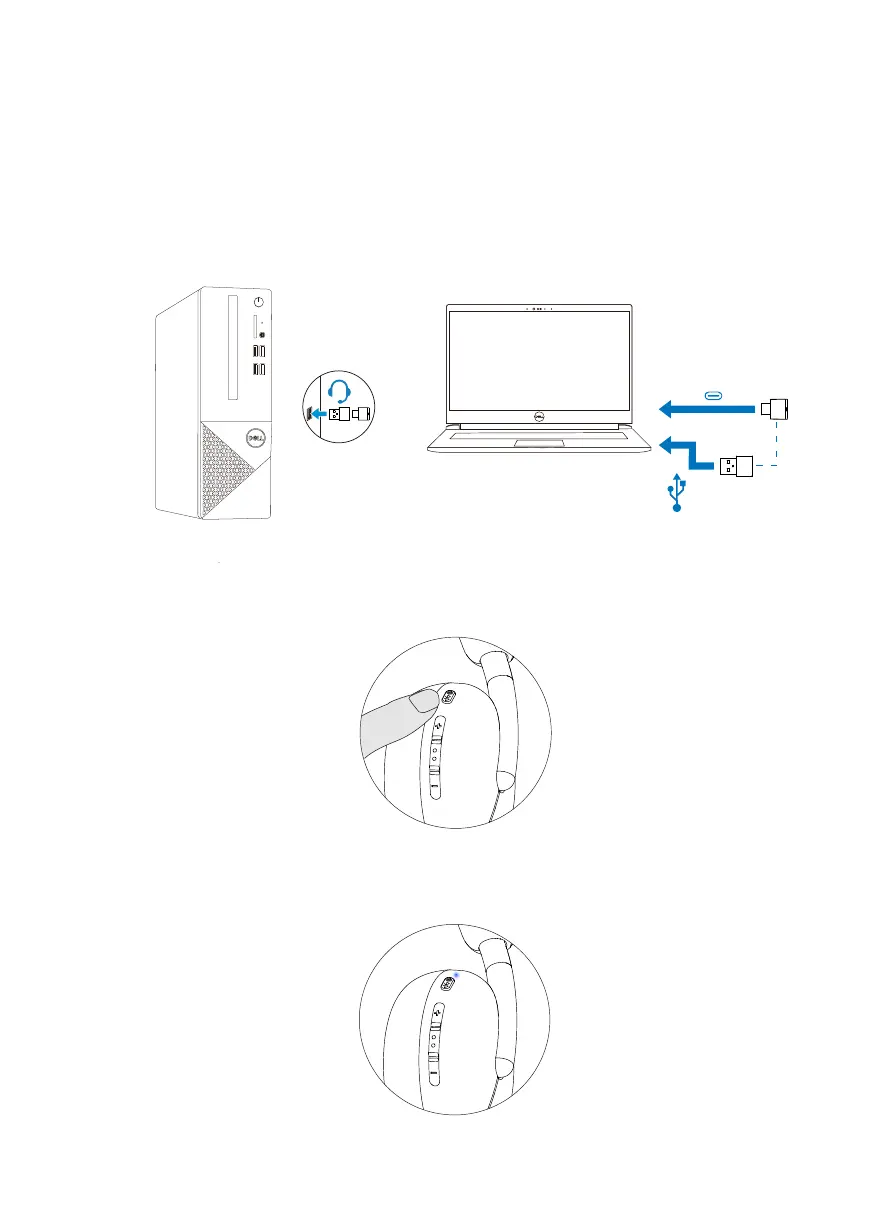
1. Plug the USB-C audio receiver into the USB-C port on the computer. A USB-A Adapter
is
also provided as an alternative for connection to the USB-A port.
2. Press the power button to turn on the headset to automatically pair with the
wireless audio receiver.
3. The Blue LED light indicates that the headset is turned on.



 To Next Page