18
Replacing the Ear cushions
Note : Compatible replacement ear cushion model : Dell Wireless Headset Ear
Cushion – HE424 can be purchased at Dell.com
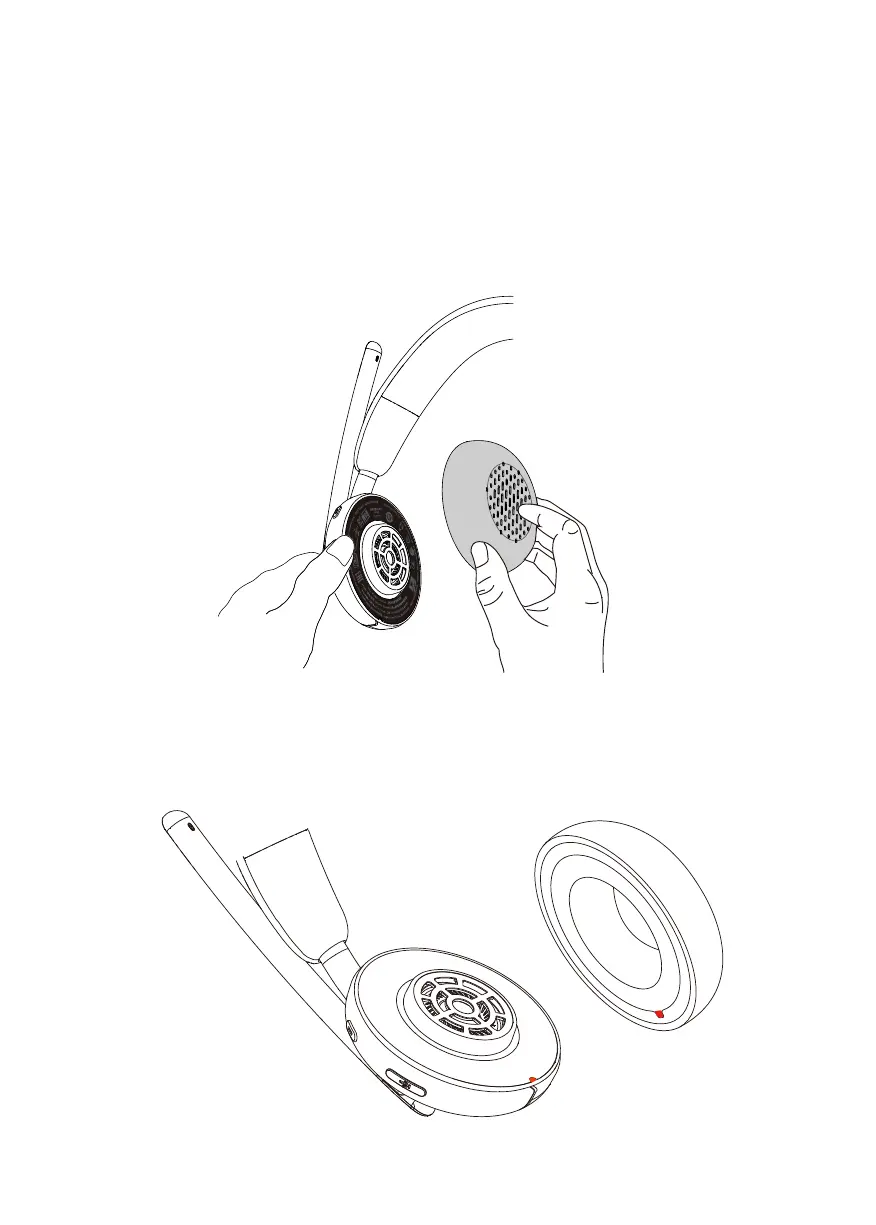
To remove the ear cushion, hold the ear cup firmly and then pull the ear cushion
away from the headset.
Note that the left and right ear cushions are the same. In order to fit them into the
ear cup, there is a notch located above the ear cushion that aligns with the bottom
of the ear cup; shape can be adjusted after fitting in.



 To Next Page