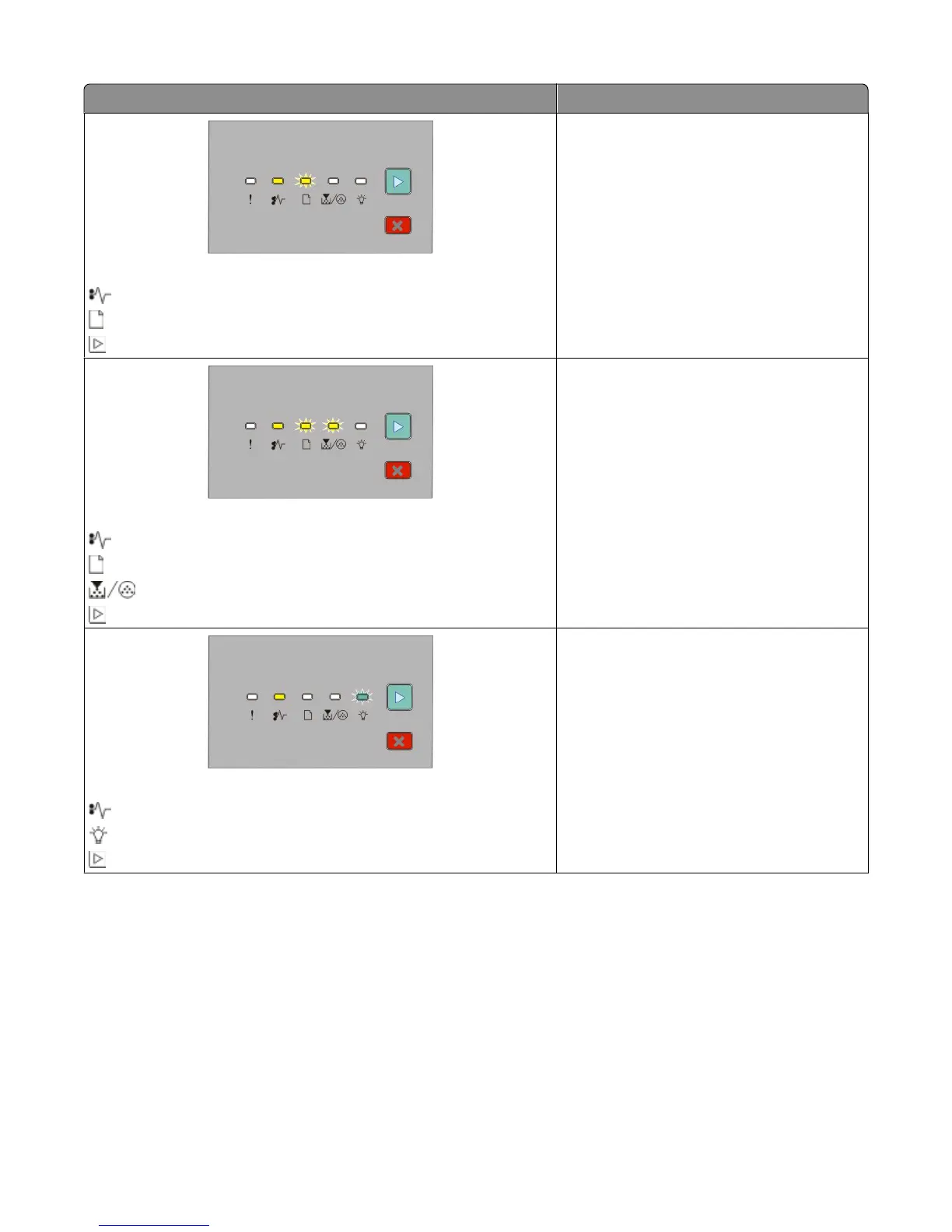
Light sequence What you can do to access the jam
231.yy Paper jam
- On
- Blinking
- On
Open the front door, and then open the rear
door.
233.yy Paper jam
- On
- Blinking
- Blinking
- On
Try one or more of the following:
• Remove Tray 1.
• Open the front door, and then open the rear
door.
234.yy Paper jam
- On
- Blinking
- On
Try one or more of the following:
• Remove Tray 1.
• Open the front door, and then open the rear
door.
Interpreting the printer control panel lights
52












 To Next Page