Dell
™
Latitude™ E6420 XFR Service Manual
Page 32
15 Display Bezel
15.1 Removing the Display Bezel
CAUTION: Before you begin any of the procedures in this section, follow the safety
instructions that shipped with your computer.
1. Follow the instructions in
Before Working on Your Computer.
2. Close and latch the Display assembly if open.
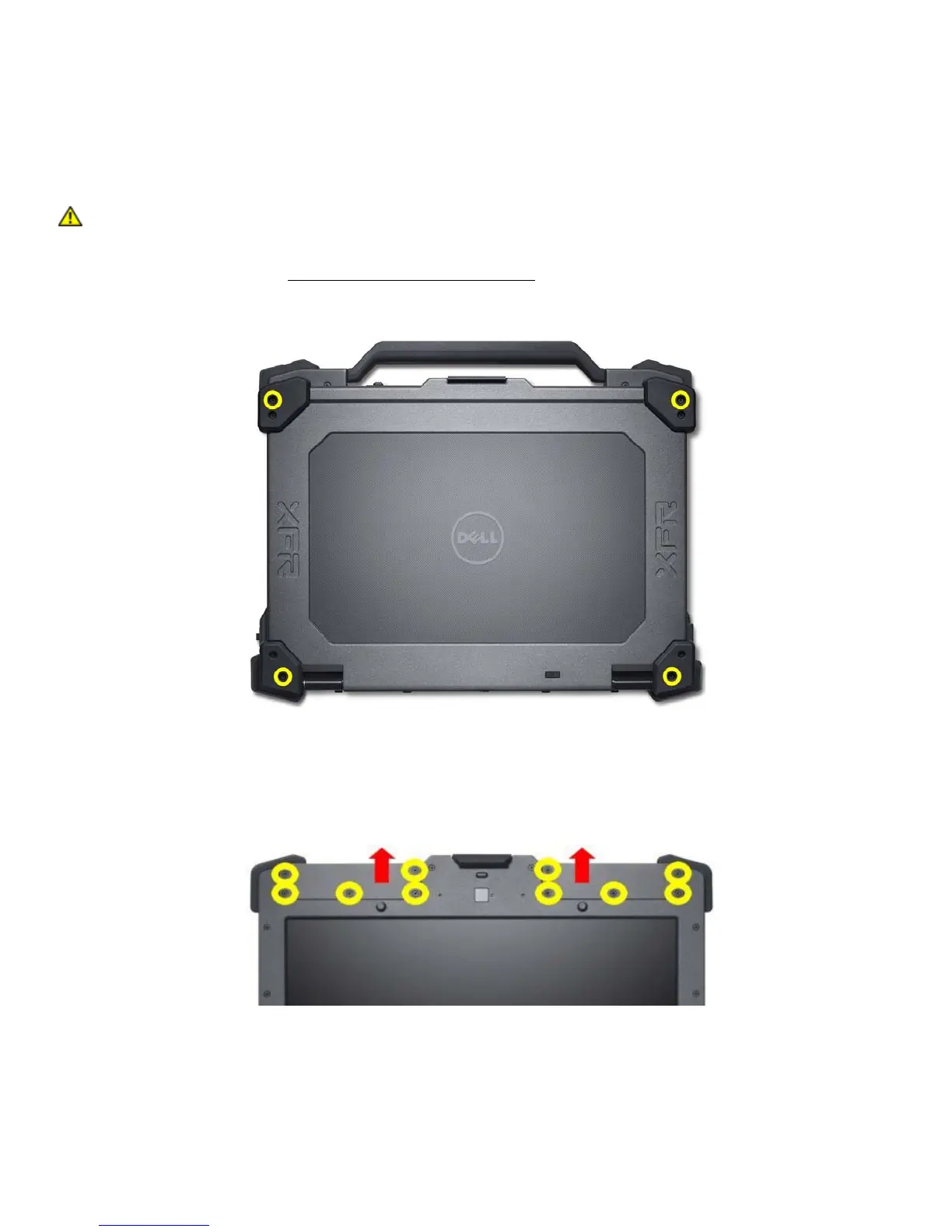
3. Remove the 4 M2.5x8 mm screws highlighted in the figure below.
4. Open the Display assembly to access the Display Bezel
5. Remove the 5 M2.5x8 mm screws securing the right and left antenna covers to the Display assembly.
6. Remove the left and right antenna covers from the Display Assembly




 To Next Page