Dell
™
Latitude™ E6420 XFR Service Manual
Page 53
27.2 Replacing the Modular Drive
CAUTION: Before you begin any of the procedures in this section, follow the safety
instructions that shipped with your computer.
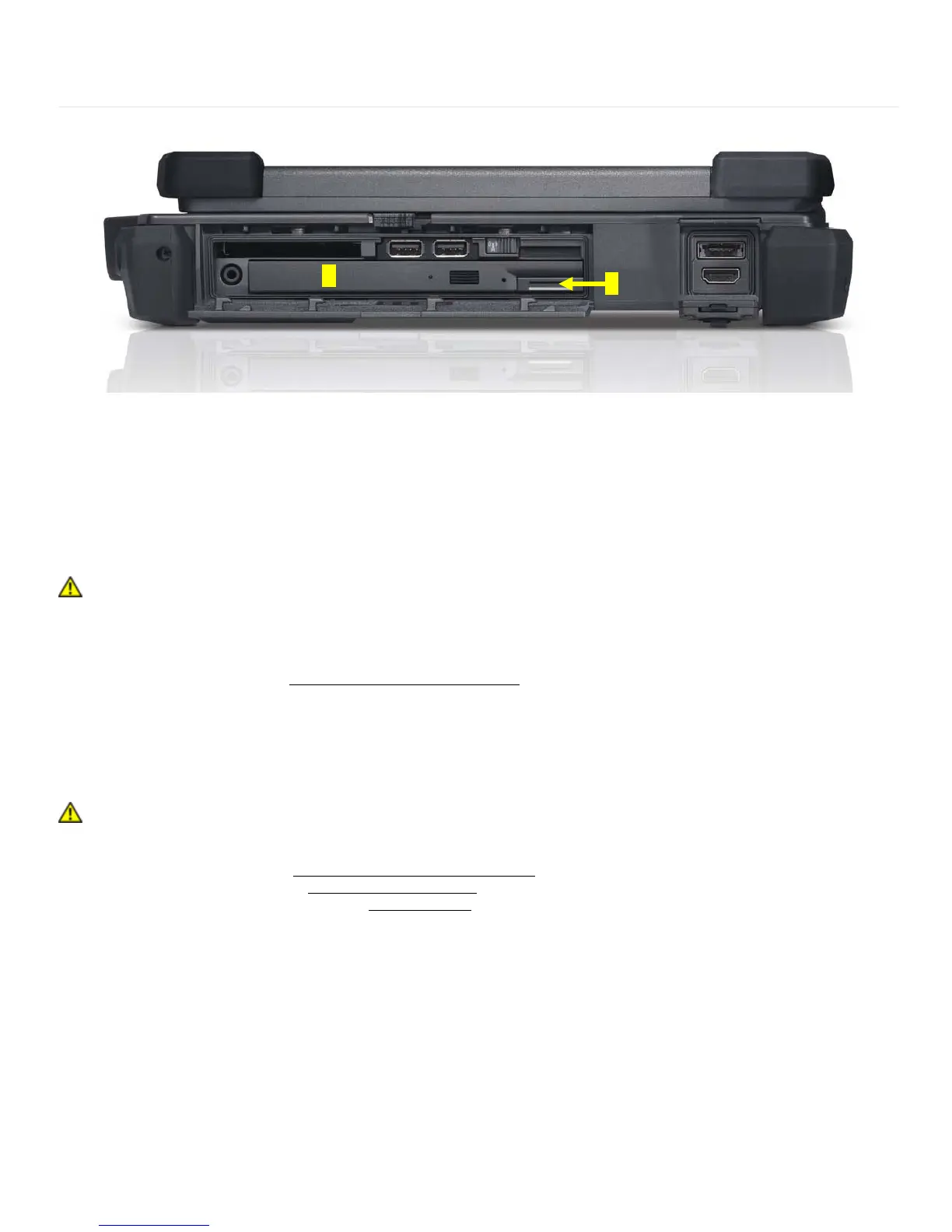
1. Slide the drive in the modular bay.
2. Close the modular (XBay) disk drive door by rotating it up until it clicks into its locked position.
3. Follow the procedures in
After Working on Your Computer.
28 Audio Board
28.1 Removing the Audio Board Assembly
CAUTION: Before you begin any of the procedures in this section, follow the safety
instructions that shipped with your computer.
1. Follow the instructions in
Before Working on Your Computer.
2. Remove the palm rest (see
Removing the Palm rest).
3. Remove the express card cage (see
Removing the Express Card Cage).
4. Remove two M2 x 3-mm screws securing the audio board to the chassis.




 To Next Page