Dell
™
Latitude™ E6420 XFR Service Manual
Page 68
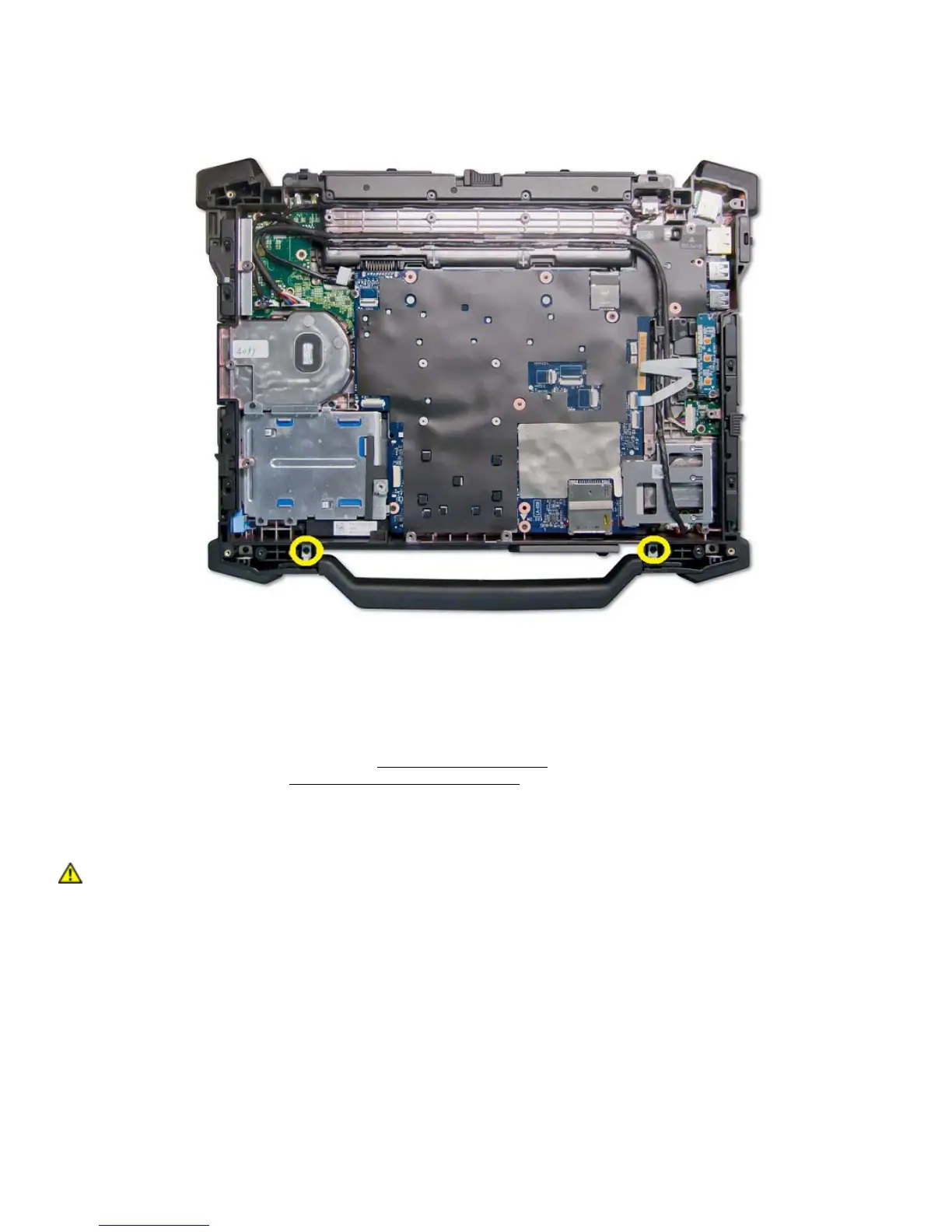
4. Remove left and right side M2.5x8 mm screw securing handle pin to chassis.
5. Remove the carry handle from the sockets by sliding handle up.
38.2 Replacing the Handle
1. Insert the handle pins into the handle ends and set the handle in the chassis.
2. Replace the two M2.5 x 8-mm screws to secure the handle guide pins to the chassis.
3. Replace the palm rest assembly (see
Replacing the Palm Rest).
4. Follow the procedures in
After Working on Your Computer.
39 Doors
CAUTION: Before you begin any of the procedures in this section, follow the safety
instructions that shipped with your computer.
39.1 Removing Media Bay Door




 To Next Page