Dell
™
Latitude™ E6420 XFR Service Manual
Page 49
7. Replace the palm rest (see Replacing the Palm rest).
8. Follow the procedures in
After Working on Your Computer.
25 Express Card Cage
25.1 Removing the Express Card Cage
CAUTION: Before you begin any of the procedures in this section, follow the safety
instructions that shipped with your computer.
1. Follow the procedures in
Before Working on Your Computer.
2. Remove the palm rest (see
Removing the Palm rest).
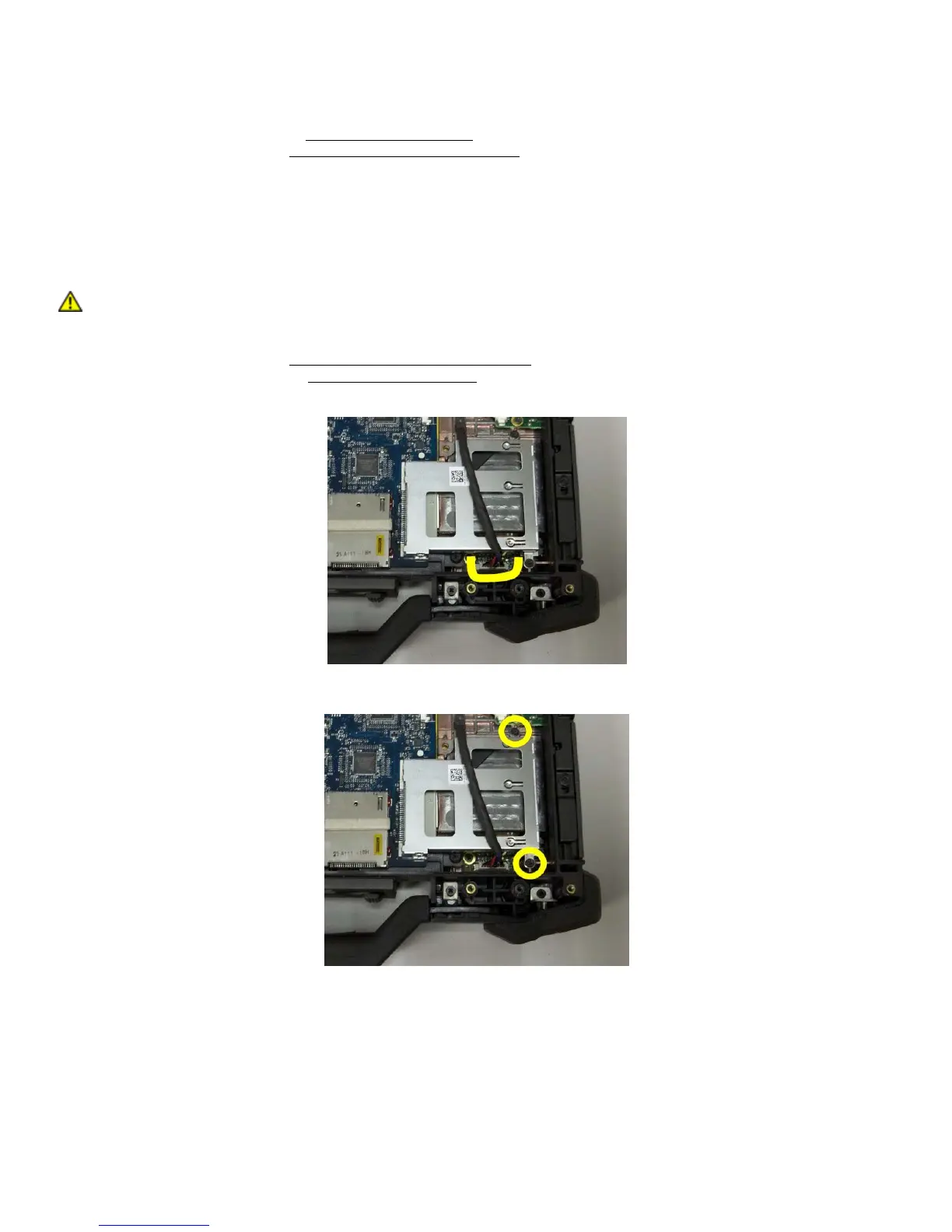
3. Disconnect the Audio cable from the Audio board identified in the figure below.
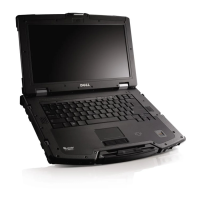
4. Remove the two M2 x 3-mm screws from the express card cage assembly.
5. Lift up express card cage starting from the right side and unclip the cage from the Express Card connector on
the system board.




 To Next Page