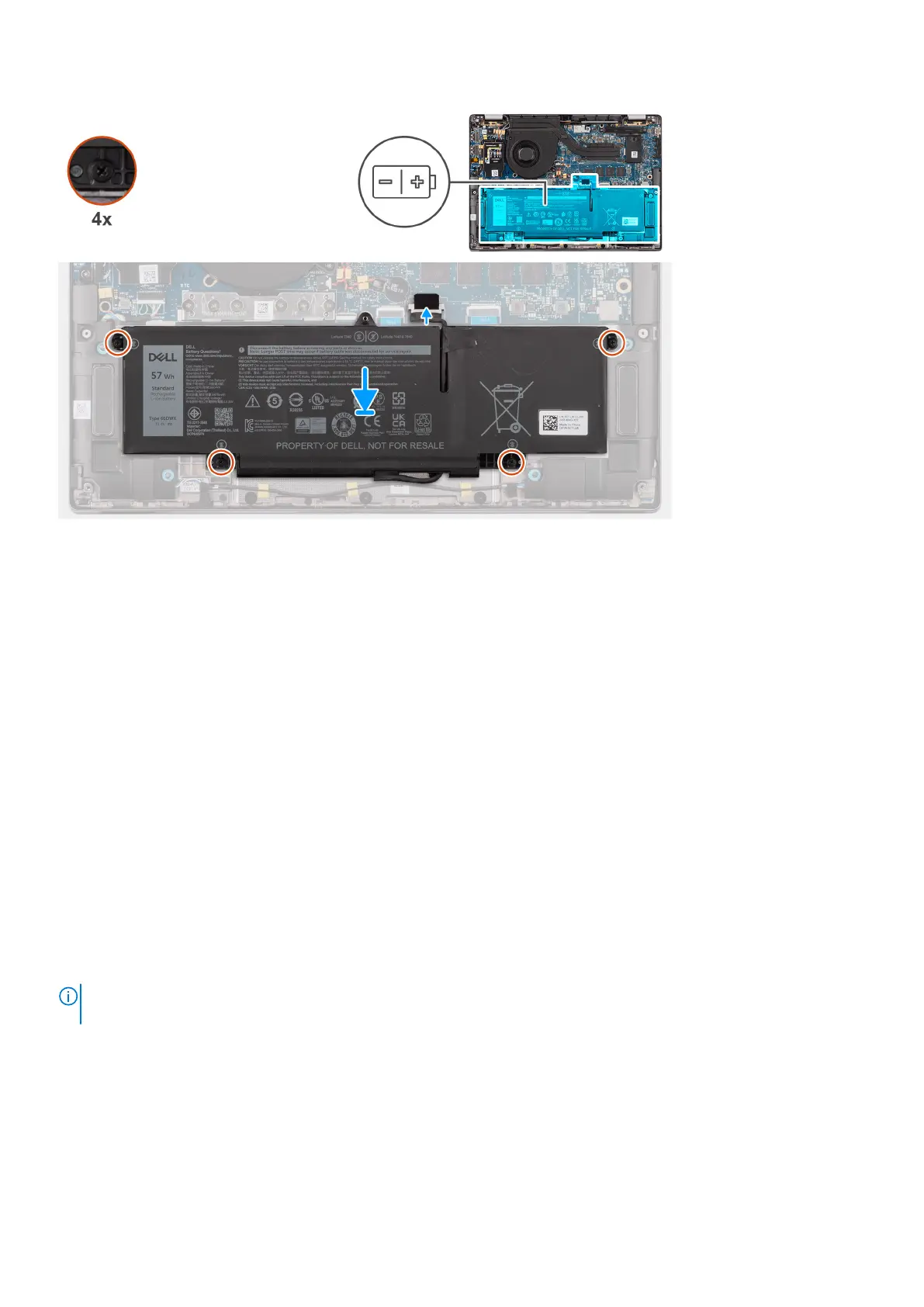
Steps
1. Place the 3-cell battery along with the battery cable on the palm-rest and keyboard assembly.
2. Adhere the tape to secure the battery cable to the battery.
3. Align the screw holes on the 3-cell battery to the screw holes on the palm-rest and keyboard assembly.
4. Tighten the four captive screws to secure the 3-cell battery to the palm-rest and keyboard assembly.
5. Connect the battery cable to the connector on the system board.
Next steps
1. Install the base cover.
2. Follow the procedure in After working inside your computer.
Battery cable
Removing the battery cable
Prerequisites
1. Follow the procedure in After working inside your computer.
2. Remove the base cover.
3. Remove the 2-cell battery or the3-cell battery, whichever is applicable.
NOTE:
If battery is disconnected from system board for service, then there is a delay during system boot as the system
undergoes RTC battery reset.
About this task
The following images indicate the location of the battery cable and provide a visual representation of the removal procedure.
28
Removing and installing components



 To Next Page