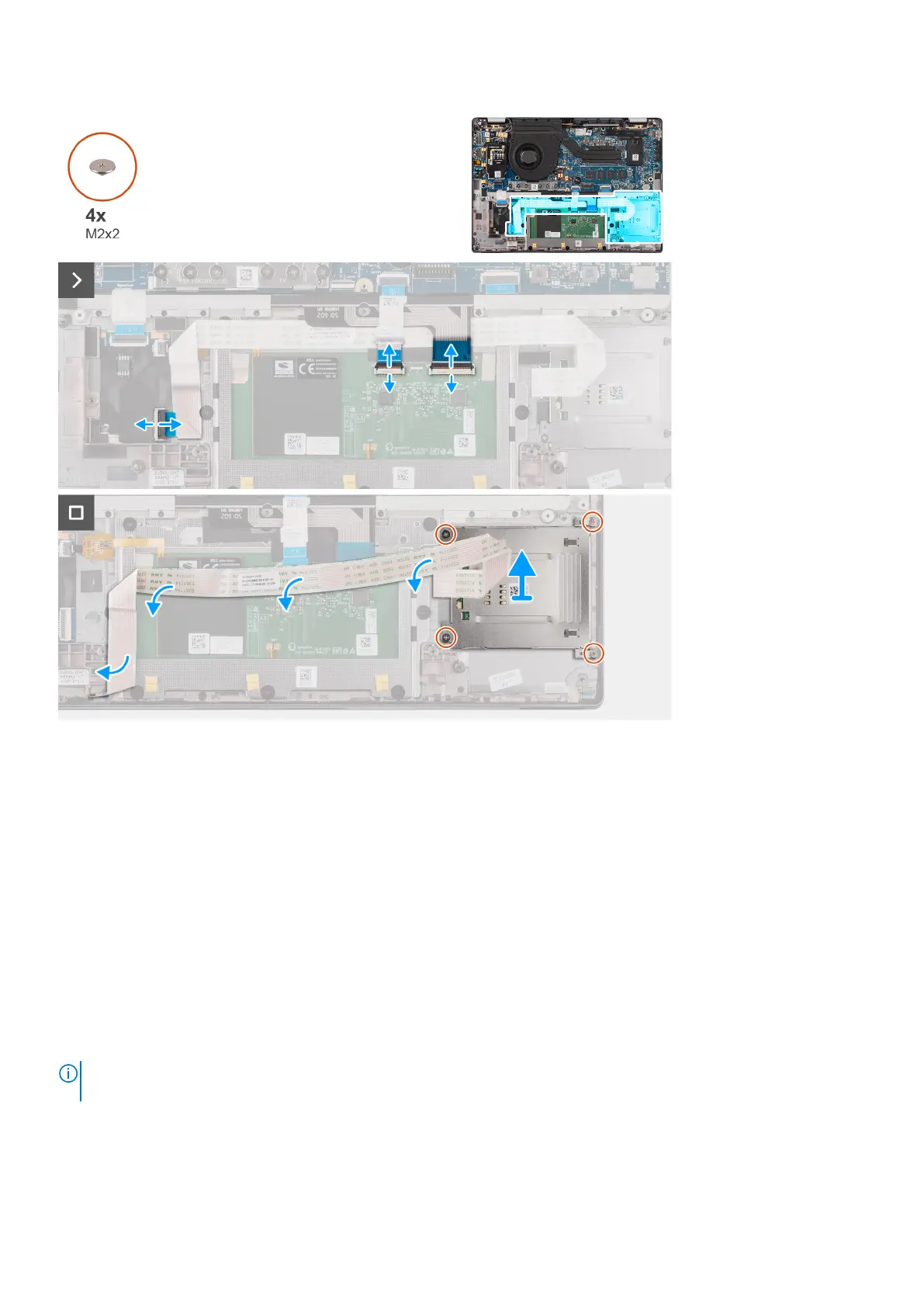
Steps
1. Open the latch and disconnect the clickpad flexible flat cable, keyboard backlight flexible printed circuit, and keyboard
flexible printed circuit from the connector on the clickpad.
2. Disconnect the smart card reader flexible flat cable from the respective connectors on the clickpad.
3. Peel off the smart card reader flexible flat cable from the palm-rest and keyboard assembly.
4. Remove the four screws (M2x2) that secure the smart card reader to the palm-rest and keyboard assembly.
5. Remove the smart card reader from the computer.
Installing the smart card reader
Prerequisites
If you are replacing a component, remove the existing component before performing the installation procedure.
About this task
NOTE:
If the rubber grommets are pushed out when removing the left speaker, push them back in before replacing the left
speaker.
The following images indicate the location of the smart card reader and provide a visual representation of the installation
procedure.
Removing and installing components
45



 To Next Page