Steps
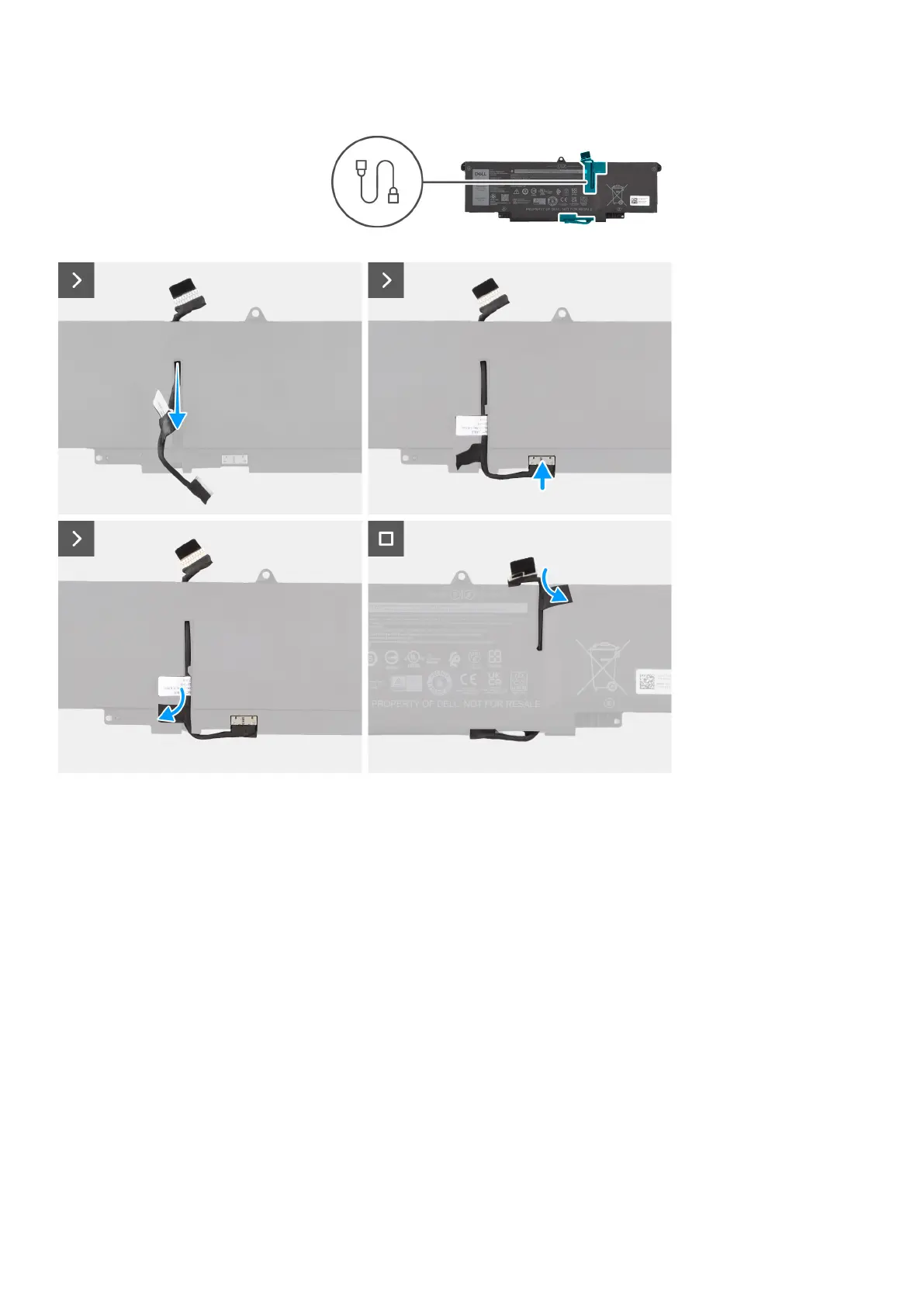
1. Connect the battery cable to the connector on the battery.
2. Route the battery cable through the routing guides on the battery.
Next steps
1. Install the 2-cell battery or the3-cell battery, whichever is applicable.
2. Install the base cover.
3. Follow the procedure in After working inside your computer.
Heat-sink
Removing the heat-sink
Prerequisites
1. Follow the procedure in Before working inside your computer.
2. Remove the base cover.
30
Removing and installing components



 To Next Page