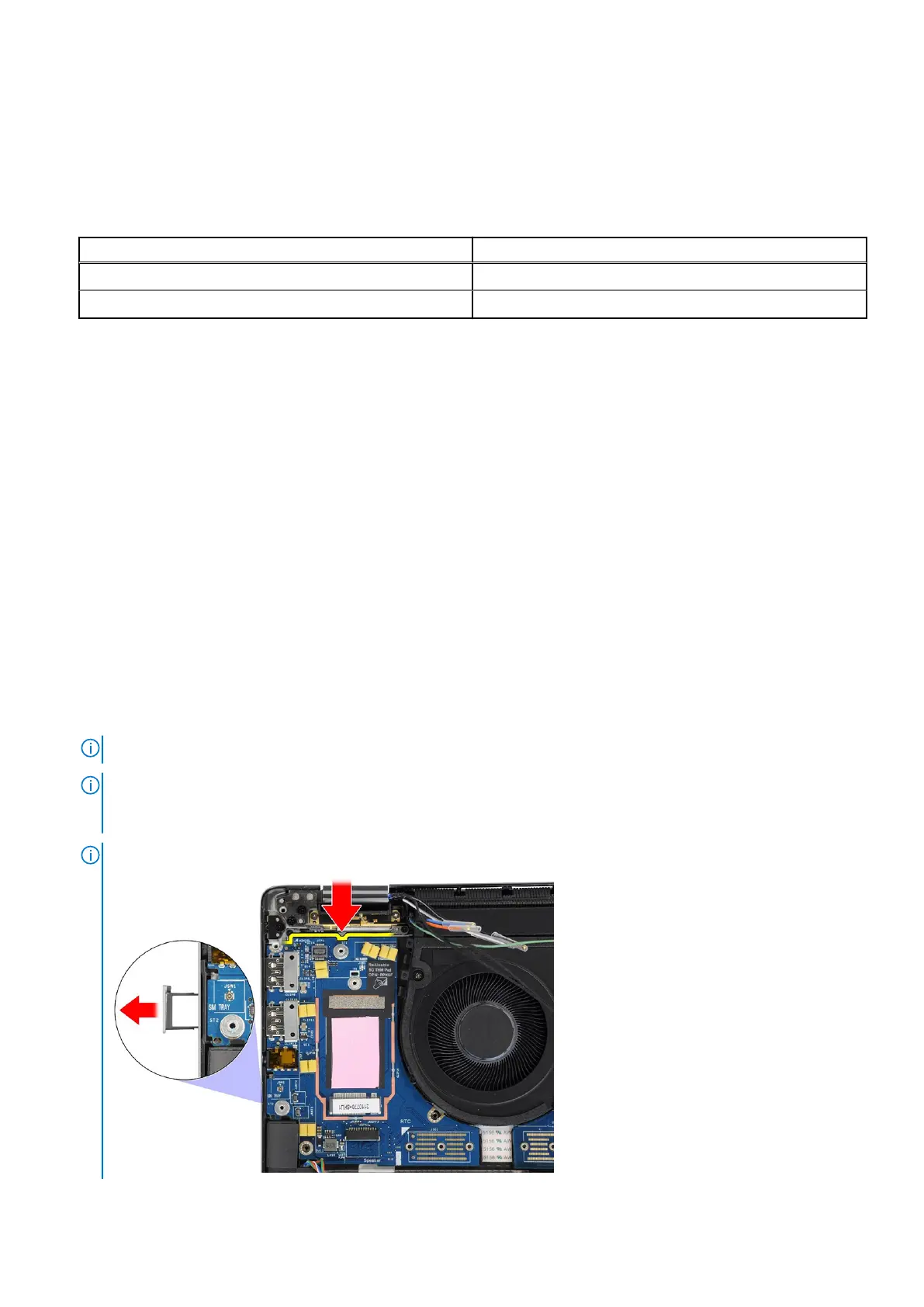
9. Replace the single screw (M2x2.5) that secure the 5G WWAN shielding cover on the system board.
10. Replace the 5G WWAN shielding cover on the system board.
11. Align and place the Darwin antenna cable bracket on the system board.
12. For computers shipped with WWAN antennas, replace the single screw (M2x2) that secure the Darwin antenna cable
bracket on the system board.
Table 2. WLAN-antenna cable color scheme
Connectors on the wireless card Antenna cable color
Main (white triangle) White
Auxiliary (black triangle) Black
Next steps
1. Install the system board.
2. Install the 2-cell battery or the3-cell battery, whichever is applicable.
3. Install the heat sink.
4. Install the WWAN card.
5. Install the M.2 SSD.
6. Install the base cover.
7. Follow the procedure in After working inside your computer.
I/O daughter-board
Removing the I/O daughter-board
Prerequisites
1. Follow the procedure in Before working inside your computer.
2. Remove the base cover.
3. Remove the WWAN card. .
NOTE: This procedure applies only to computers shipped with a WWAN card installed.
NOTE: For models shipped without a WWAN card, a WWAN shielding cover and WWAN bracket will be pre-installed to
the system. As a result, follow the steps in the WWAN Card section to remove the shielding cover and WWAN bracket
before removing the I/O daughter-board.
NOTE: For models with WWAN config, the SIM card tray MUST be removed before removing the I/O daughter-board.
Removing and installing components 55



 To Next Page