Steps
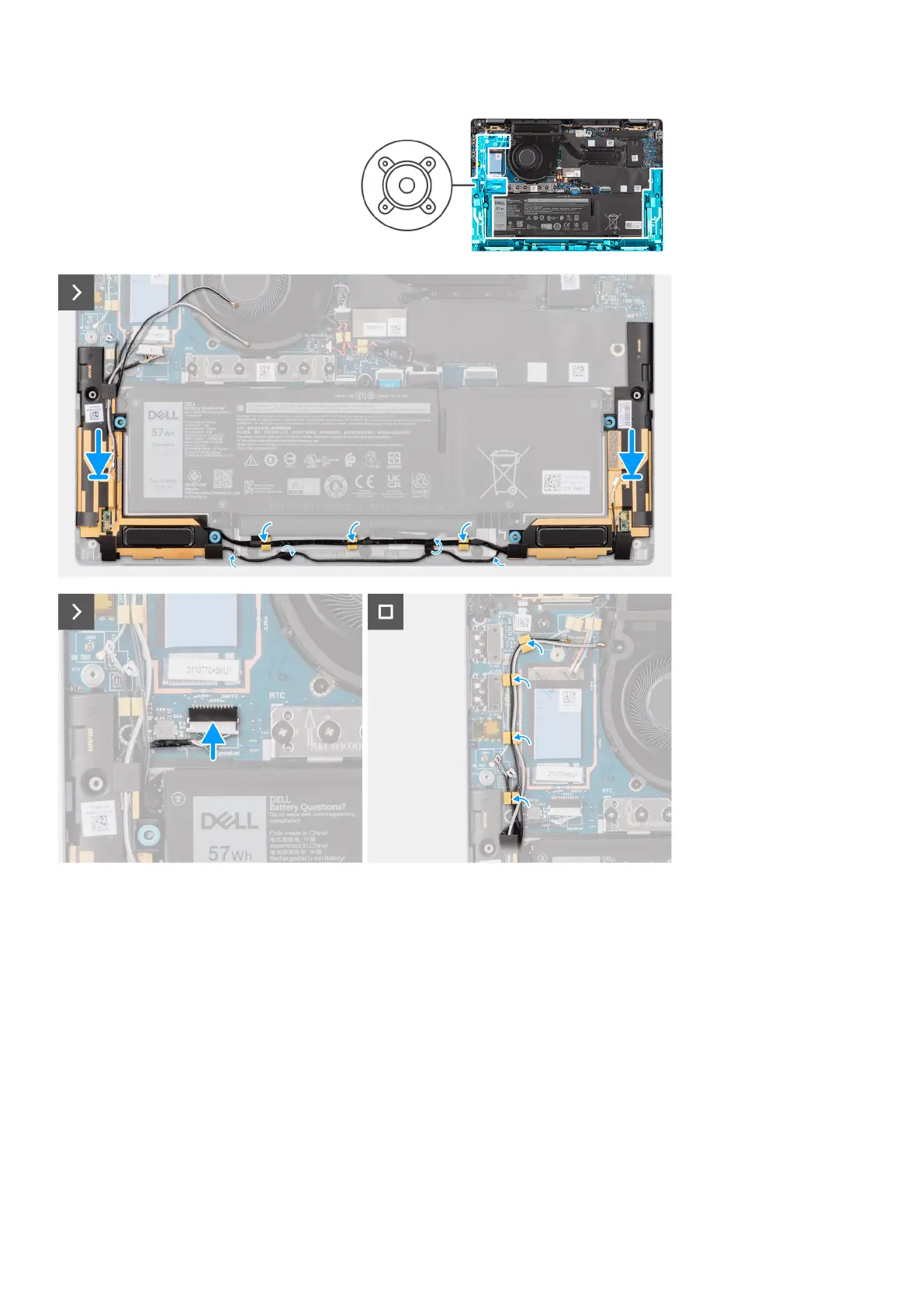
1. Route the antenna cables from the routing guide.
2. Using the alignment posts and rubber grommets, place the speakers into the slots on the palm-rest and keyboard assembly.
3. Route the speaker cable along the bottom side of the palm-rest and keyboard assembly. Then secure the speaker cable into
the routing guides on the palm-rest and keyboard assembly.
4. Connect the speaker cable to the connector on the I/O daughter-board.
Next steps
1. Install the base cover.
2. Install the WWAN card.
3. Follow the procedure in Before working inside your computer.
42
Removing and installing components



 To Next Page