Steps
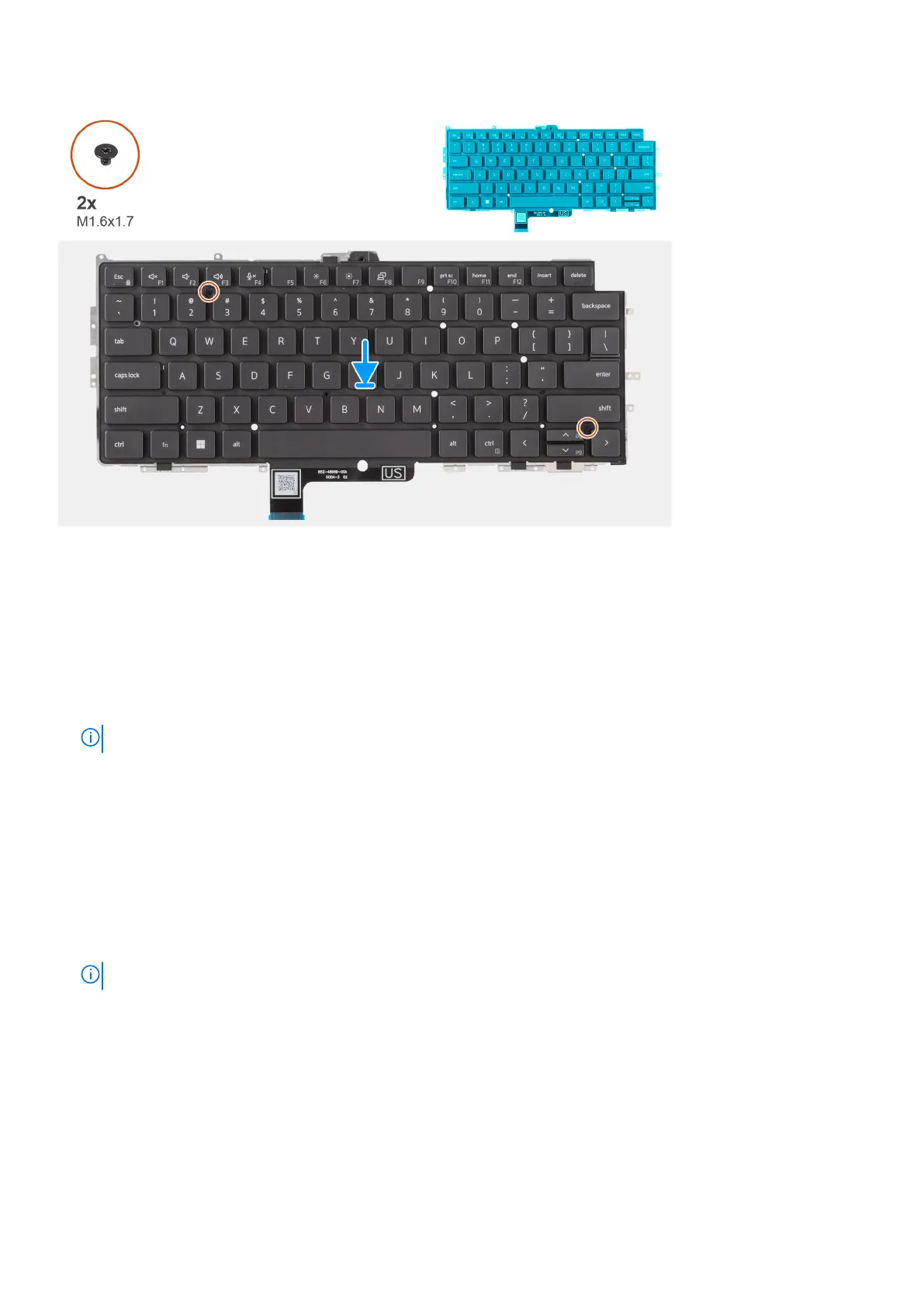
1. Align the screw holes on the keyboard to the screw holes on the keyboard support plate and place the keyboard on the
keyboard support plate.
2. Replace the two screws (M1.6x1.7) that secure the keyboard to the keyboard support plate.
3. Align and place the keyboard assembly in to its slot in the computer.
4. Replace the nineteen screws (M1.6x1.7) and six screws (M1.6x1.4) securing the keyboard assembly to the system.
5. Connect the keyboard and keyboard backlight flat cable to the back of the clickpad.
6. Adhere the USH daughter-board flexible flat cable to the back of the keyboard.
NOTE: This step applies only to computers shipped with a USH daughter-board installed.
Next steps
1. Follow the procedure in Before working inside your computer.
2. Install the system board.
3. Install the Power button.
4. Install the I/O daughter-board.
5. Install the speakers.
6. Install the heat-sink.
7. Install the 2-cell battery or the3-cell battery, whichever is applicable.
8. Install the WWAN card.
NOTE: This procedure applies only to computers shipped with a WWAN card installed.
9. Install the solid-state drive.
10. Install the base cover.
66
Removing and installing components



 To Next Page