Top
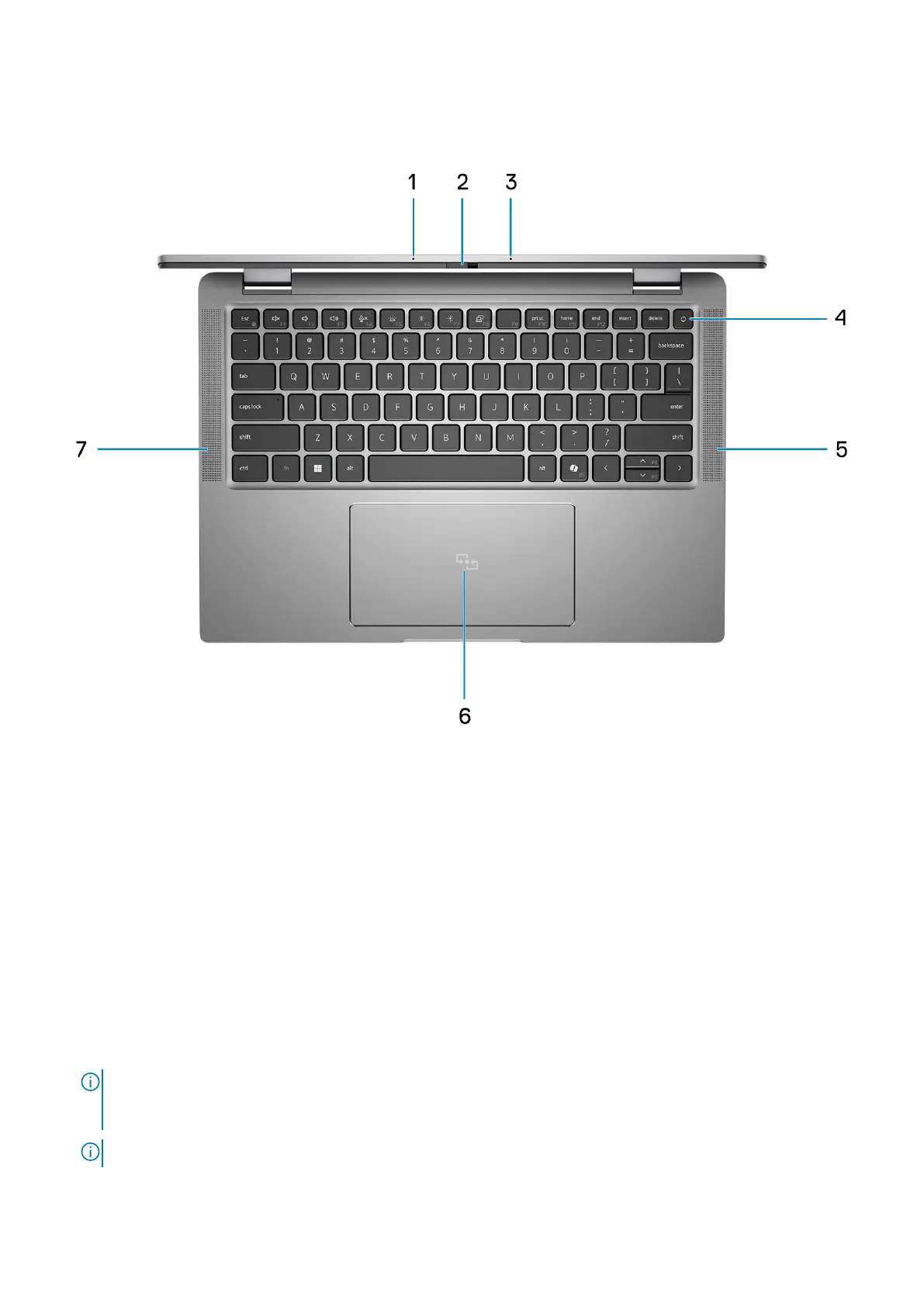
Figure 4. Image: Top view
1. Dual-array microphone
Provides digital sound input for audio recording and voice calls.
2. Camera shutter
Slide the privacy shutter to the left to access the camera lens.
3. Dual-array microphone
Provides digital sound input for audio recording and voice calls.
4. Power button with fingerprint reader (optional)
Press to turn on the computer if it is turned off, in sleep state, or in hibernate state.
When the computer is turned on, press the power button to put the computer into a sleep state; press and hold the power
button for 10 seconds to force shut-down the computer.
If the power button has a fingerprint reader, place your finger on the power button steadily to log in.
NOTE:
The power-status light on the power button is available only on computers without the fingerprint reader.
Computers that are shipped with the fingerprint reader that is integrated on the power button will not have the
power-status light on the power button.
NOTE: You can customize the power-button behavior in Windows.
5. Speaker
Views of Latitude 7450
11



 To Next Page