Views of Latitude 7450
Right
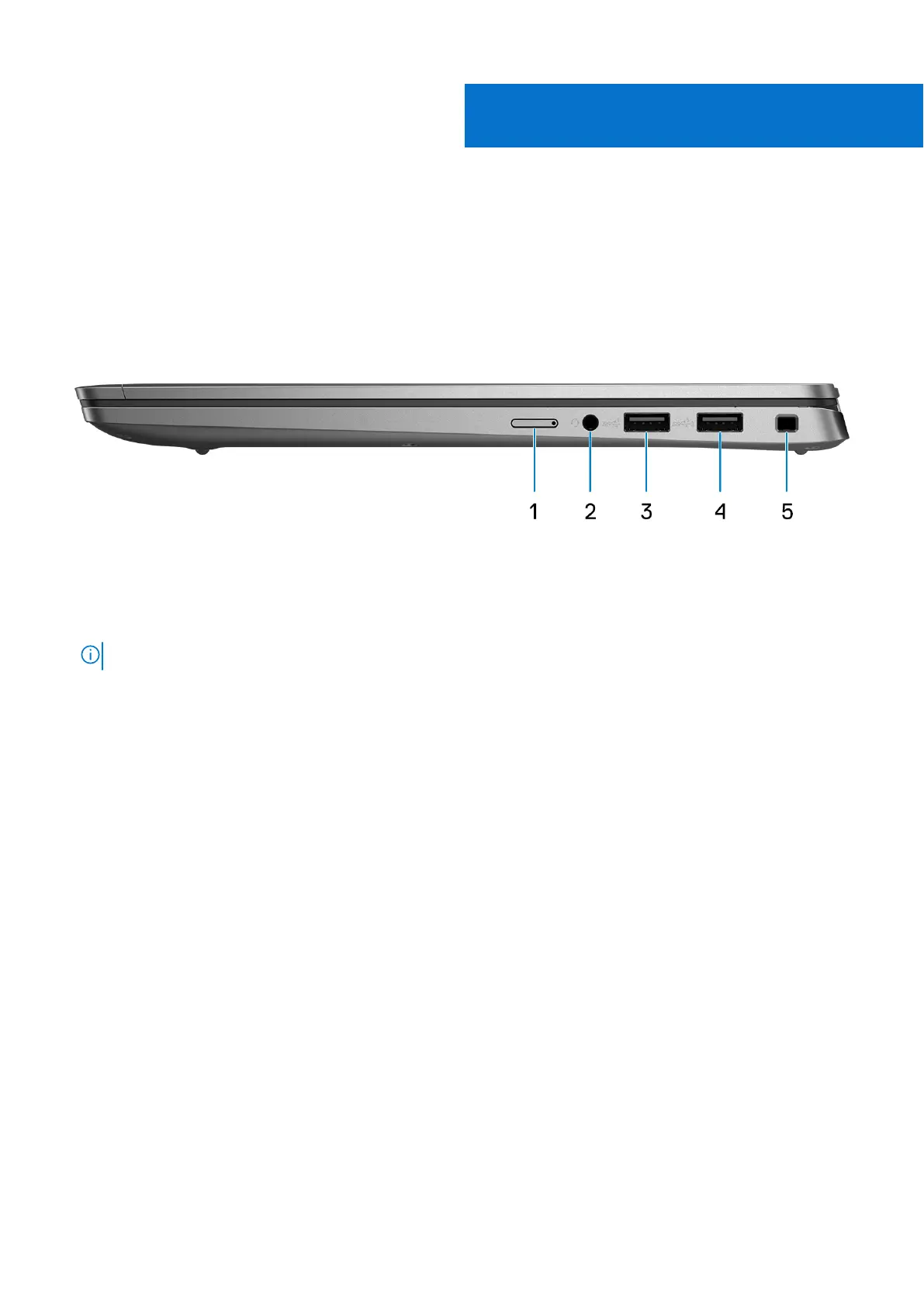
Figure 1. Right view
1. NanoSIM slot (optional)
Insert a nano-SIM card to connect to a mobile broadband network.
NOTE: Availability of the nano-SIM card slot depends on the region and configuration ordered.
2. Universal audio port
Connect headphones or a headset (headphone and microphone combo).
3. USB 3.2 Gen 1 port
Connect devices such as external storage devices and printers.
4. USB 3.2 Gen 1 port with PowerShare
Connect devices such as external storage devices and printers. Provides data transfer speeds up to 5 Gbps.
5. Wedge-shaped lock slot
Connect a security cable to prevent unauthorized movement of your computer.
2
8 Views of Latitude 7450



 To Next Page