Installing the speakers for ultralight
Prerequisites
If you are replacing a component, remove the existing component before performing the installation procedure.
About this task
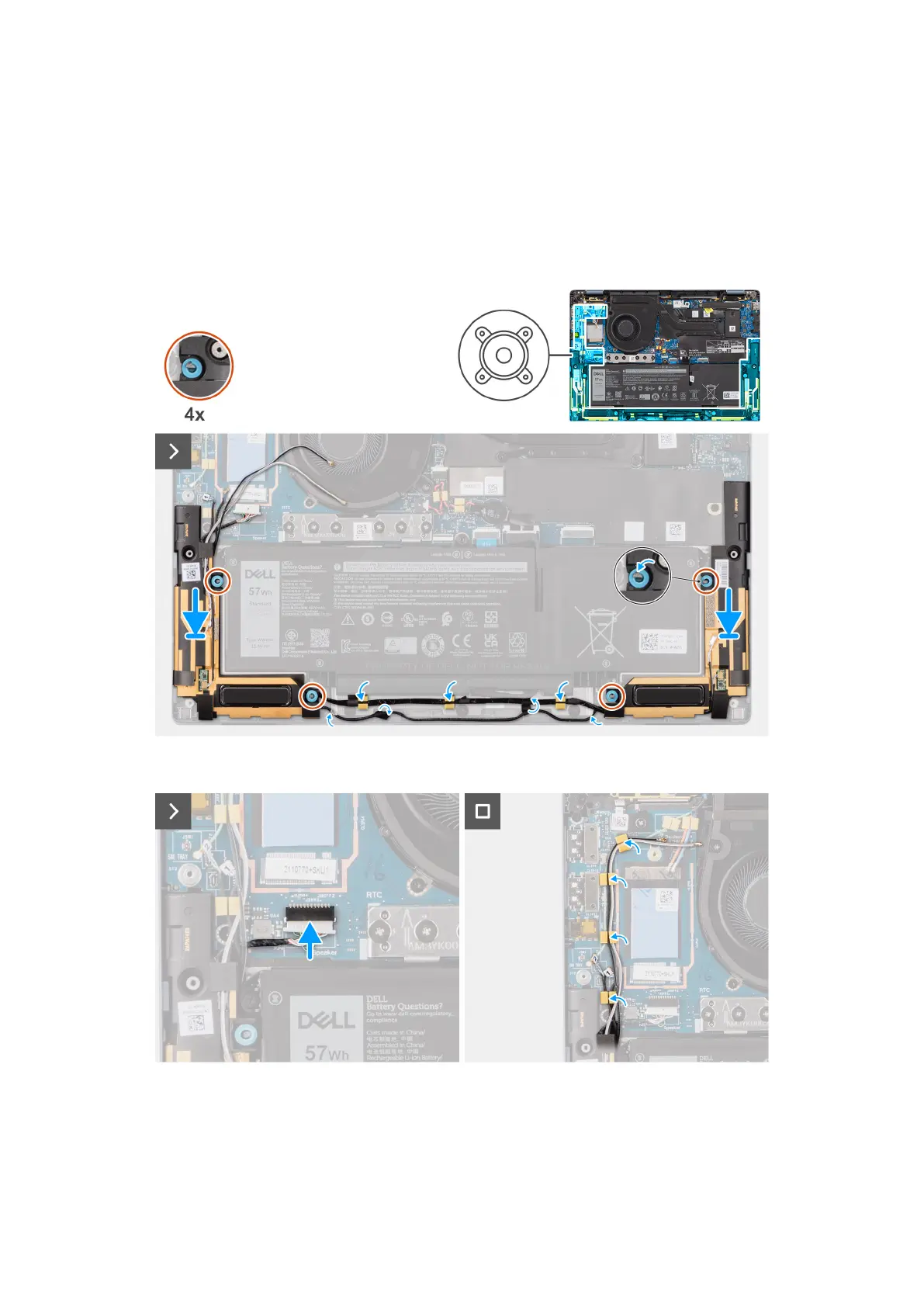
The following image indicates the location of the speakers and provides a visual representation of the installation procedure.
Figure 31. Installing the speakers for ultralight
Figure 32. Installing the speakers for ultralight
Steps
1. Route the antenna cables from the routing guide.
2. Using the alignment posts and rubber grommets, place the speakers into the slots on the palm-rest and keyboard assembly.
Removing and installing Customer Replaceable Units (CRUs)
61



 To Next Page