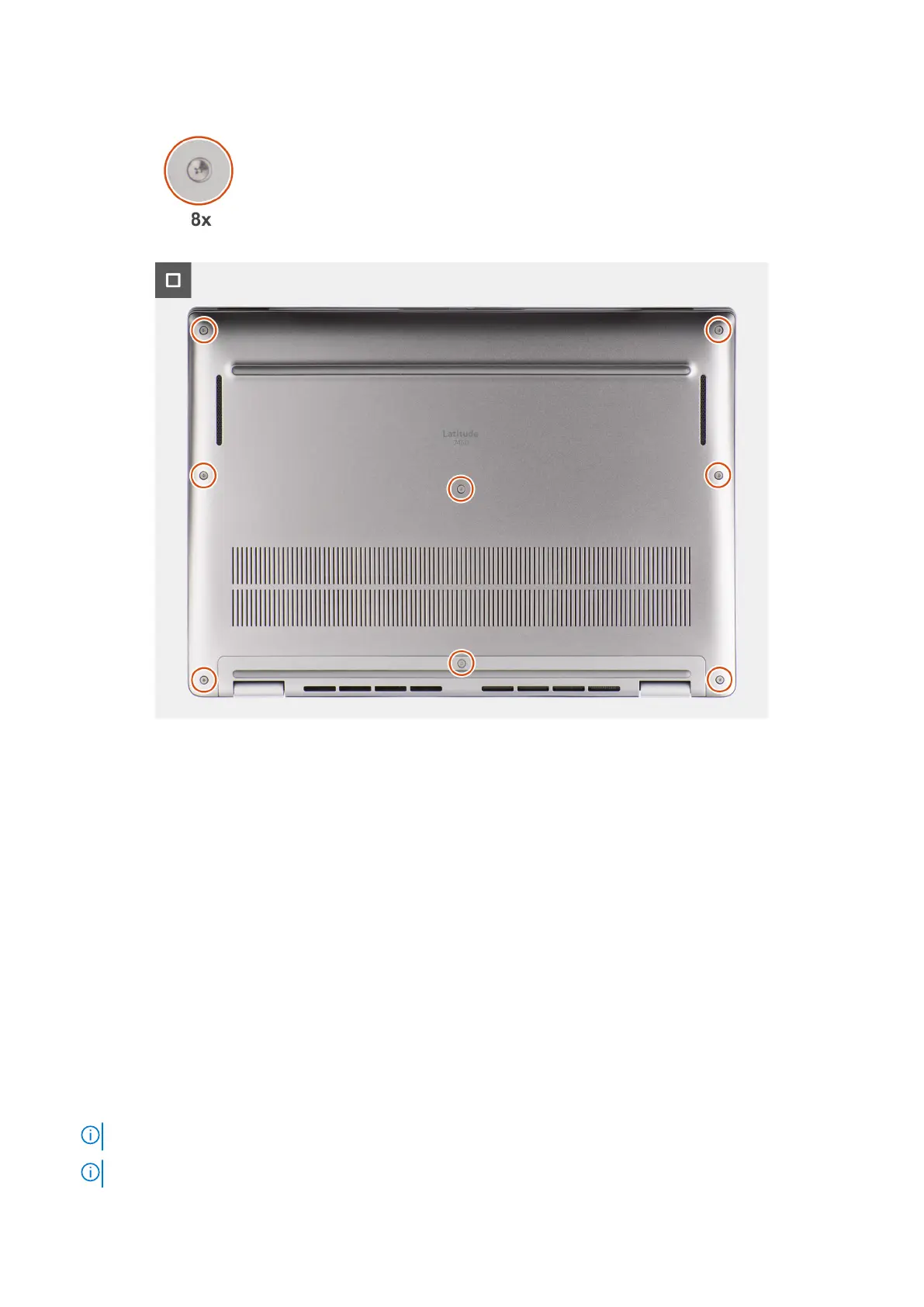
Figure 21. Installing the base cover
Steps
1. Place the base cover on top of the palm-rest and keyboard assembly.
2. Align the screw holes on the base cover with the screw holes on the palm-rest and keyboard assembly, and snap the base
cover latches into place.
3. Tighten the eight captive screws to secure the base cover to the palm-rest and keyboard assembly.
Next steps
1. Follow the procedure in After working inside your computer.
Solid-state drive
Removing the M.2 2230 Solid State Drive
Prerequisites
1. Follow the procedure in Before working inside your computer.
NOTE: SSDs are fragile. Exercise care when handling the SSD.
NOTE: To avoid data loss, do not remove the SSD while the computer is in sleep or on state.
52 Removing and installing Customer Replaceable Units (CRUs)



 To Next Page