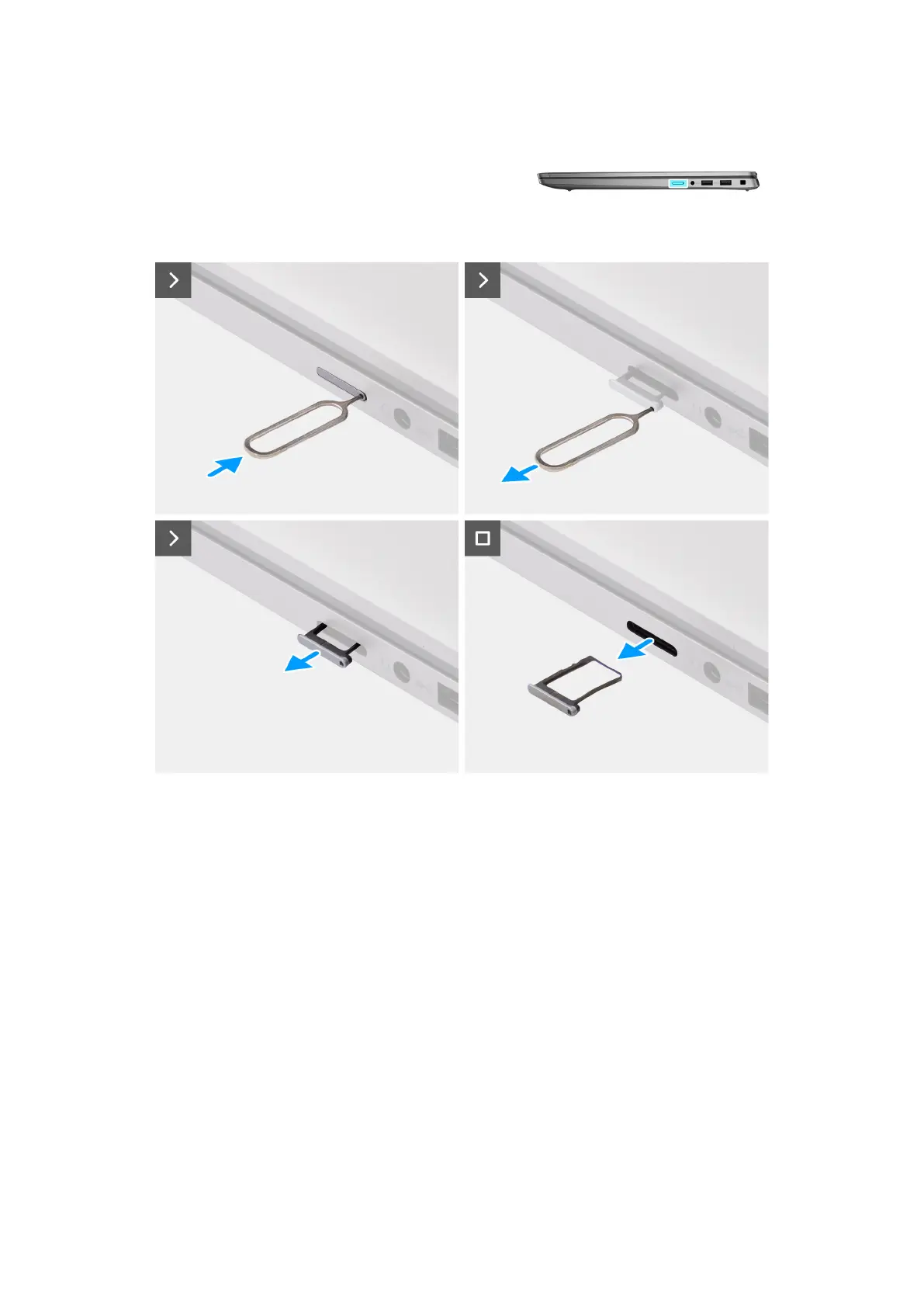
Figure 13. Removing the SIM-card tray
Steps
1. Insert a pin into the release hole of the nanoSIM-card tray and push inward until the tray is released.
2. Slide the nanoSIM-card tray out of the slot on the computer.
3. Remove the SIM card from the nanoSIM-card tray.
4. Slide the nanoSIM-card tray into the slot, until it clicks into place.
For Latitude 7450, use a plastic scribe to lift the top side of the board out of its compartment to remove the I/O
daughterboard.
46
Removing and installing Customer Replaceable Units (CRUs)



 To Next Page