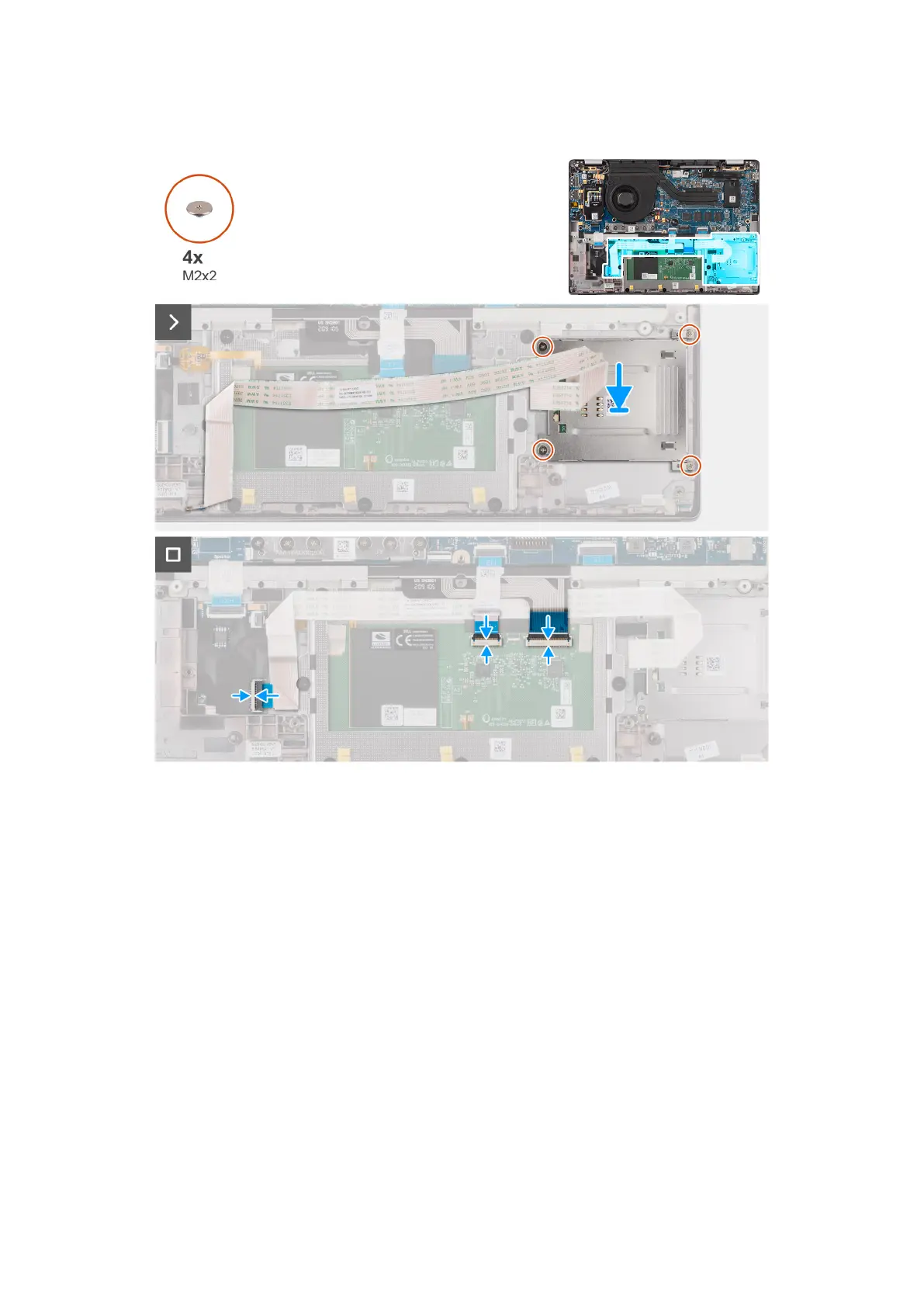
The following images indicate the location of the smart card reader and provide a visual representation of the installation
procedure.
Figure 57. Installing the smart card reader
Steps
1. Align and place the smart card reader on the palm-rest and keyboard assembly.
2. Replace the four screws (M2x2) that secure the smart card reader to the palm-rest and keyboard assembly.
3. Adhere the smart card reader cable on the palm-rest and keyboard assembly.
4. Connect the smart card reader flexible flat cable to the respective connectors on the click pad.
5. Connect the click pad flexible flat cable, keyboard backlight flexible printed circuit, and keyboard flexible printed circuit to
the connectors on the click pad.
Next steps
1. Install the 2-cell battery or the 3-cell battery, whichever is applicable.
2. Install the speakers.
3. Install the base cover.
4. Follow the procedure in After working inside your computer.
86
Removing and installing Field Replaceable Units (FRUs)



 To Next Page