Next steps
1. Install the base cover.
2. Follow the procedure in after working inside your computer.
Speaker
Removing the speakers
Prerequisites
1. Follow the procedure in before working inside your computer.
2. Remove the base cover.
3. Remove the battery.
Steps
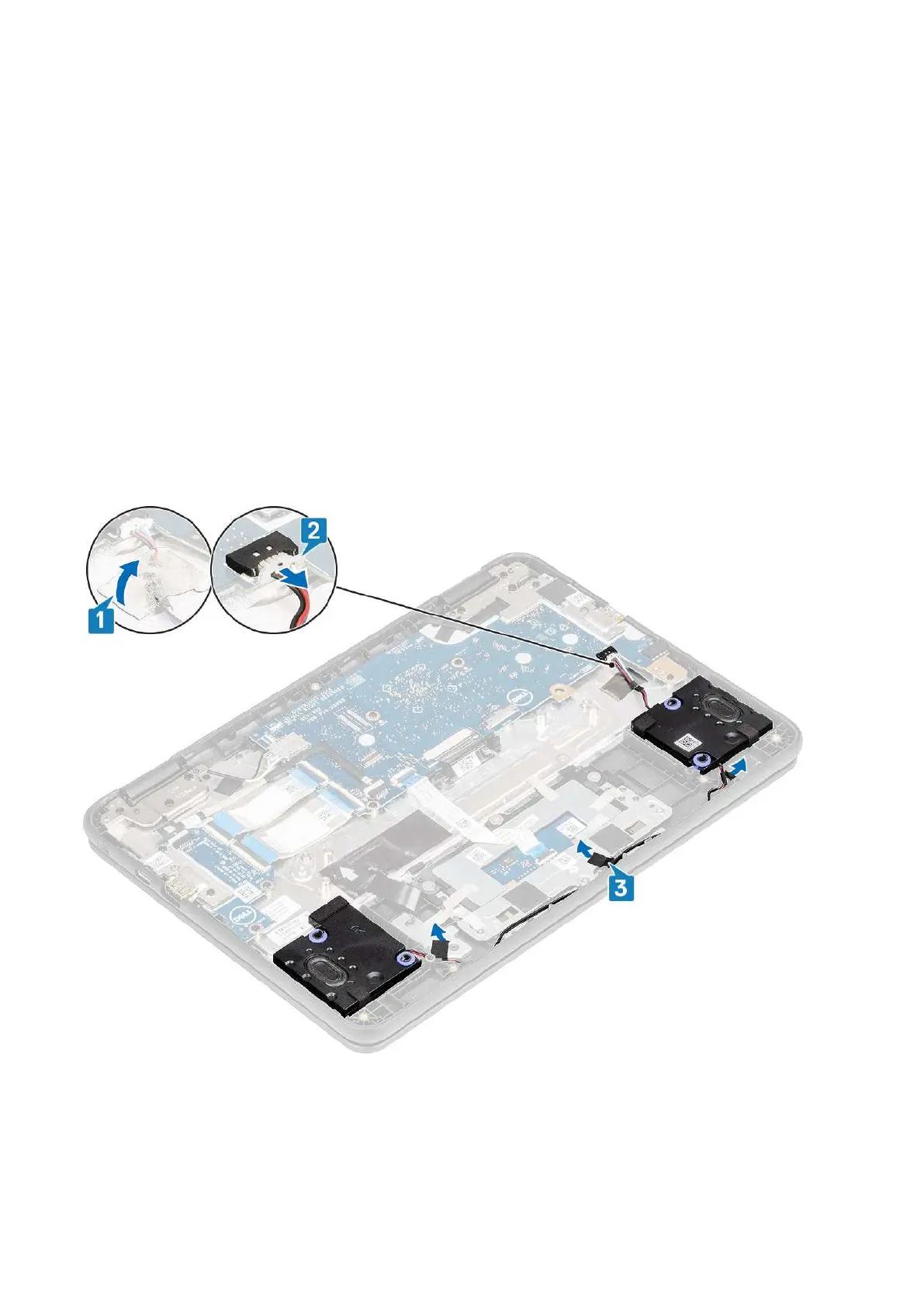
1. Peel the adhesive tape that secures the speaker cable to the palmrest [1].
2. Disconnect the speaker cable from the connector on the system board [2].
3. Peel the adhesive tape that secures the speaker cable to the palmrest [3].
4. Unroute the cable from retention clips in the routing channel.
Removing and Installing
23



 To Next Page