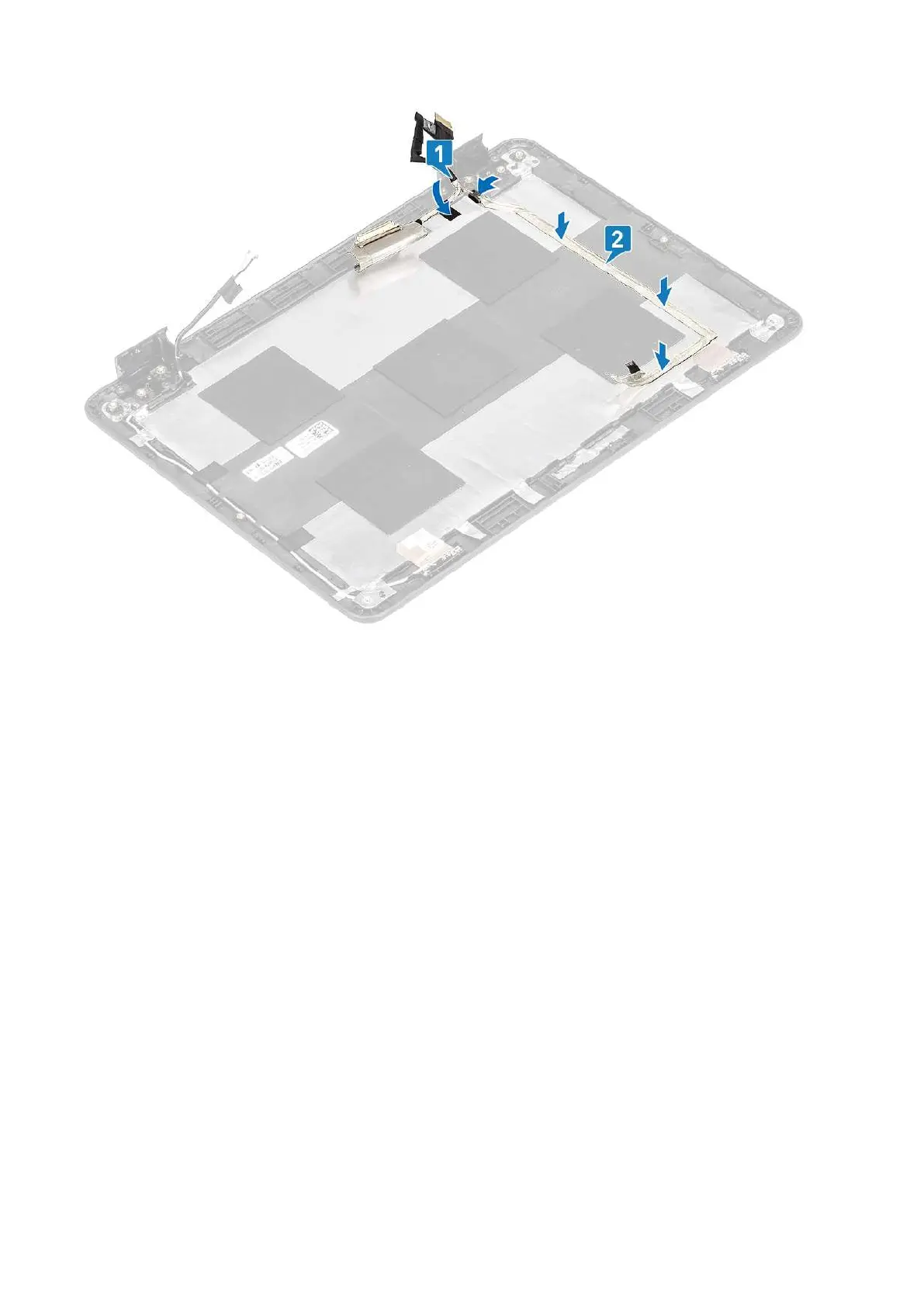
Next steps
1. Install the display panel.
2. Install the display bezel.
3. Install the display assembly.
4. Install the battery.
5. Install the base cover.
6. Follow the procedure in after working inside your computer.
Camera
Removing camera
Prerequisites
1. Follow the procedure in before working inside your computer.
2. Remove the base cover.
3. Remove the battery.
4. Remove the display assembly.
5. Remove the display panel.
Steps
1. Peel the adhesive tape that covers the camera cable connector and disconnect the camera cable from the connector [1].
2. Using a plastic scribe, peel off the camera module beginning from the top left side [2].
68
Removing and Installing



 To Next Page