System board
Removing the system board
Prerequisites
1. Follow the procedure in before working inside your computer.
2. Remove the base cover.
3. Remove the battery.
Steps
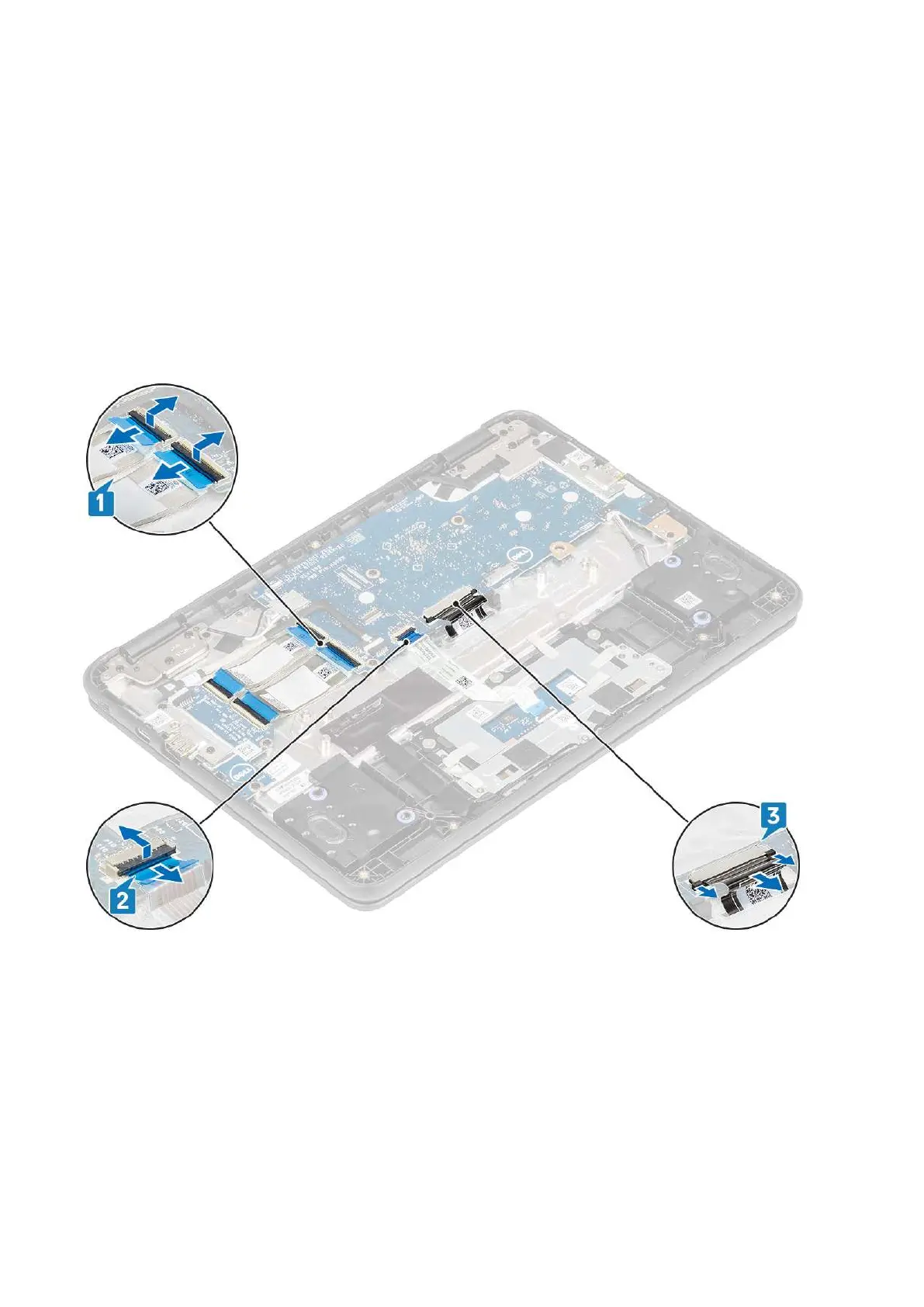
1. Disconnect the input output board cables [1], touchpad cable [2] and the keyboard cable [3].
2. Disconnect the USB Type-C power cable [1] and the speaker cable [2] from the system board.
Removing and Installing
37



 To Next Page