11
About your monitor
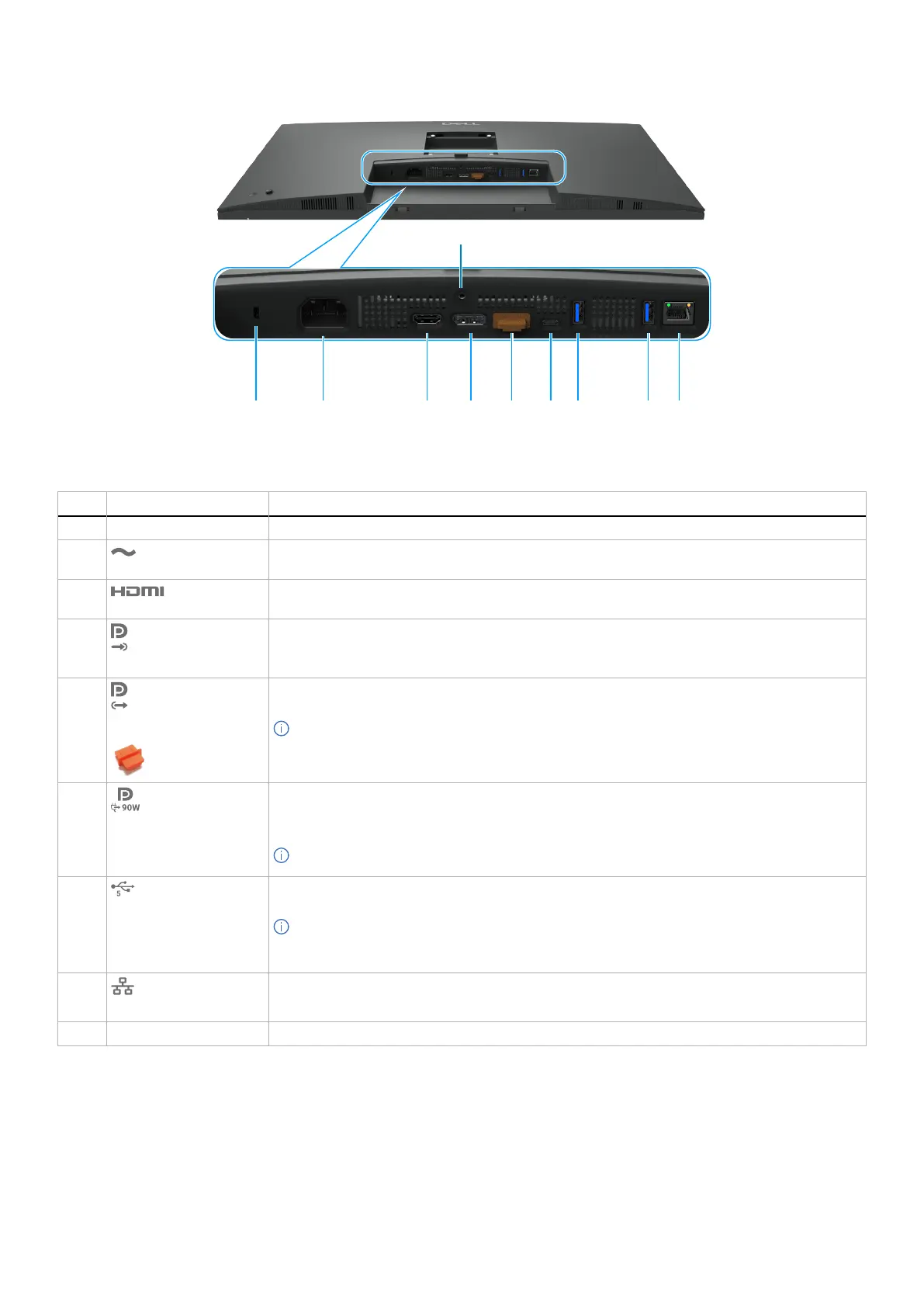
Bottom view (P3225DE)
10
1 2
4
5 6 7 83 9
Figure 3. Bottom view of the monitor
Table 6. Components and descriptions.
Label Description Function
1
Security lock slot Secures the monitor with a security cable lock (sold separately).
2
Power connector
Connects the power cable.
3
HDMI port
Connects your computer with the HDMI cable.
4
DisplayPort (in)
Connects your computer with the DisplayPort cable.
5
DisplayPort (out)
DP output for MST (Multi-Stream Transport) capable monitor. To enable MST, see the instruction
on section Connecting the monitor for DP MST function.
NOTE: Remove the rubber plug when using DP out connector.
6
USB-C 5Gbps upstream
port
(Video + Data)
Connect to your computer using the USB-C cable.
The USB-C port offers the fastest transfer rate and the alternate mode with a DP 1.4 support with
a maximum resolution of 2560 x 1440 at 100 Hz, PD 20 V/4.5 A, 15 V/3 A, 9 V/3 A, 5 V/3 A.
NOTE: USB-C is not supported on Windows versions older than Windows 10.
7,8
Two USB 5Gbps Type-A
downstream ports
Connect your USB device. You can use these ports only after you have connected the USB cable
from the computer to the monitor.
NOTE: To avoid signal interference, when a wireless USB device has been connected to a
USB downstream port, it is NOT recommended to connect any other USB devices to the
adjacent port(s).
9
RJ45 connector
Connect Internet. You can surf the Internet using RJ45 only after you have connected the USB
Type-C to Type-A or USB-C to C cable from the computer to the monitor.
10
Stand lock Lock the stand to the monitor using a M3 x 6 mm screw (screw not included).



 To Next Page