33
Setting up the monitor
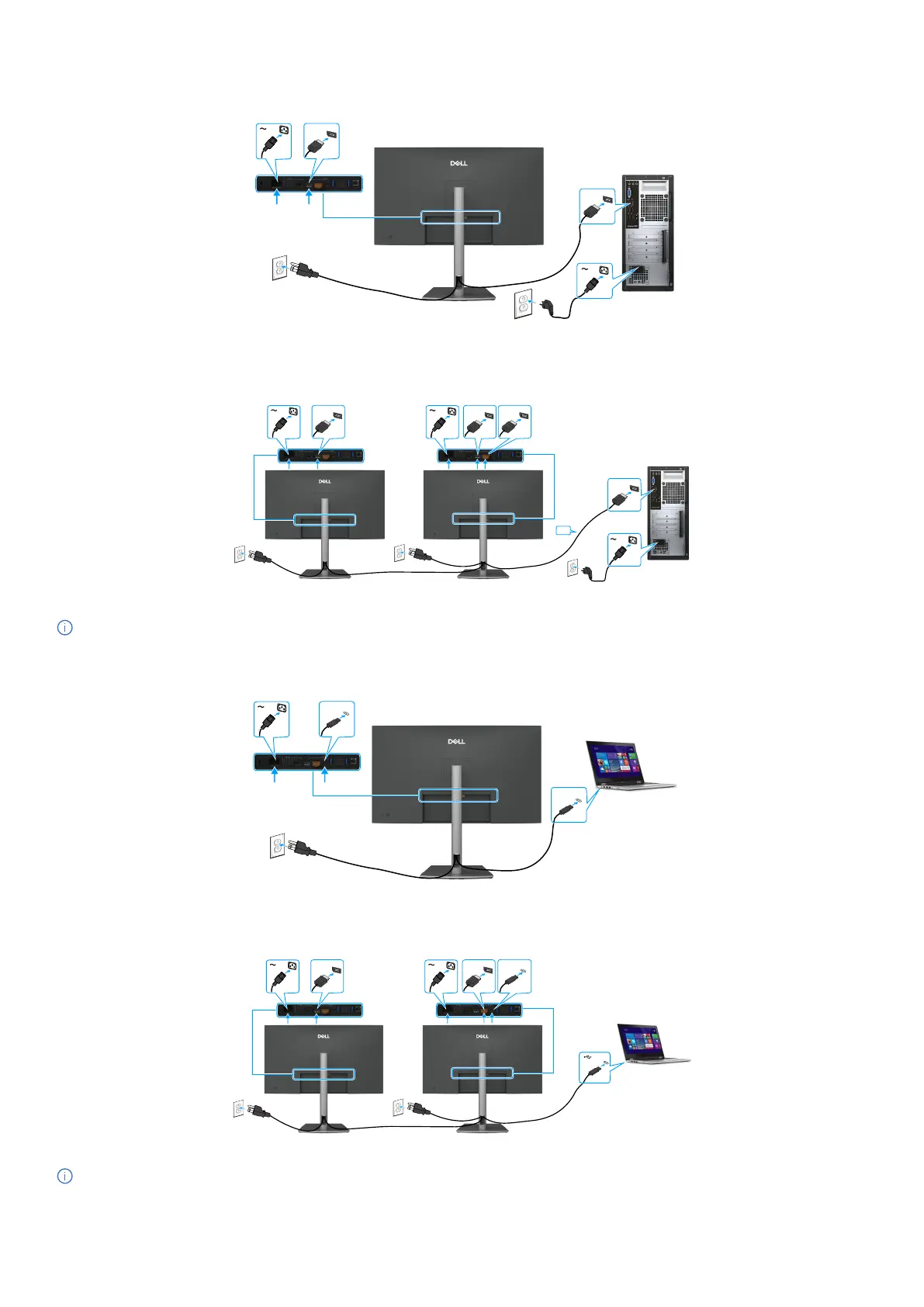
Connecting the DisplayPort cable
DP (in)
DP (in)
Figure 29. Connecting the DisplayPort cable
Connecting the monitor for DP Multi-Stream Transport (MST) function (P3225DE only)
DP (in)
DP (in) DP (in)
DP (in)
DP (out)
Figure 30. Connecting the monitor for DP Multi-Stream Transport (MST) function
NOTE: Supports the DP MST feature. To use this feature, your computer graphic card must be certified to at least DP 1.2 with
MST option.
Connecting the USB-C to C cable
USB-C
USB-C
Figure 31. Connecting the USB-C to C cable
Connecting the monitor for USB-C Multi-Stream Transport (MST) function (P3225DE only)
DP (in) DP (out)
USB-C
Figure 32. Connecting the Monitor for USB-C Multi-Stream Transport (MST) function
NOTE: The maximum number of monitors supported by MST depends on the bandwidth of the USB-C source.



 To Next Page