23
About your monitor
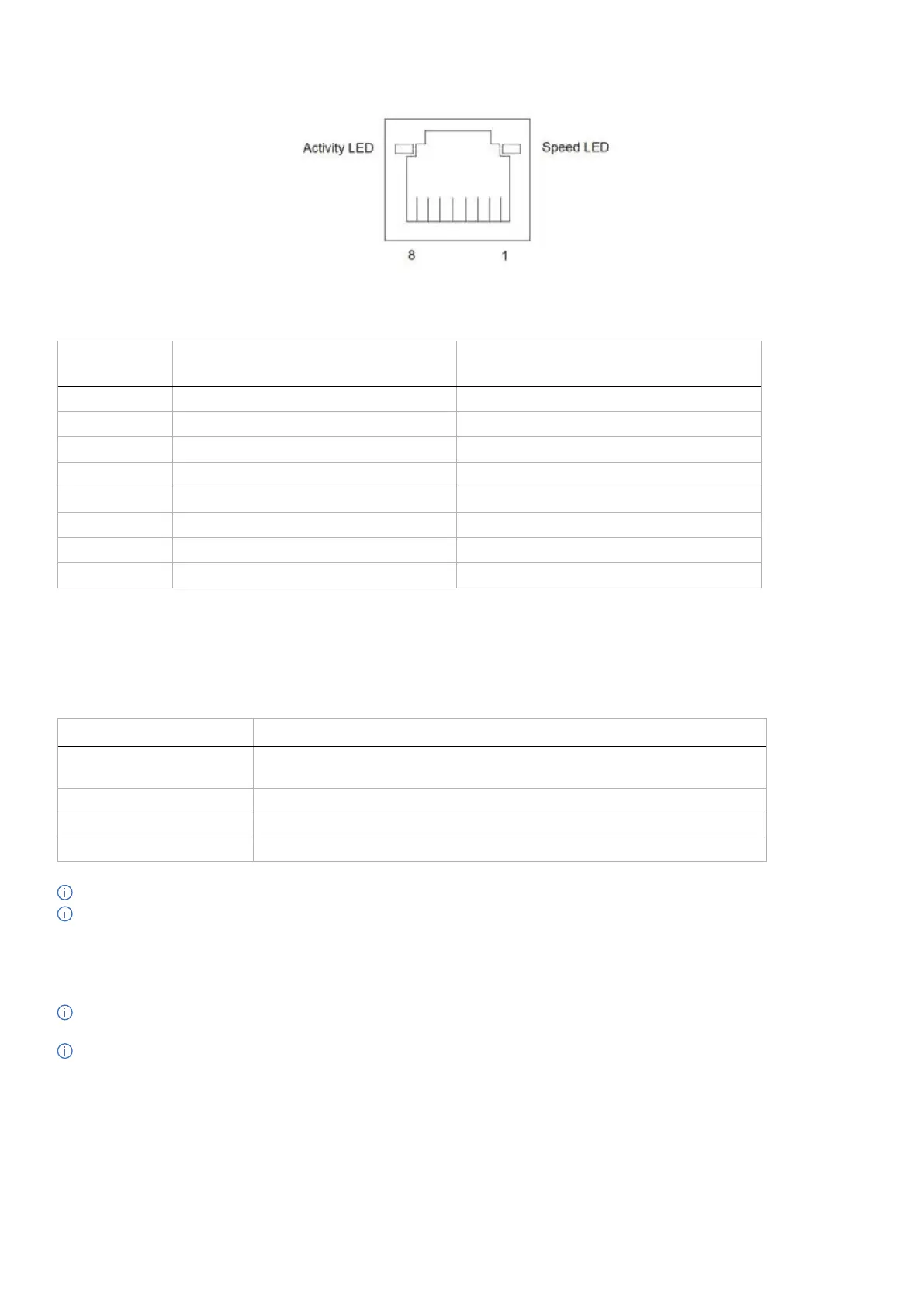
RJ45 Port (connector side)
Figure 11. RJ45 Port (connector side)
Table 24. RJ45 Port (connector side).
Pin No.
10BASE-T
100BASE-T
1000BASE-T
1
Transmit+ BI_DA+
2
Transmit- BI_DA-
3
Receive+ BI_DB+
4
Unused BI_DC+
5
Unused BI_DC-
6
Receive- BI_DB-
7
Unused BI_DD+
8
Unused BI_DD-
Driver installation
Install the Realtek USB GBE Ethernet Controller Driver available for your system. You can download the driver from Drivers &
Diagnostics on Dell Support Site.
Network (RJ45) data rate using USB-C maximum speed is 1000 Mbps.
Table 25. Wake-on-LAN behavior.
Computer power save state System behavior after receiving Wake-on-LAN (WOL) command
Modern Standby (S0ix) The computer and monitor remain in Standby mode but the network
communication is enabled.
Standby/Sleep (S3) Both computer and monitor are turned on.
Hibernate (S4) Both computer and monitor are turned on.
OFF/Shutdown (S5) Both computer and monitor are turned on.
NOTE: The computer BIOS must be configured to enable WOL function first.
NOTE: This LAN port is 1000Base-T IEEE 802.3az compliant, supporting Mac Address (Printed on model label) Pass-Through
(MAPT), Wake-on-LAN (WOL) from standby mode (S3), and UEFI* PXE Boot function. UEFI PXE Boot is not supported on Dell
desktop computers except for OptiPlex 7090/3090 Ultra desktop. These three features depend on BIOS settings and operating
system versions. The functionality may vary with non-Dell computers.
*UEFI stands for Unified Extensible Firmware Interface.
NOTE: WOL S4 and WOL S5 are only capable with Dell systems that support DPBS and are with USB-C (MFDP) interface
connection. Ensure DPBS function is enabled on both the computer and monitor.
NOTE: For any issues related to WOL, the users have to debug the computer without a monitor. After the problem is solved, then
connect to the monitor.



 To Next Page