9
About your monitor
Operating system compatibility
• Windows 10 and later*
• macOS 12* and macOS 13*
*The operating system compatibility on Dell branded monitors may vary based on factors such as:
• Specific release date(s) when operating system versions, patches, or updates are available.
• Specific release date(s) when Dell branded monitor firmware, software application, or driver updates are available on the Dell
support website.
Identifying parts and controls
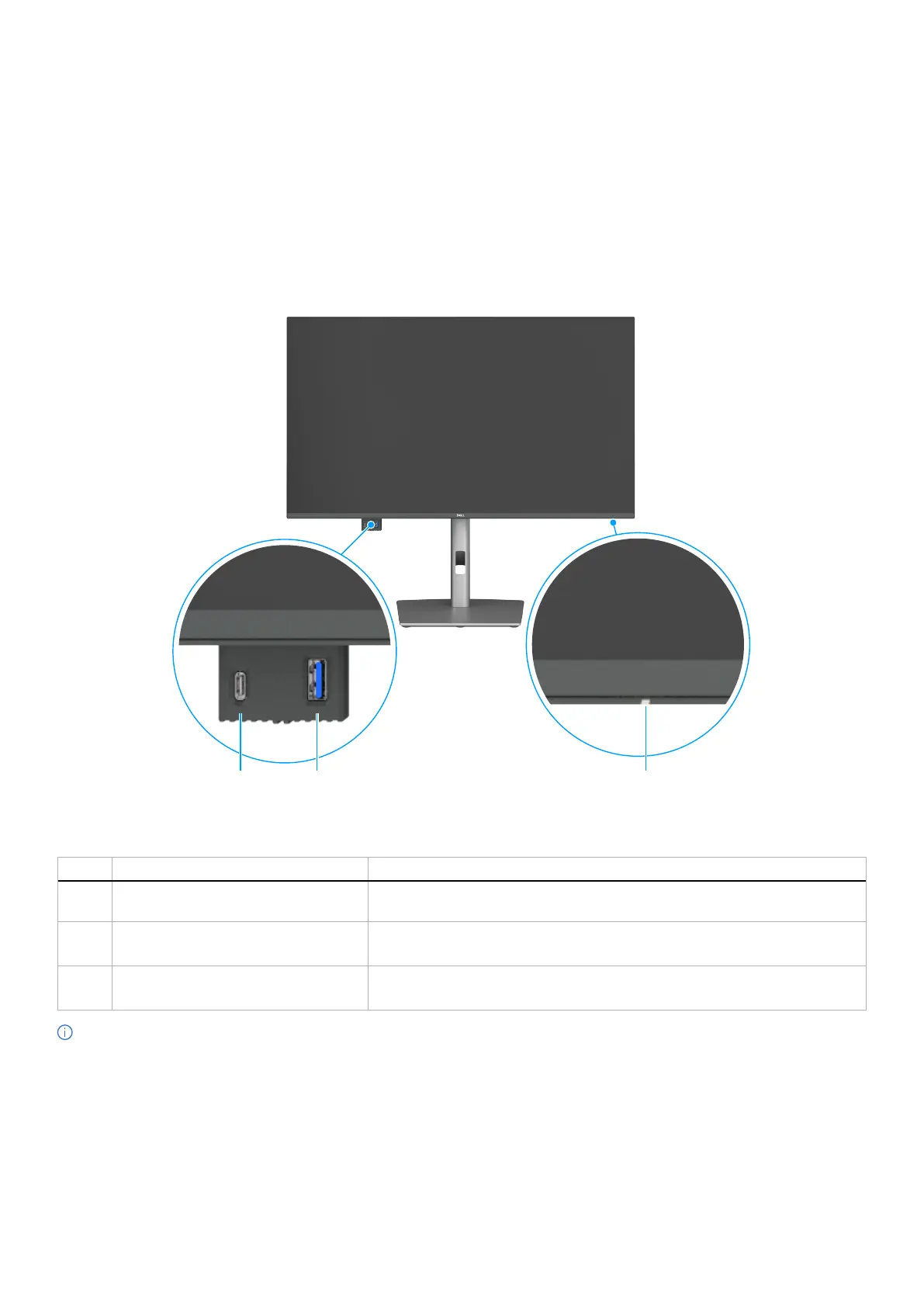
Front view
32
1
Figure 1. Front view of the monitor
Table 4. Components and descriptions.
Label Description Function
1
Power LED indicator Solid white light indicates the monitor is turned on and functioning normally.
Blinking white light indicates the monitor is in Standby Mode.
2
USB-C 5Gbps downstream port Connect your USB device.
The USB-C port supports 5 V/3 A.
3
USB 5Gbps Type-A downstream port Connect your USB device.
The USB Type-A port supports 5 V/0.9 A.
NOTE: You can use this port only after you have connected the USB Type-C to Type-A or USB-C to C cable to the USB-C upstream
port at the rear of the monitor to the computer.



 To Next Page