34
Setting up the monitor
Connecting the USB Type-C to Type-A cable
USB-C
USB Type-A
Figure 33. Connecting the USB Type-C to Type-A cable
NOTE: This connection supports data only and does not transmit video. An additional video connection for display is needed.
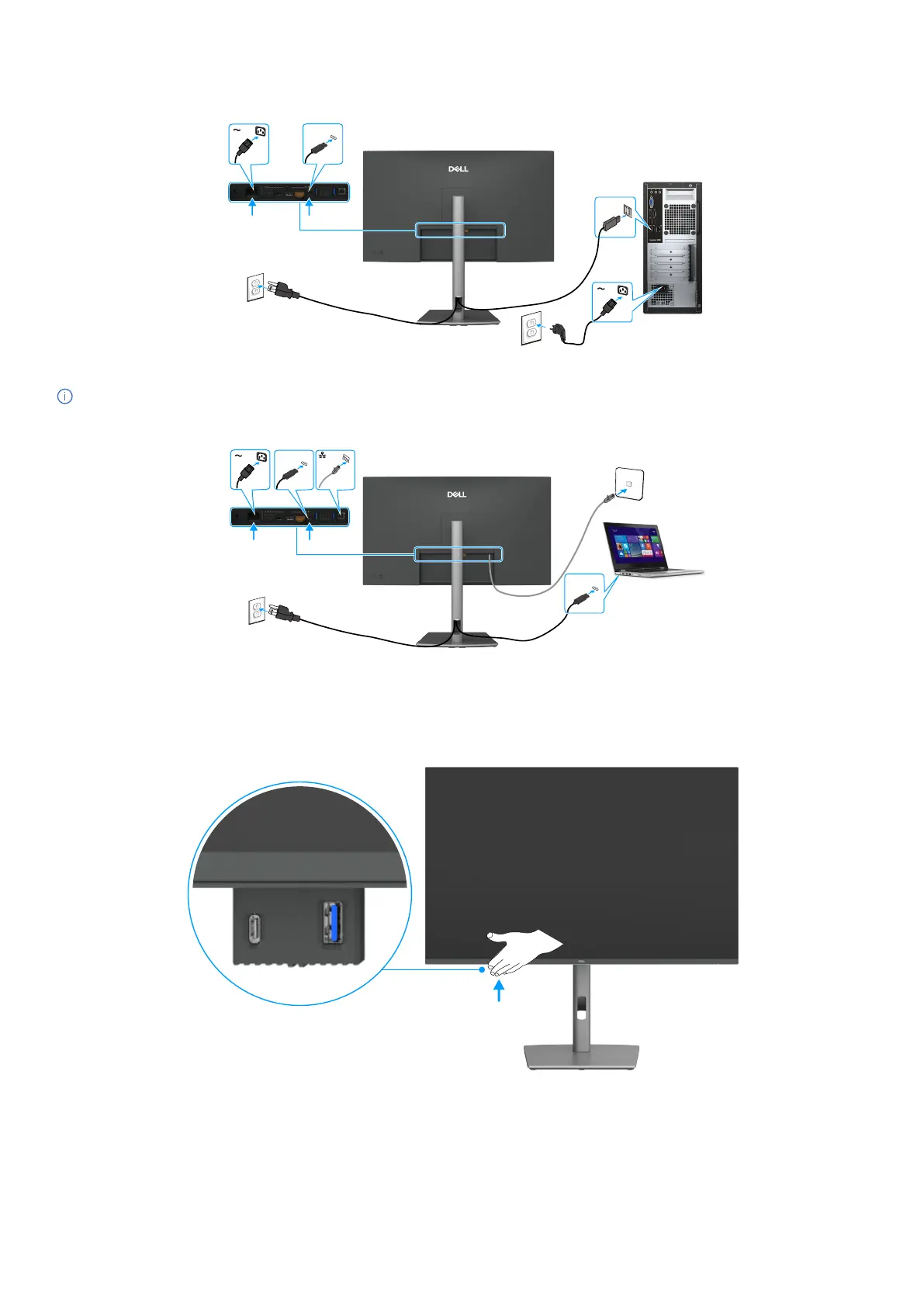
Connecting the monitor for RJ45 cable (optional)
USB-C
USB-C
Figure 34. Connecting the monitor for RJ45 cable
Using the quick access ports
When you want to use the monitor’s built-in quick access ports, press on the quick access port module and then release. The quick
access port module will slide down.
Figure 35. Using the quick access ports



 To Next Page