29
Setting up the monitor
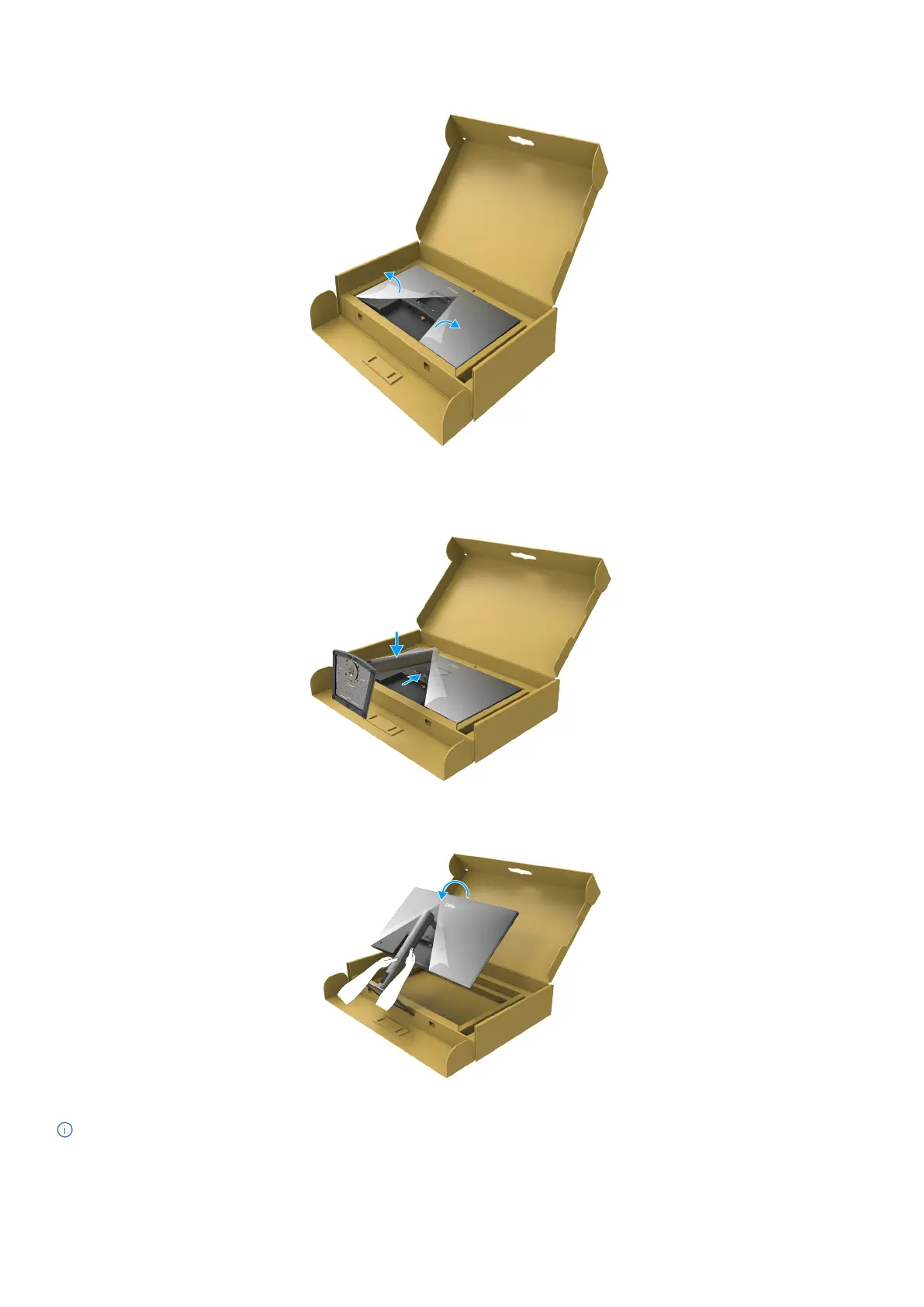
5. Open the protective cover on the monitor to access the VESA slot on the monitor.
Figure 19. Open the protective cover
6. Carefully insert the tabs on the stand riser into the slots on the display back-cover and press down the stand assembly to snap it
into place.
Figure 20. Insert the tabs on the stand riser into the slots
7. Hold the stand riser and lift the monitor carefully, then place it on a at surface.
Figure 21. Hold the stand riser and lift the monitor
NOTE: Hold the stand riser firmly when lifting the monitor to avoid any accidental damage.



 To Next Page