41
Setting up the monitor
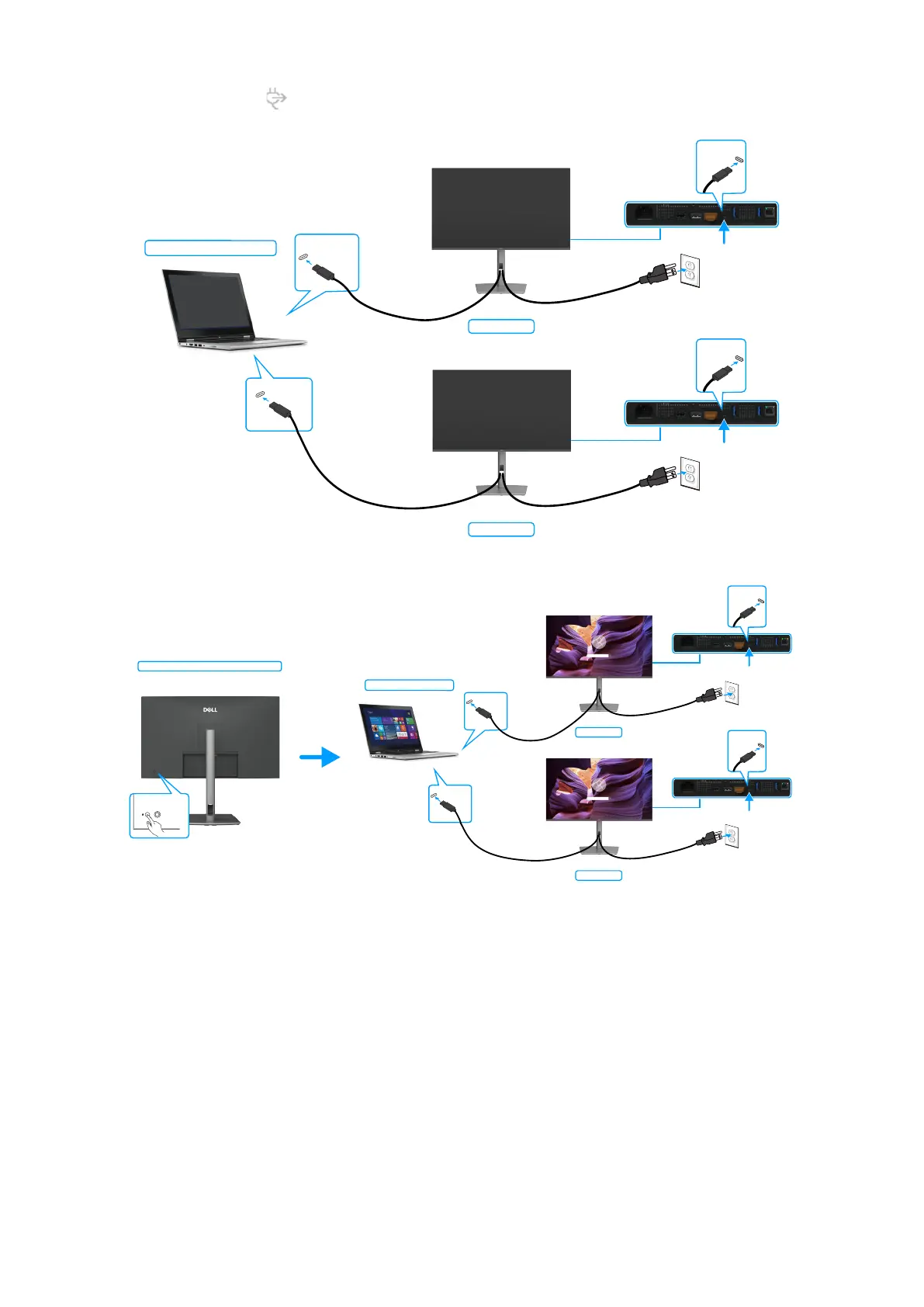
Make sure to set USB-C Charging 90W to On in Off Mode. While the computer and two monitors are in an initially OFF power
state, by pressing the power button on Monitor 1 or Monitor 2 will turn ON the computer, Monitor 1, and Monitor 2.
Monitor 1
Monitor 2
USB-C
upstream
USB-C
upstream
System power state(ON)
USB-C
port1
USB-C port2
Figure 52. Two monitors and computer power state Off in DPBS mode
System power state(ON)
Pressing power button on Monitor 1 or 2
Monitor 1
Monitor 2
USB-C port1
USB-C port2
USB-C
upstream
USB-C
upstream
Figure 53. Two monitors and computer power state On in DPBS mode



 To Next Page