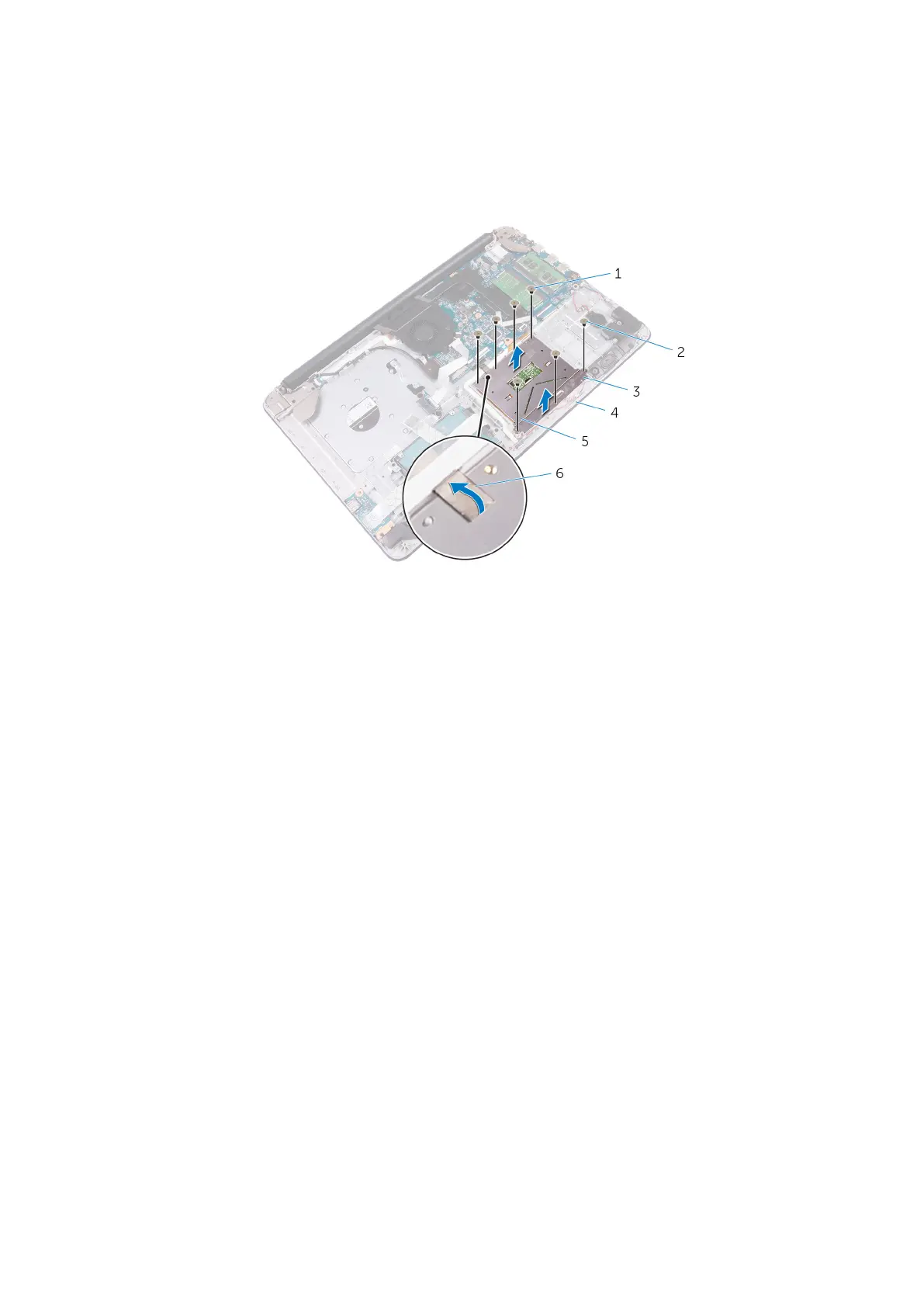
5. touch-pad cable 6. latch
3. Remove the screws that secure the touch-pad bracket to the palm rest and keyboard assembly.
4. Remove the screws that secure the touch pad to the palm rest and keyboard assembly.
5. Gently peel the tape, and lift the touch pad off the palm rest and keyboard assembly.
6.
1. M2x2 screws (4) 2. M2x2 screws (3)
3. touch-pad bracket 4. palm rest and keyboard assembly
5. touch pad 6. tape
Removing the touch pad 35



 To Next Page