3. latch 4. I/O-board cable
5. speaker cable 6. speaker
7. routing guides 8. palm rest and keyboard assembly
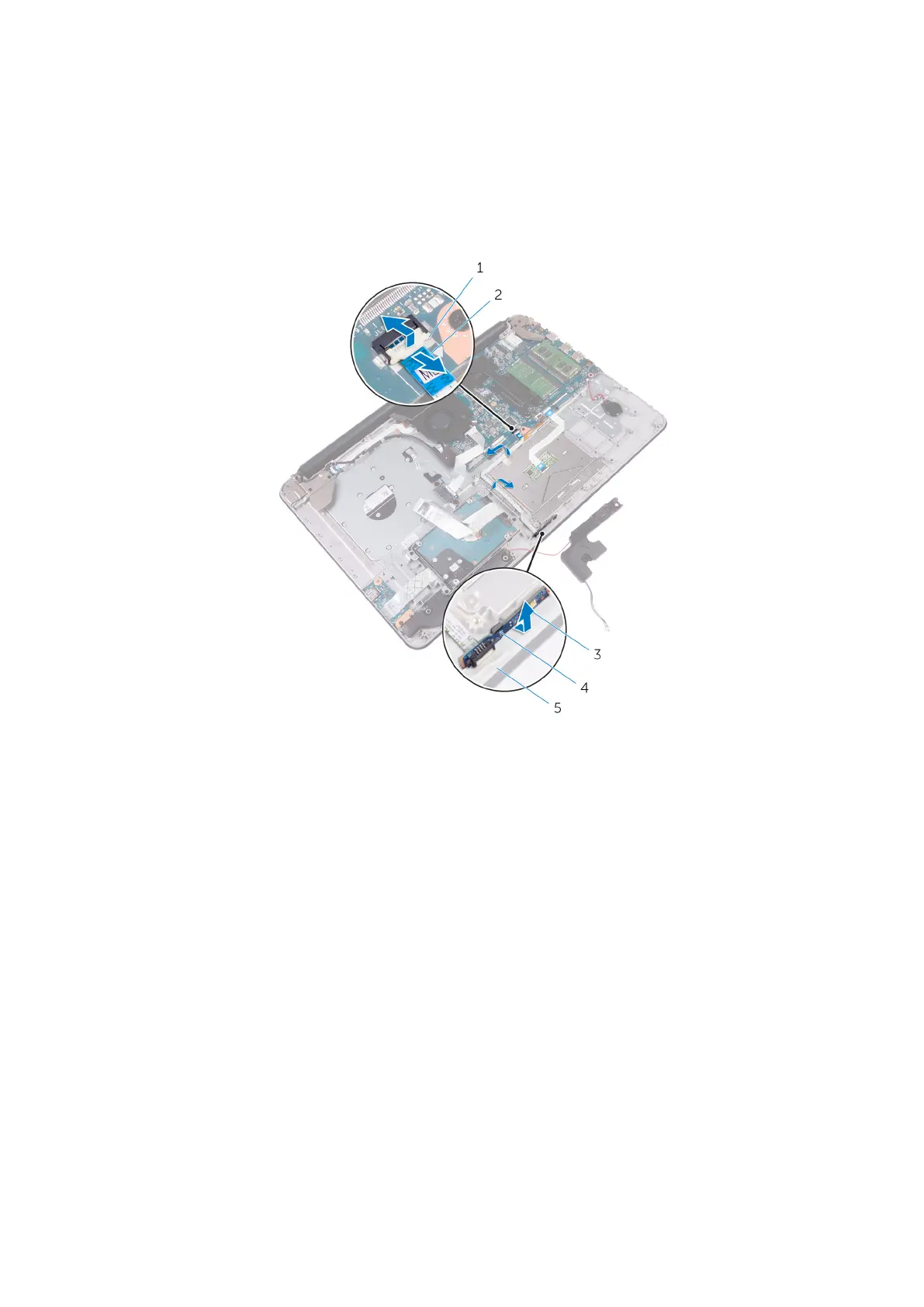
5. Open the latch and disconnect the status-light cable from the system board.
6. Peel off the status-light board cable from the palm rest and keyboard assembly.
7. Release the status-light board from the tab on the palm rest and keyboard assembly.
1. latch 2. status-light board cable
3. status-light board 4. tab
5. palm rest and keyboard assembly
44 Removing the status-light board



 To Next Page