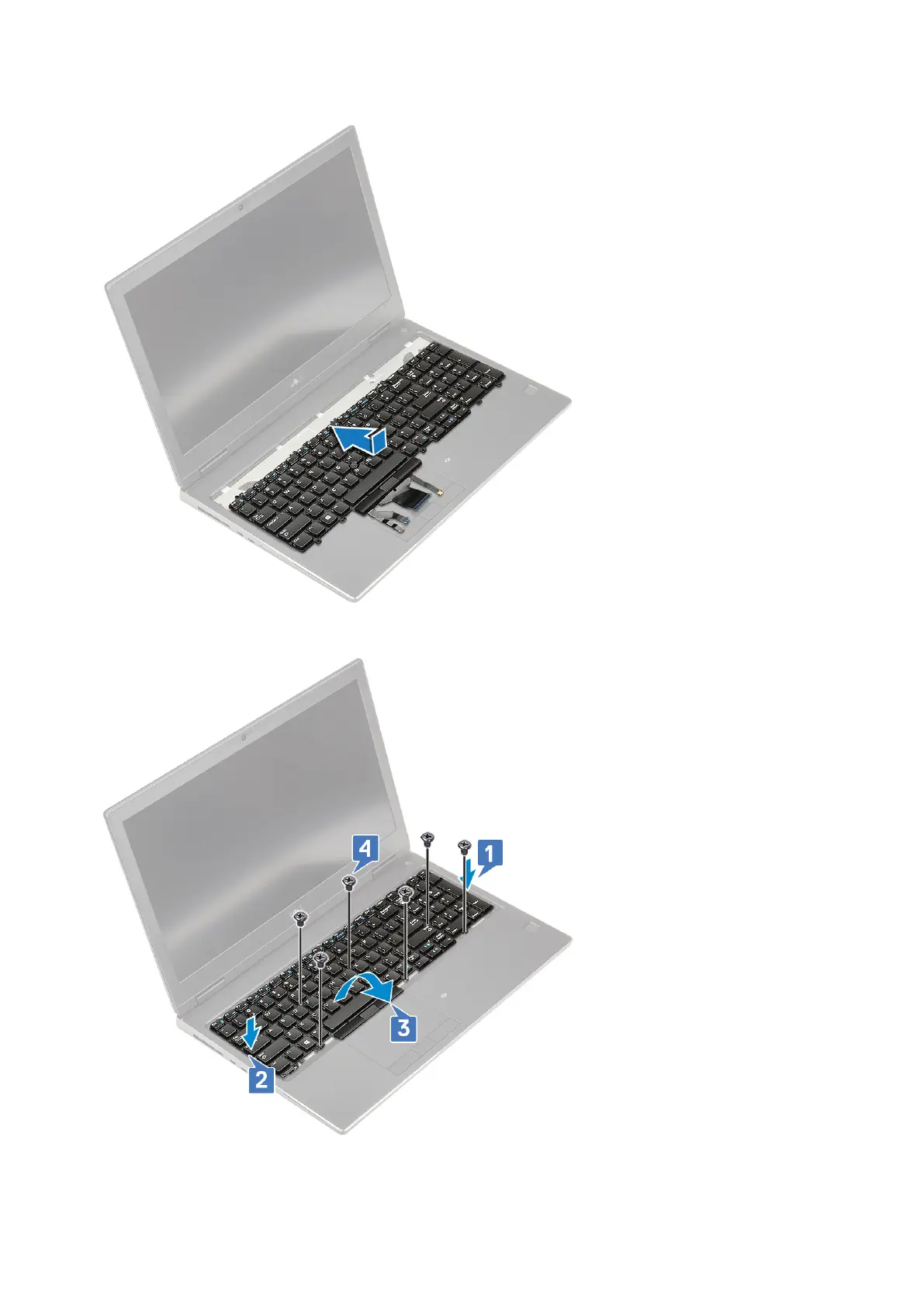
a. Align the keyboard and route the cables back through to the bottom of the compartment.
b. Press and align the keyboard to its compartment working along the left, right and bottom edges [1,2,3].
c. Replace the 6 (M2.0x2.0) screws to secure the keyboard to the palmrest [4].
d. Align the keyboard lattice to its position on the keyboard and ensure that the keyboard lattice clicks into its place.
Removing and installing components
31



 To Next Page