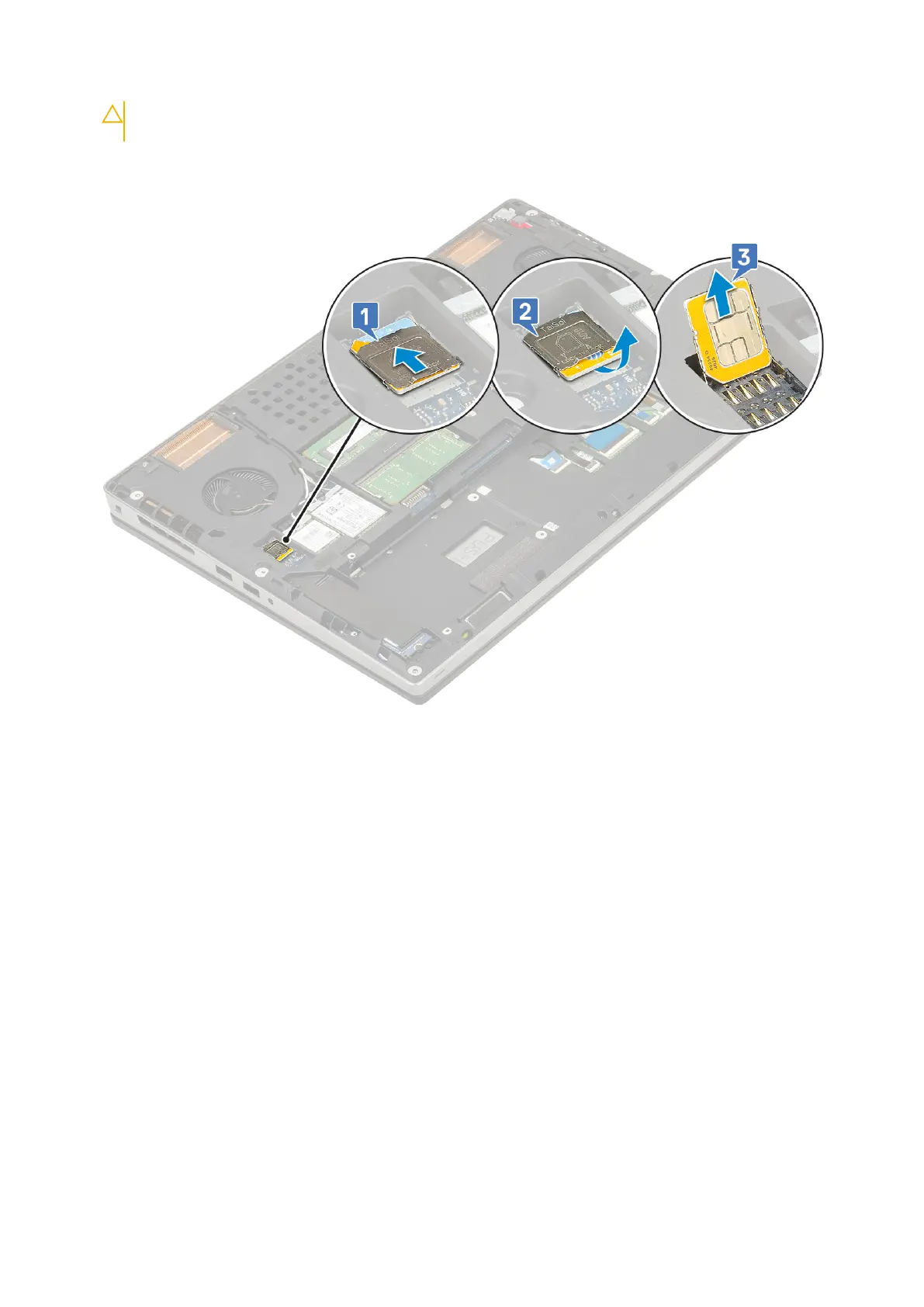
CAUTION: The SIM card cover is very fragile and can be easily damaged if it is not properly unlocked
before opening.
b. Filp the SIM card cover from the botton edge [2].
c. Lift the SIM card from the SIM card compartment [3].
Installing SIM card
1. To install the SIM card:
a. Slide the SIM card into the SIM card compartment [1].
b. Snap the SIM card cover down [2].
c. Slide the SIM card cover towards the front of the system to lock the SIM card cover [3].
Removing and installing components
57



 To Next Page