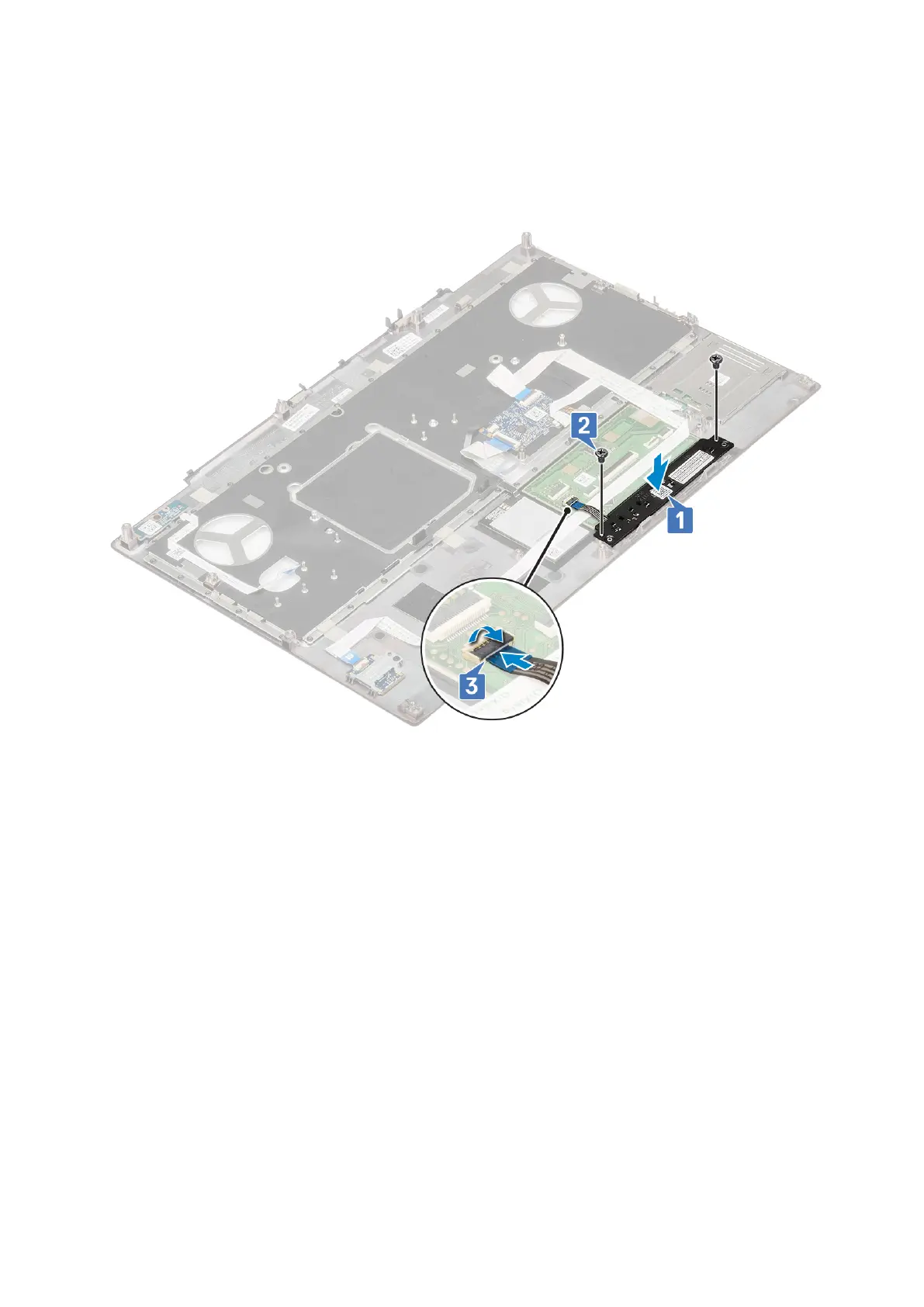
Installing the Touchpad button
1. To install the touchpad button:
a. Place the touchpad button into its slot in the palmrest [1].
b. Replace the 2 (M2.0x3.0) screws to secure the touchpad button to the palmrest [2].
c. Connect the touchpad button cable to the connector in the touchpad [3].
2.
Install the:
a. palmrest
b. hard drive
c. keyboard
d. battery
e. base cover
f. SD card
3. Follow the procedure in After working inside your computer.
SIM card
Removing SIM card
1. Follow the procedure in Before working inside your computer.
2. Remove the:
a. SD card
b. base cover
c. battery
3. To remove SIM card:
a. Gently slide the SIM card cover towards the rear of the system to unlock the SIM card cover [1].
56
Removing and installing components



 To Next Page