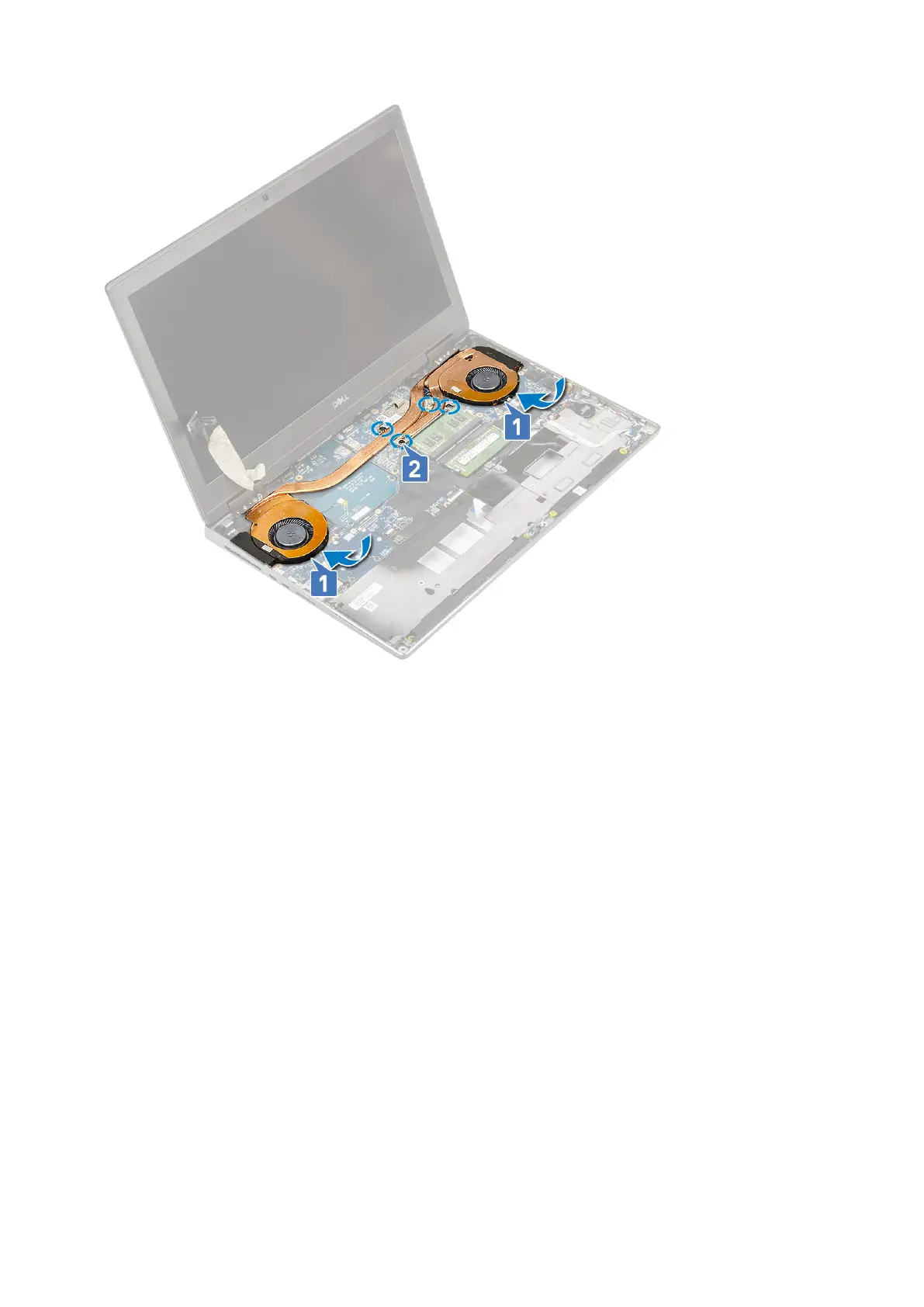
c. Connect the two fan cables to the connector on the system board [1, 2].
d. Affix the adhesive tape to secure the eDP cable in place.
e. Connect the eDP cable to the connector on the system board [3].
f. Place and align the eDP cable bracket above the display cable connector [4].
g. Replace the 2 (M2.0x3.0) screw to secure the eDP cable bracket to the system board [5].
68
Removing and installing components



 To Next Page