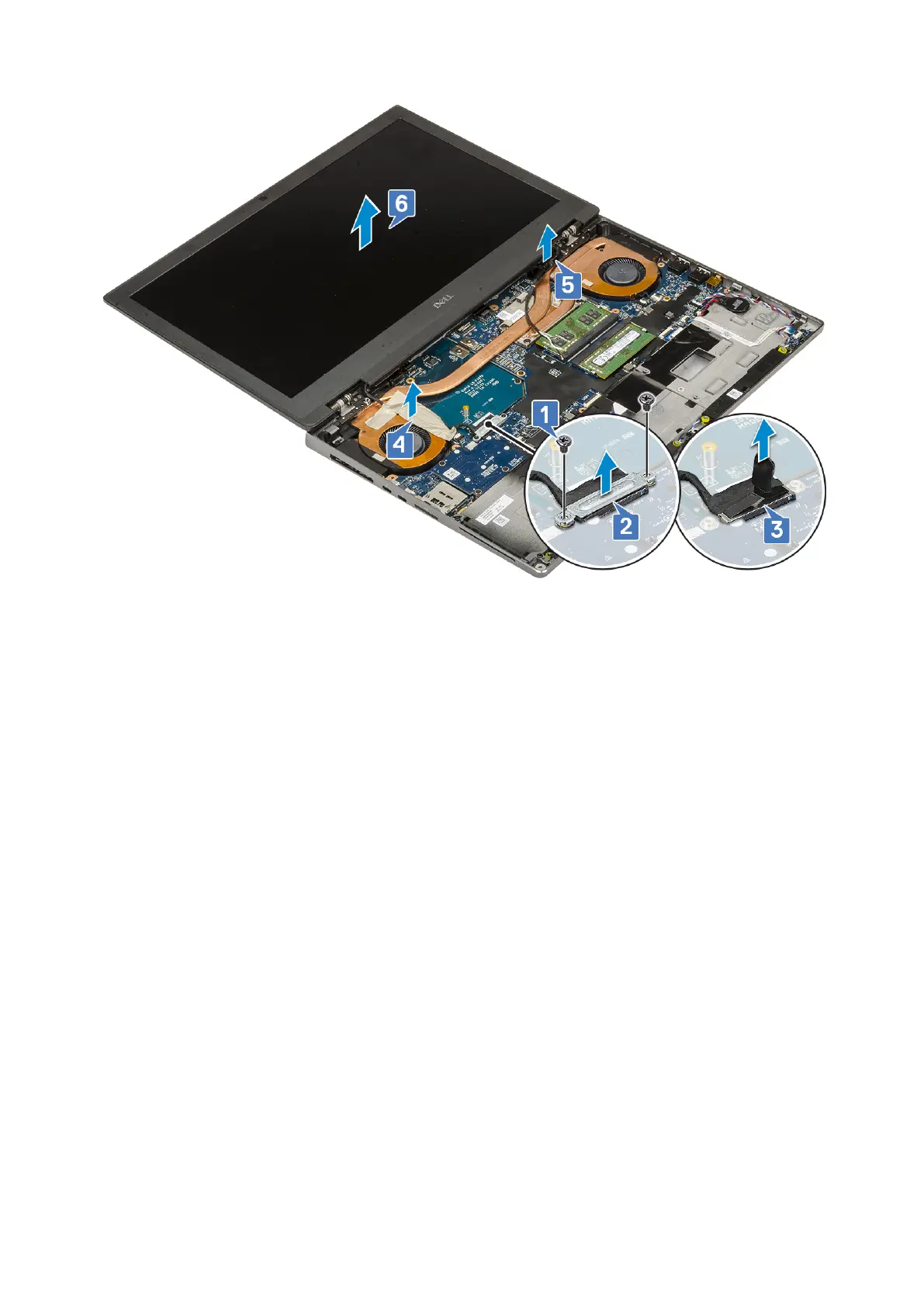
Installing the display assembly
1. To install display assembly:
a. Align the display assembly into the slots on the system [1].
b. Route the wireless cable located next to the hinges [2].
c. Affix the adhesive tape to secure the eDP cable in place [3].
d. Connect the eDP cable to the connector on the system board [4].
e. Place the eDP cable bracket and replace the 2 (M2.0x3.0) screws to secure the eDP cable bracket to the system board
[5, 6].
84
Removing and installing components



 To Next Page