Dell PowerConnect W AirWave 7.2 | Best Practices Guide AWMS and Dell PowerConnect W Integration Strategies | 21
Prerequisites for Integration
If you have not discovered the Dell PowerConnect W infrastructure or configured credentials, refer to the
previous chapters of this book:
Chapter 2, “Configuring AWMS for Global Dell PowerConnect W Infrastructure” on page9
Chapter 3, “Configuring a Dell PowerConnect W Group in AWMS” on page13
Chapter 4, “Discovering Dell PowerConnect W Infrastructure” on page15
Enable Stats Utilizing AWMS
To enable stats on the Dell PowerConnect W controllers, follow these steps:
1. Navigate to Groups > Basic for the group that contains your Dell controllers.
2. Locate the Dell PowerConnect W section.
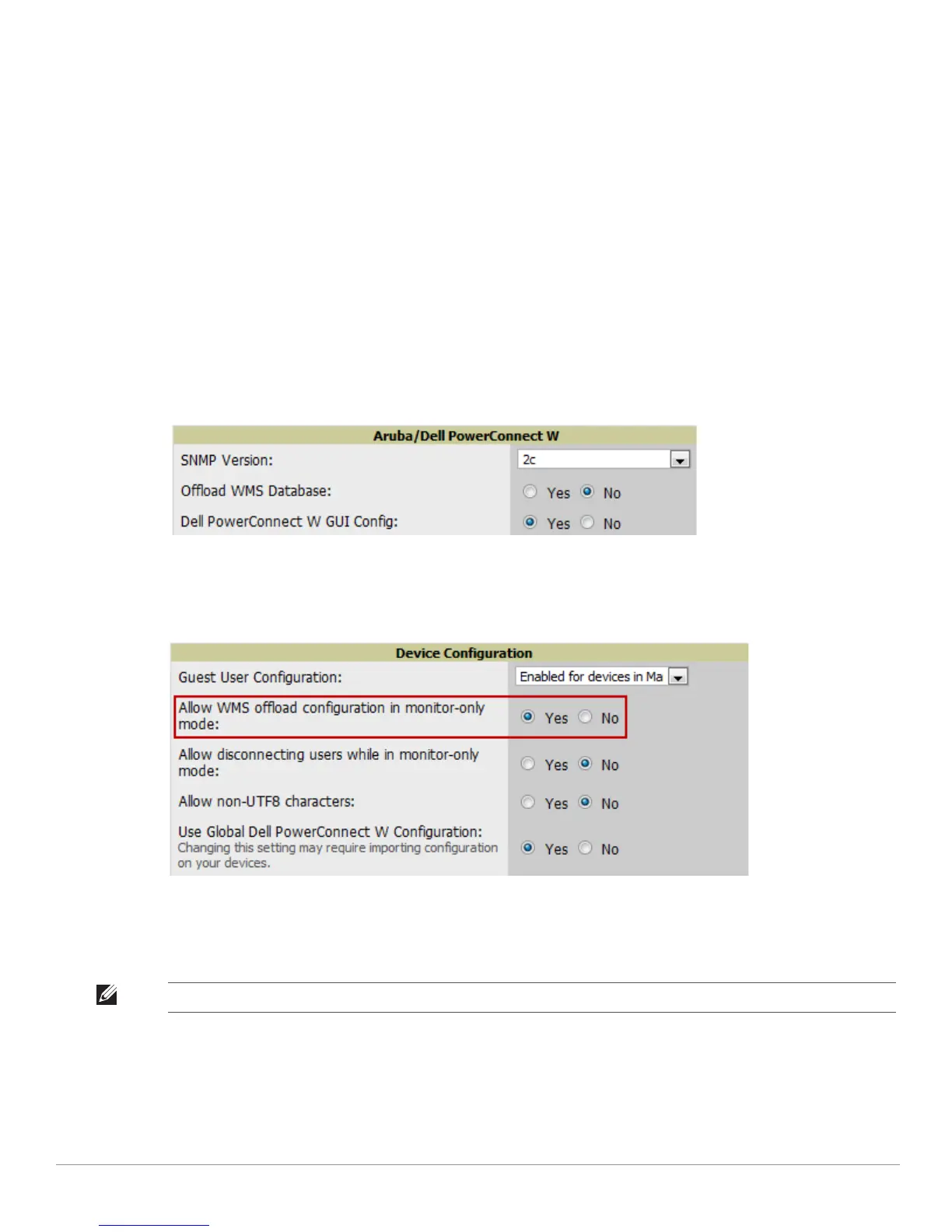
3. Set the Offload WMS Database field to No, as shown in Figure 9:
Figure 9 Offload WMS Database field in Device Setup > Communication
4. Select Save and Apply.
5. Navigate to AMP Setup > General and locate the Device Configuration section.
6. Set the Allow WMS Offload Configuration in Monitor-Only Mode field to Yes, as shown in Figure 10:
Figure 10 WMS Offload Configuration in AMP Setup > General
7. Select Save.
This will push a set of commands via SSH to all Dell PowerConnect W local controllers. AWMS must have read/
write access to the controllers in order to push these commands.
NOTE: This process will not reboot your controllers.



 To Next Page
 Loading...