110 Installing System Components
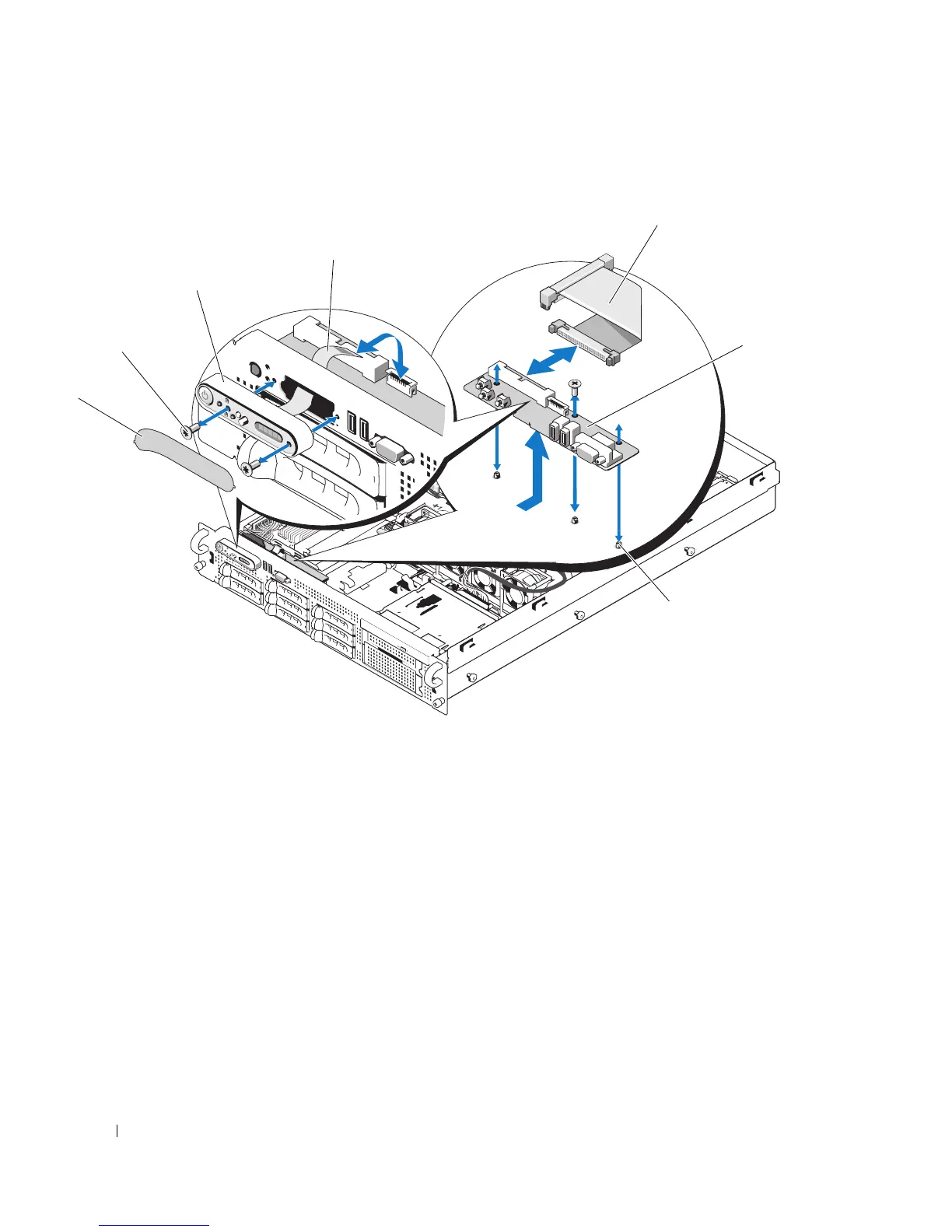
Figure 3-34. Control Panel Removal
Installing the Control Panel Assembly
1
Insert the display module into the chassis cutout and secure with the two Torx screws.
2
Affix the display module label to the display module.
3
Install the control panel board in the system chassis and secure with the three Phillips screws. See
Figure 3-34.
4
Connect the display module cable to the control panel board. See Figure 3-34.
5
Connect the control panel cable to the control panel board. See Figure 3-34.
6
Close the system. See "Closing the System" on page 56.
5
6
2
1
3
4
7
1 display module label 2 display module securing
screws (2)
3 display module
4 display module cable 5 control panel cable 6 control panel circuit board
7 control-panel circuit board
securing screws (3)














 To Next Page