52 Installing System Components
Inside the System
CAUTION: Only trained service technicians are authorized to remove the system cover and access any of the
components inside the system. See your Product Information Guide for complete information about safety
precautions, working inside the computer, and protecting against electrostatic discharge.
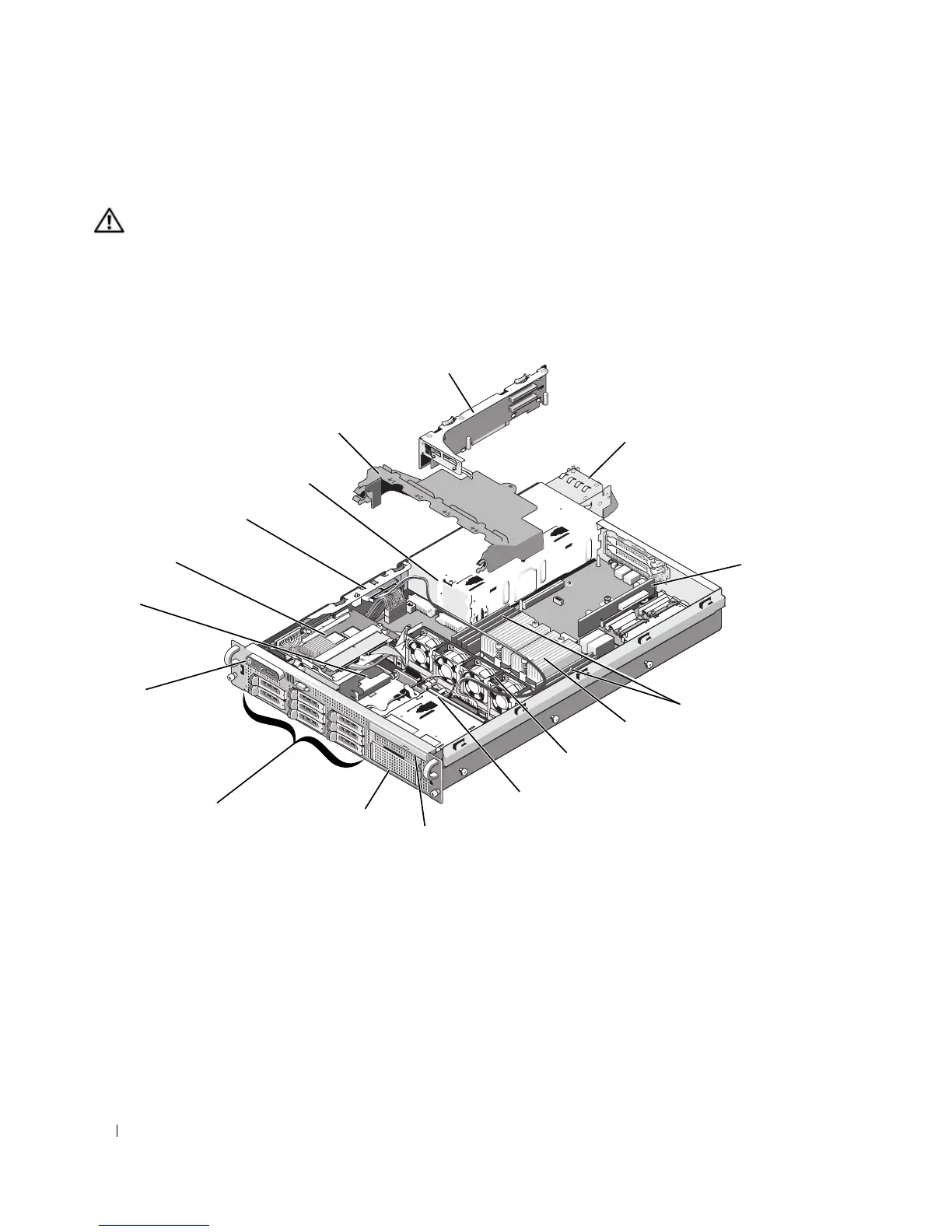
In Figure 3-1, the bezel and system cover are removed to provide an interior view of the system.
Figure 3-1. Inside the System
4
3
13
15
16
7
10
11
2
9
1
8
12
14
5
6
1 RAID battery (optional) 2 SAS controller or optional SAS
RAID controller daughter card
3 sideplane
4 power supply bay 5 cooling shroud 6 expansion-card cage and left
riser (PCIe slots 2 and 3)
7 power supplies (1 or 2) 8 center riser (PCIe slot 1) 9 memory modules (up to 8)
10 heatsinks and
microprocessors (1 or 2)
11 hot-pluggable fans (4) 12 SAS/SATA backplane
13 slimline optical drive (optional) 14 media bay for optional diskette
drive and/or tape drive
15 SAS or SATA hard drives (up
to 8)
16 control panel














 To Next Page