68 Installing System Components
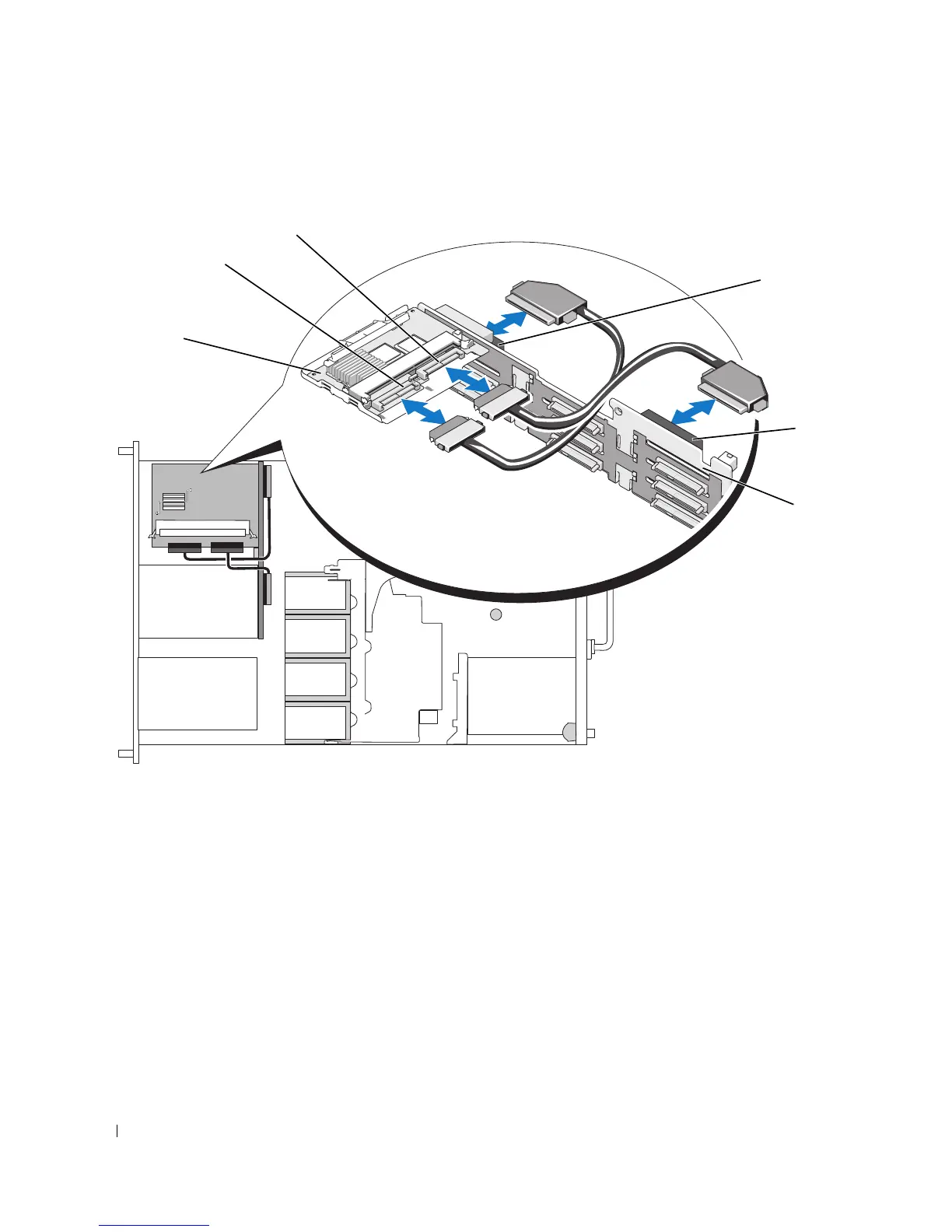
Figure 3-11. SAS RAID Controller Daughter Card Cabling
Removing a SAS Controller Daughter Card
1
Disconnect any battery connectors if applicable.
2
Disconnect any SAS cables from the card.
3
Gently press down on the release tab while sliding the SAS controller daughter card in its tray away
from the sideplane connector, freeing the chassis slots on the tray from the chassis hooks, and lifting
the card from the system. See Figure 3-9.
1 SAS RAID controller daughter
card
2 SAS controller 0 3 SAS controller 1
4 backplane connector A
(SAS_A)
5 backplane connector B
(SAS_B)
6 SAS/SATA backplane
3
6
5
4
1
2














 To Next Page