78 Installing System Components
NOTE: You must remove all expansion cards from the expansion-card cage before removing the expansion-card
cage from the system.
1
Turn off the system, including any attached peripherals, and disconnect the system from the electrical
outlet.
2
Open the system. See "Opening the System" on page 55.
3
Disconnect all expansion-card cables.
4
Remove any expansion cards from the expansion-card cage. See "Removing an Expansion Card" on
page 74.
5
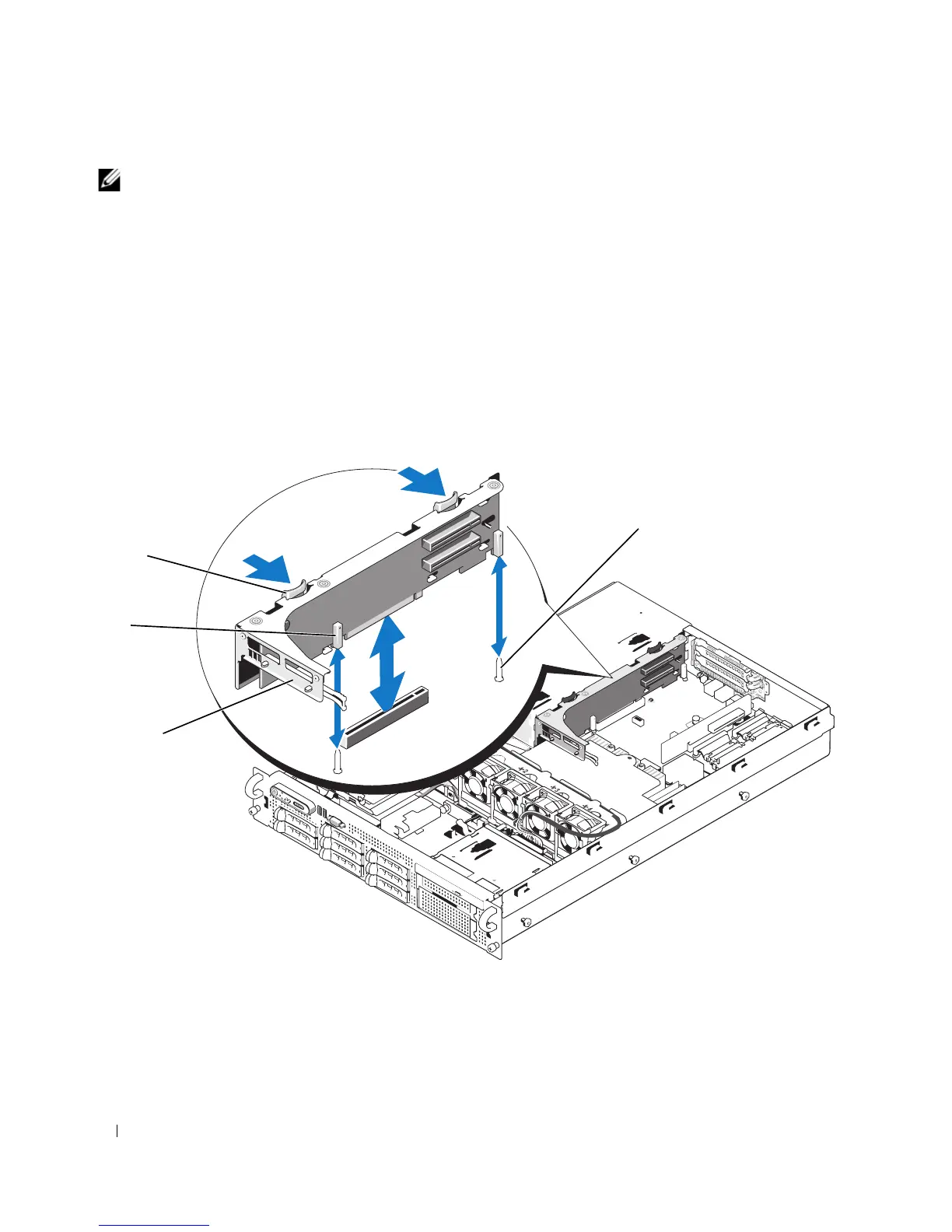
Press the two blue release latches on the expansion-card cage. See Figure 3-17.
Figure 3-17. Installing and Removing the Expansion-Card Cage
6
Lift the cage straight up to clear the chassis. See Figure 3-17.
1 expansion-card cage 2 pin collars (2) 3 release latches (2)
4 chassis pins (2)
1
2
3
4














 To Next Page