80 Installing System Components
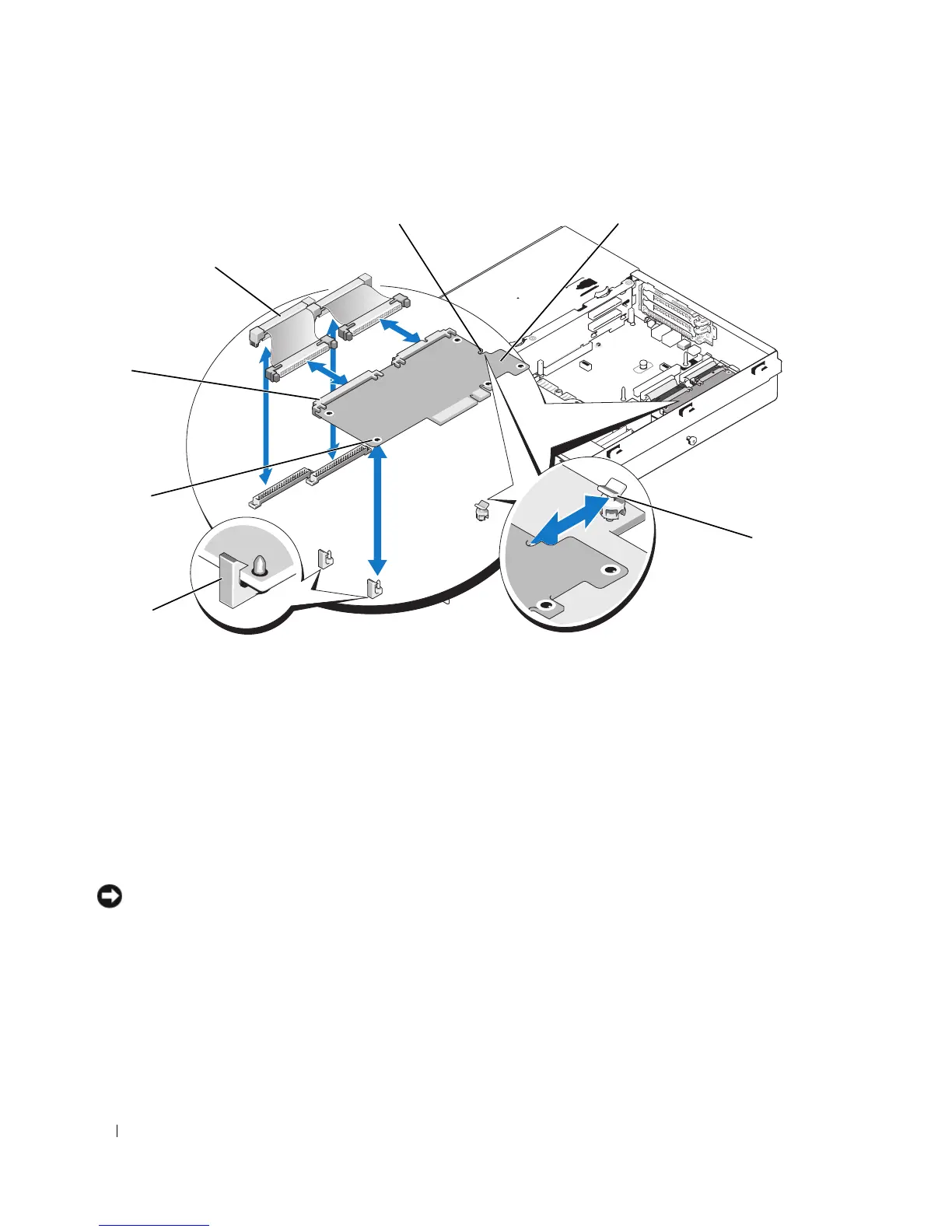
Figure 3-18. Installing and Removing a RAC Card
5
Pull back slightly on one of the blue retention standoff tabs and gently work the edge of RAC card off
of the standoff. Repeat for the other retention standoff.
6
Angle the free end of the RAC card up and pull the card away from the support standoffs.
7
If you are not replacing the RAC card, disconnect and remove the ribbon cables from the system board
and close the system. See "Closing the System" on page 56.
NOTICE: When detaching the RAC cables from the system board, squeeze the metal ends of the cable connectors
and gently work the connector out of the socket. Do not pull on the cable to unseat the connector. Doing so can
damage the cable.
4
6
5
3
1
2
7
1 RAC-card connectors (2) 2 RAC-card cables (2) 3 retention standoff hole
4 RAC card 5 retention standoff 6 support standoff holes (2)
7 support standoffs (2)














 To Next Page