User’s Guide 1-5
Power Management Modes
If you have a VESA DPMS compliance display card or software installed in your system, the
monitor can automatically reduce its power consumption when not in use. If input from the
keyboard, mouse, or other input devices is detected, the monitor will automatically "wake up."
Table 1-2 shows the power consumption and signals for this automatic power saving feature.
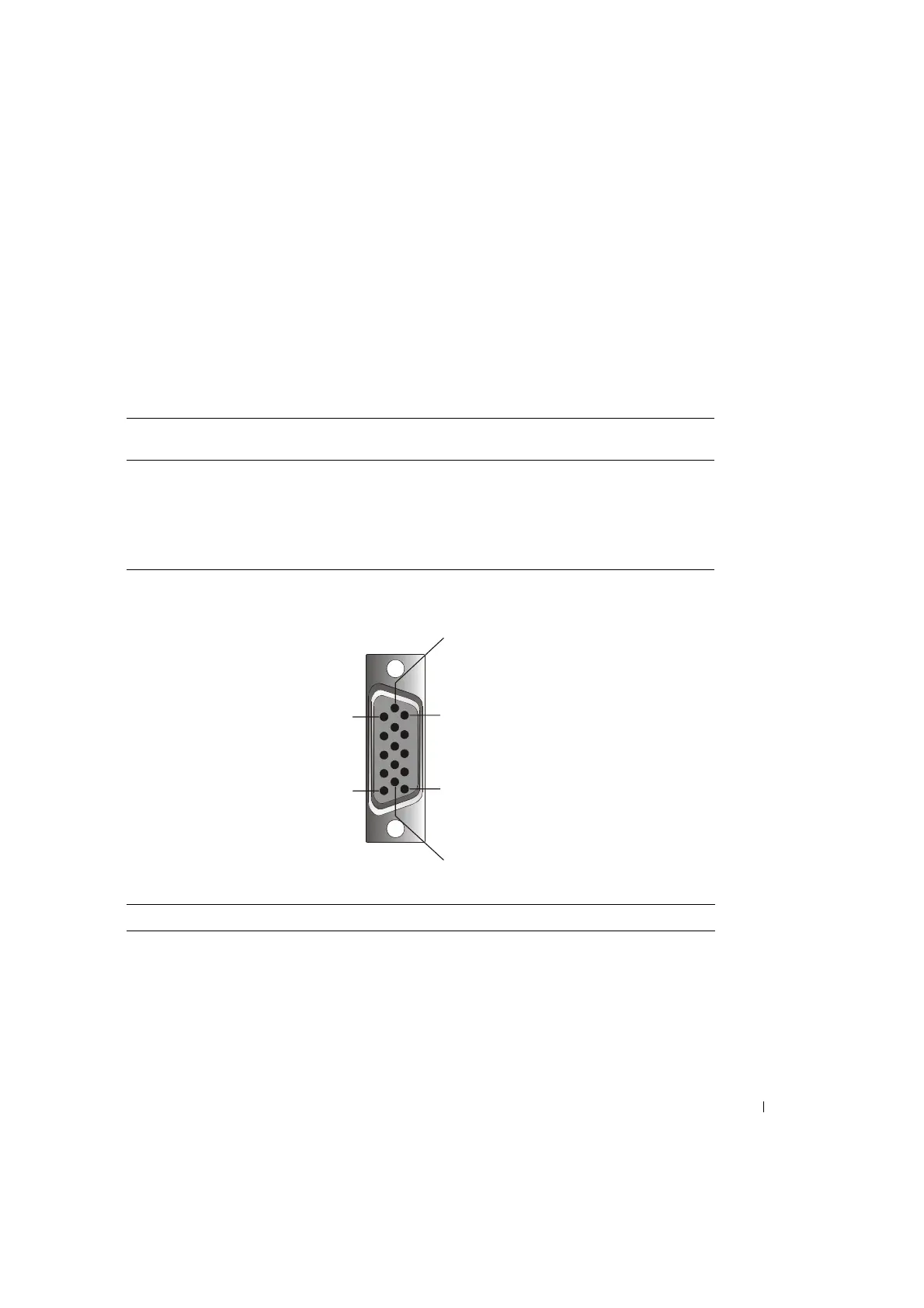
Figure 1-1. Pin Assignment
Table 1-2. Power Management Modes
VESA’s Mode Video H-sync V-sync Power
Used
Power Saving
(%)
LED Color
On Active Yes Yes Maximum 0% Full bright < blue >
Sleep mode Blanked No Yes <5 W 75% Half bright < blue >
Sleep mode Blanked Yes No <5 W 75% Half bright < blue >
Active-off Blanked No No <5 W 75% Dark
DC power off <5 W 75% Dark
Table 1-3. Signal Connector (15 pin D-sub Connector)
Pin No Signal
1Red Video
2 Green Video
3Blue Video
4NC
1
5
6
10
11
15


 To Next Page