User’s Guide 1-9
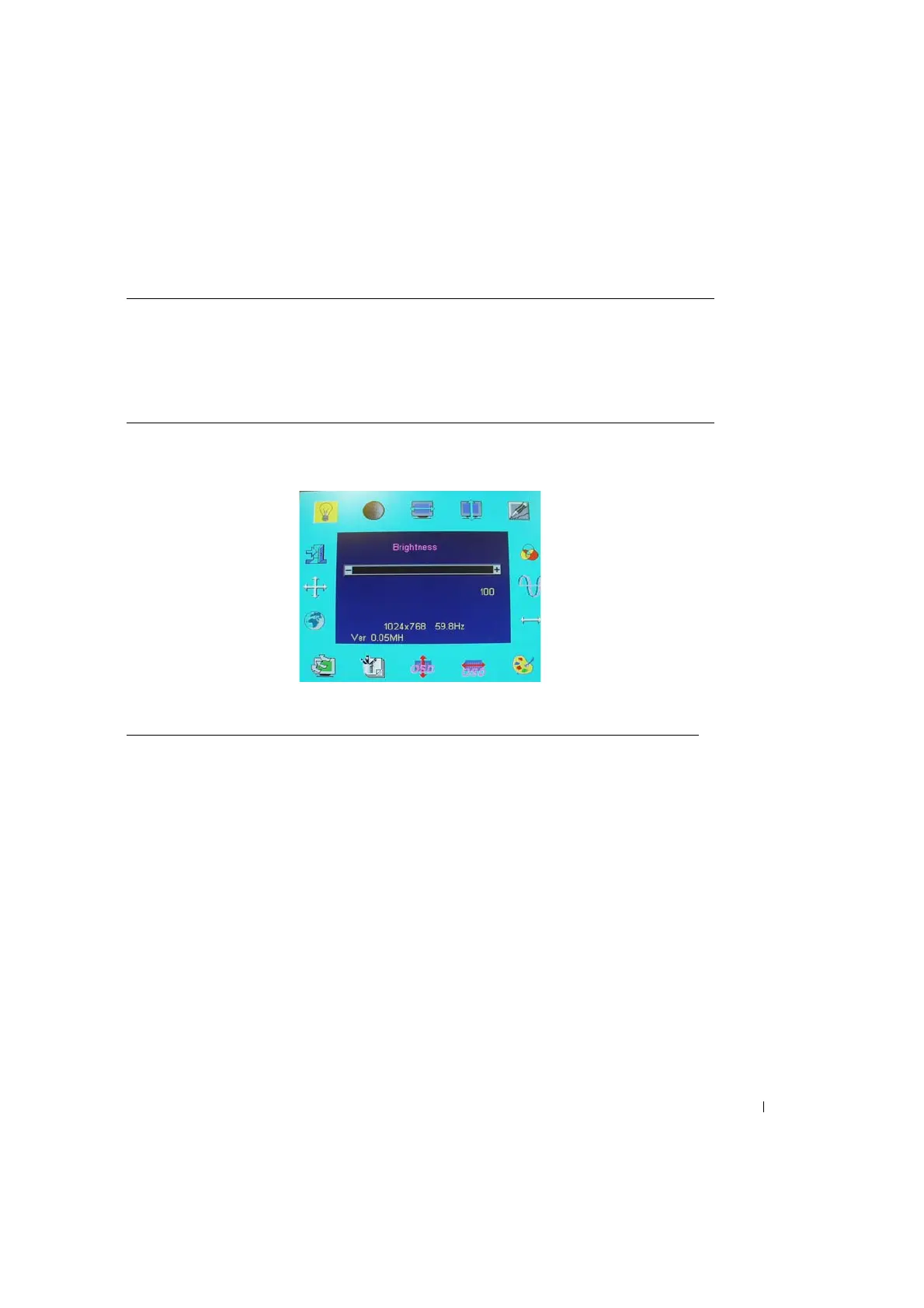
Figure 1-5. On Screen Display
Table 1-5. OSD Layout
OSD format 20 characters by 9 rows
OSD border Cyan color
OSD tunable item Black foreground, Cyan background
Selected item Magenta foreground, Yellow background
Comment Magenta foreground, Blue background
Table 1-6. OSD Description
Brightness: Brightness adjustment, from 0 to 100
Contrast: Contrast adjustment, from 0 to 100.
H. position: Horizontal position adjustment.
V. position: Vertical position adjustment.
Phase: Focus adjustment, the range from 0 to 255, 255 steps.
OSD position: OSD position adjustment.
Auto adjustment: This feature will automatically adjust H position, V position, clock and
phase. It takes 3–5 seconds to finish. When auto adjustment starts, an
"Auto Adjusting…." message is displayed.
Clock: Frequency tracking adjustment. The maximum range from –50 to +50,
but to some modes, the range will be limited.
Graph text: 640 x 400 (GRAPH) or 720 x 400 (TEXT) mode select.
Language: 5 OSD description languages are available, including English, German,
French, Spanish, and Japanese.
Recall: Recall default value.


 To Next Page