1-12 User’s Guide
www.dell.com | support.dell.com
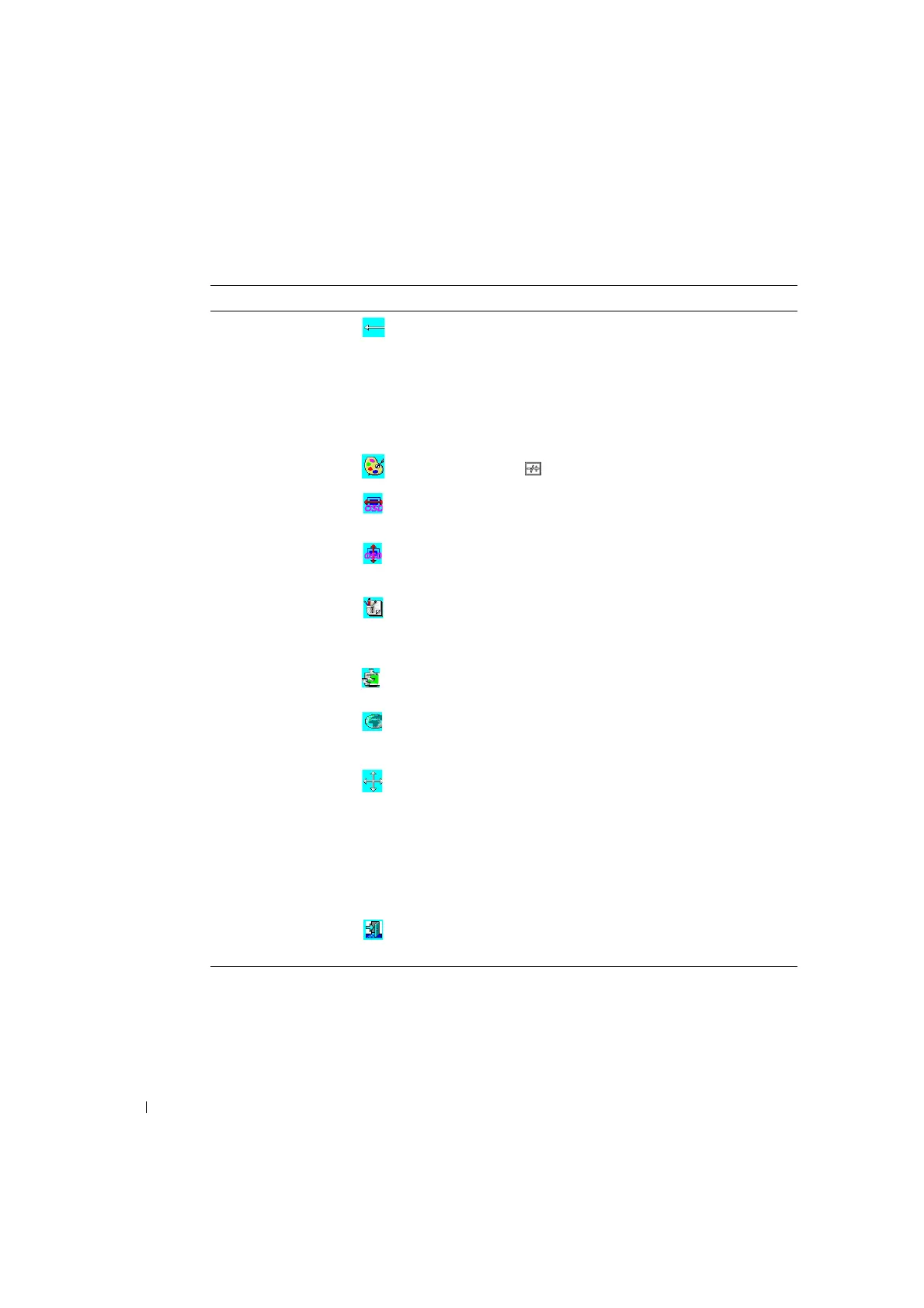
Clock This function carries a frequency-tracking feature that
provide a stable and clarity environment. 101 settings
(from –50 to +50) are available on the mode that is
currently running. The adjustment ranges are variable in
different modes. This function records deviated number of
clock cycle between input timing and supported timing.
The clock value may not be "0" after Auto Adjustment
when the input timing is different from supported timing.
Color Temperature Push the ( ) button to select a different color
temperature.
OSD H. Position This function moves OSD menu horizontally.
OSD V. Position This function moves OSD menu vertically.
Graph / Text Because the H and V-Frequencies of both 640 x 400, 70
Hz, and 720 x 400, 70 Hz, are the same, this function will
let you manually select either 640 x 400 (graphics mode)
or 720 x 400 (text mode).
Recall The recall function will reset all adjusted parameters to
factory preset values.
Language Five OSD languages are available: English, German,
French, Spanish, and Japanese. Press left or right
adjustment button to select the desired language.
Auto adjustment Press + and – buttons to activate the auto adjustment
function.
The auto adjustment function allows you to adjust the
display size, clock, and phase to obtain a optimize viewing
setting. This process will take 3 ~ 5 seconds to activate.
NOTE: After auto adjustment, the display might display
the wrong position or size if it has received a pattern
which has no screen border.
Exit Saves the values of this setting and exits the OSD menu
function.
Table 1-8. OSD Functions
(continued)
Function Icon Description


 To Next Page