48 Using a Battery
www.dell.com | support.dell.com
1 Ensure that the computer is turned off, suspended in a power management mode, or
connected to an electrical outlet.
2 If the computer is connected to a media base (docked), undock it. See the
documentation that came with your media base for instructions.
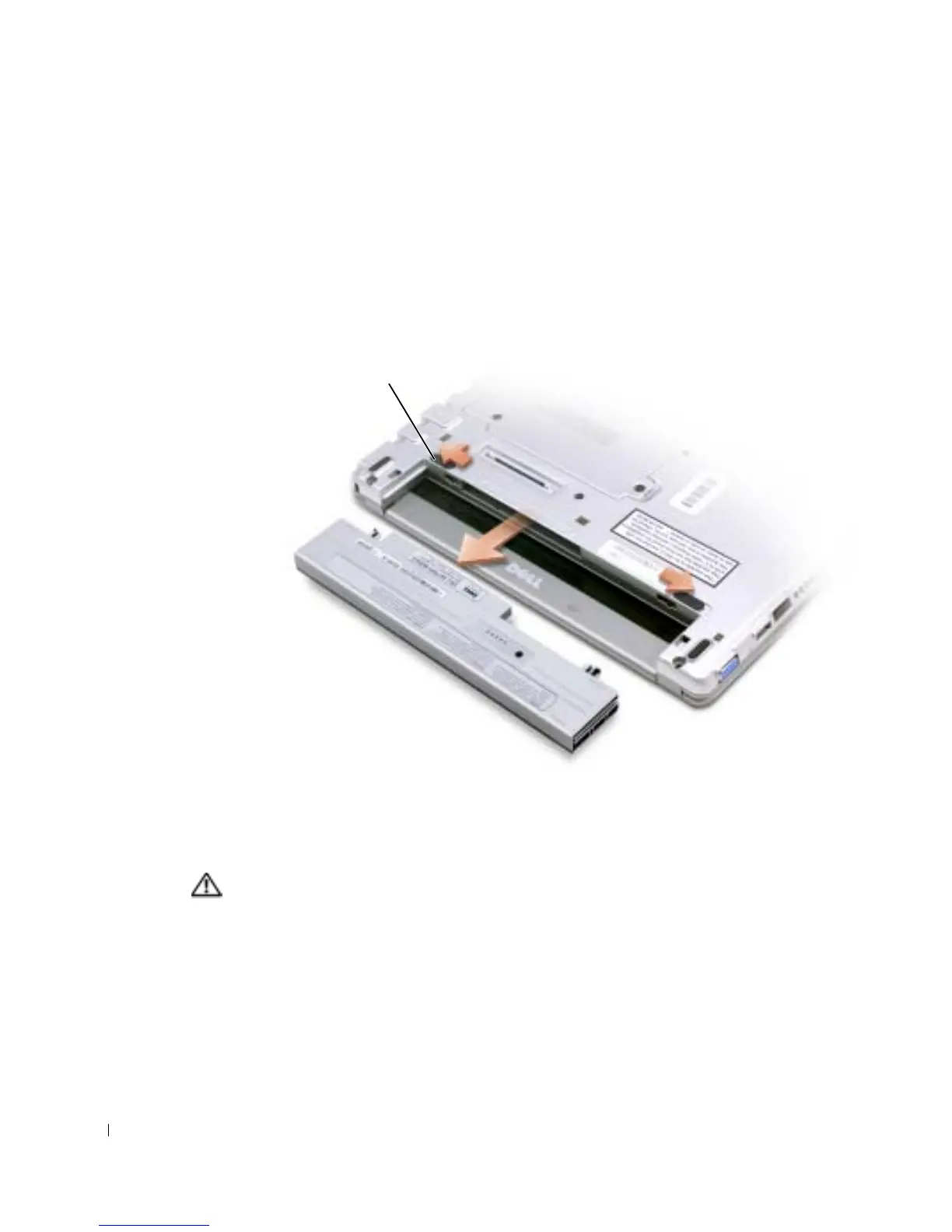
3 Slide the battery latch releases on the bottom of the computer and remove the battery
from the bay.
Installing a Battery
CAUTION: Before performing any of the procedures listed below, read the safety
instructions on page 9.
Slide the battery into the bay until the latch releases click.
battery latch
release (2)










 To Next Page